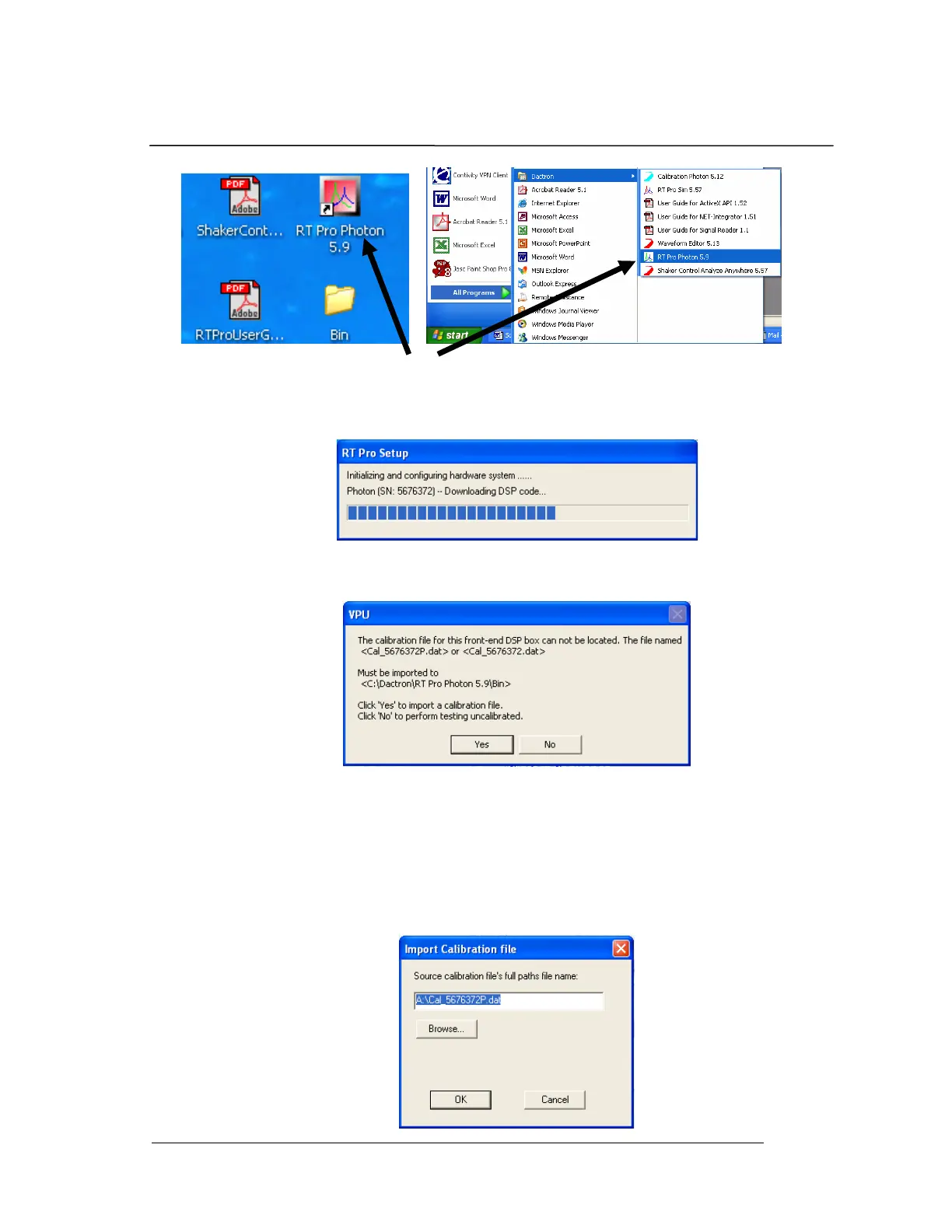
System Installation
Photon II System Guide 16
2. The next screen that appears is the hardware initialization
screen, which shows the progress of the system firmware
download into the Photon II’s Digital Signal Processor.
3. Once the DSP code downloading is finished, the calibration
file import prompt will appear.
4. Insert the 3.5 inch floppy diskette that came with your
Photon II system into the PC. This diskette contains the
calibration file that was generated for your Photon II prior to
shipment. You must load this file in order to have a
calibrated and accurate Photon II. After placing the
calibration diskette in your “A” drive, select “Yes” to import
the calibration file.


 To Next Page