
 Need help?
Do you have a question about the Ldsolar LD2420C and is the answer not in the manual?
Explains symbols for night/day modes and PV parameter indicator.
Details battery, load, system voltage, warning, load status, and output power indicators.
Shows battery capacity and charging status indicators.
Instructions for securely mounting the controller.
Steps and order for connecting the controller to system components.
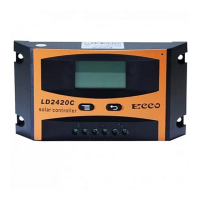
Describes the controller's initial interface and main display.
Explains button operations for controlling load output and navigating menus.
Procedure for configuring the float voltage setting.
Configures load disconnection (LVD) and reconnection (LVR) voltages.
Configuration for how the load operates (timer, sensor, 24h).
Option to manually select system voltage (12V/24V).
Protects battery by cutting load if voltage drops below a threshold.
Protects battery by cutting load if voltage exceeds a threshold.
Protects load from short circuits or overloads by cutting output.
Protects battery from overcharging by limiting voltage.
Troubleshooting steps for no display after connecting the battery.
Troubleshooting for solar panel connection issues causing no display.
Troubleshooting when the controller displays LVD or HVD protection status.
Troubleshooting for overload/short circuit protection on the load.
 General
| Brand | Ldsolar |
|---|---|
| Model | LD2420C |
| Category | Network Router |
| Language | English |

 To Next Page