Hardware InstallationHardware Installation
NVIDIA
Quadro
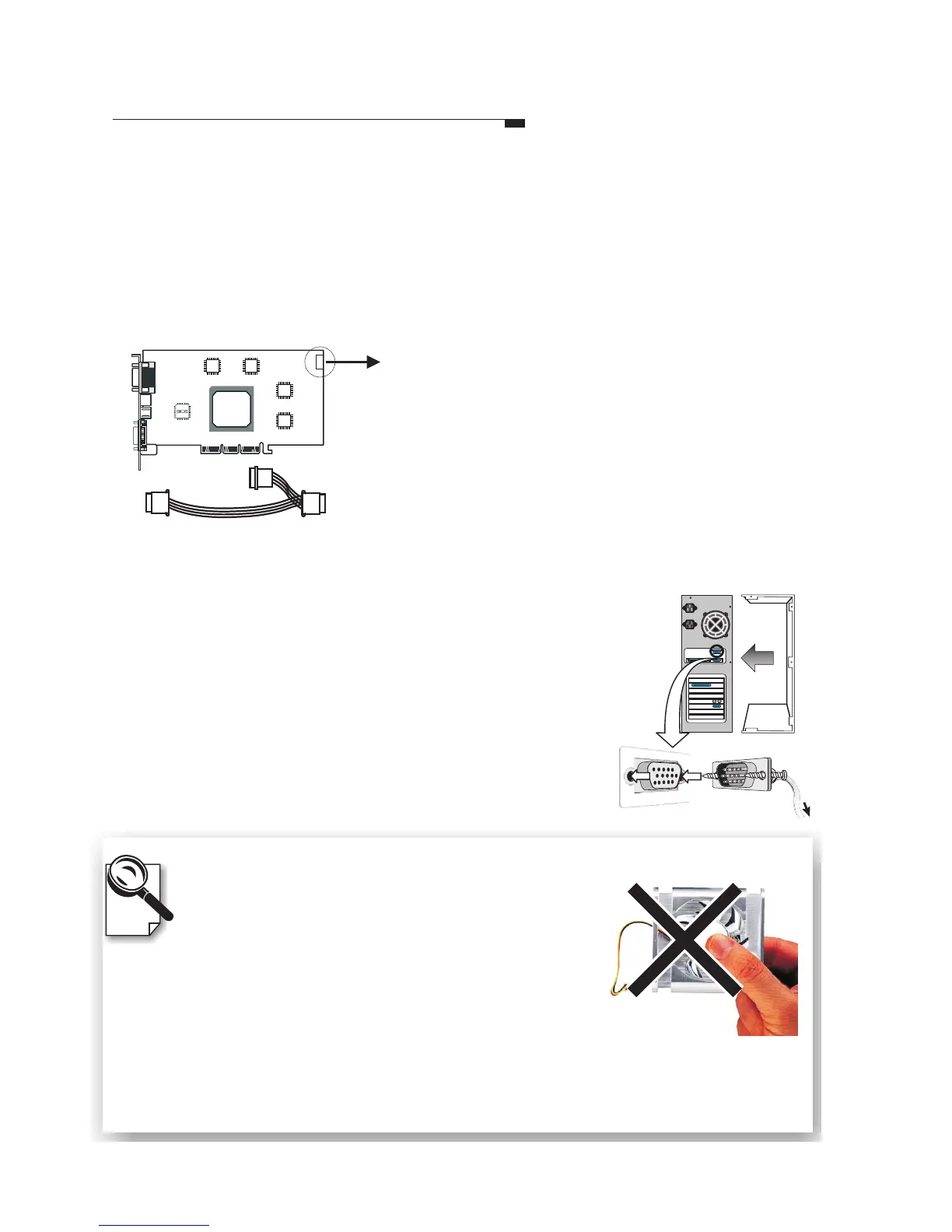
4-pin connector
Before Installing the Driver
The product package contains the Software
Pack CD. Please read the Readme.txt file for
the latest information about the software before
proceeding with the driver installation.
If the heat dissipation device provided is a fan, it
is subject to damage if not properly handled. It is
important not to put pressure on the axle or
handle the fan by the axle. A shifted axle may
shorten the fan's lifespan.
A Note for the Fan
Do not handle the
fan by the axle.
Fasten the mounting bracket to the chassis.
Step4
Step7
Reconnect all the cables and cords.
To
monitor
Plug the cord into the matched connector of the
graphic card according to what kind of monitor
you have.
Step6
Step5
(Only for Quadro FX3000/3000G/2000/1100/1000 and other new
products with the 4-pin connector)
If your computer has an unused power cable you may
connect it to the product directly.
If the card has a 4-pin power connector located at
the edge of the board, as shown in the diagram left,
please use the included power cable, as shown to
the right, to connect the system power supply and
the 4-pin connector on the video card.
Leadtek Quadro Series General Guide 11



 To Next Page