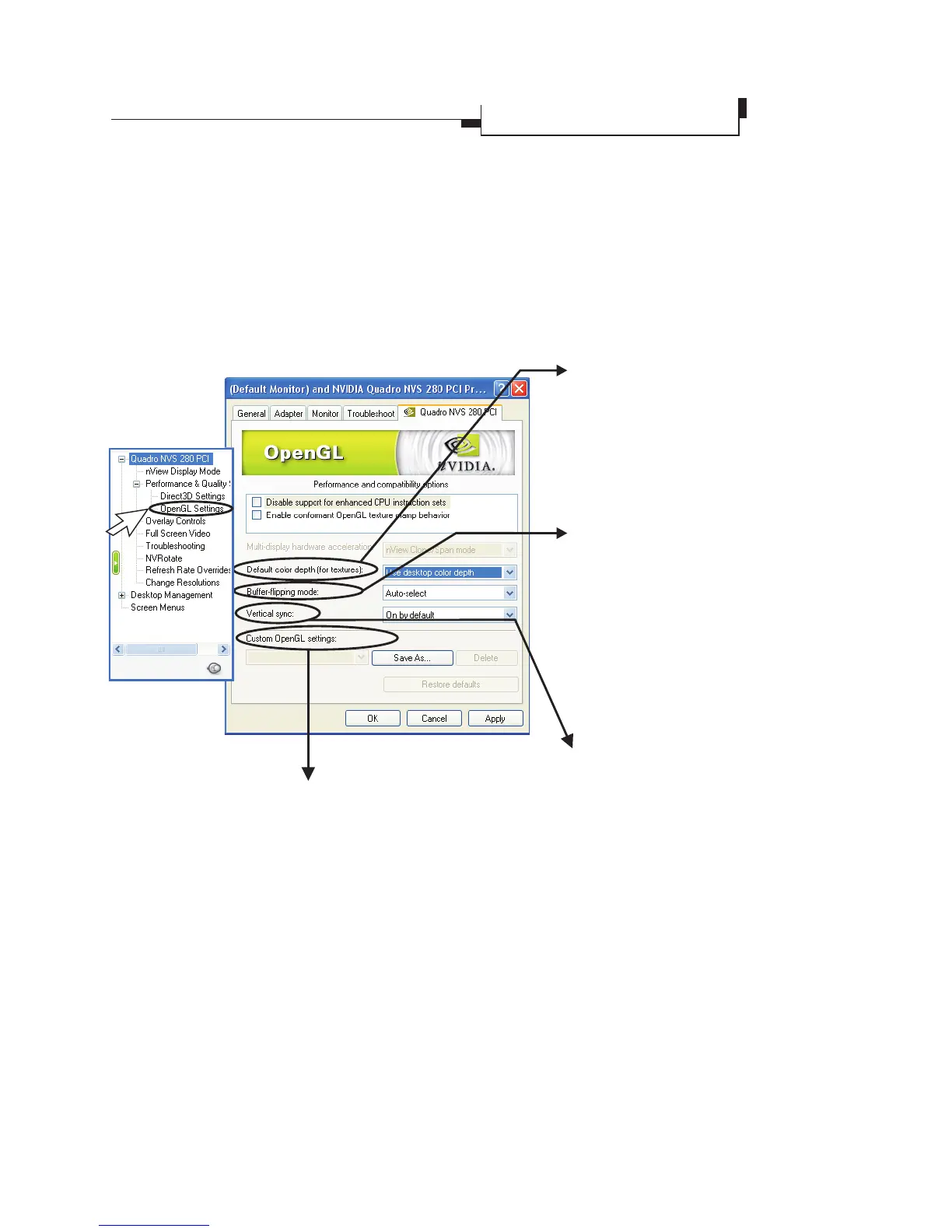
Custom OpenGL settings
A list of the custom settings (or "tweaks") you
have saved. Selecting an item from the list will
activate the setting. To apply the setting, please
choose the "OK" or "Apply" button.
Card Name Tab
èOpenGL Settings
Default color depth for
textures
This setting item allows you to
select the default Color depth
for textures
.
Vertical Sync
Select the type of vertical
synchrony.
Buffer flipping mode
Turns on page flipping for full-
screen OpenGL applications
which may improve their
performance. If this is disabled,
OpenGL will use a bit block
transfer to flip from the back
buffer to the front buffer.
OpenGL Settings
Allowsyoutoadjustthe
performance and
compatibility options of
your OpenGL application.
Leadtek Quadro Series General Guide 21
Display Properties
Advanced Settings



 To Next Page