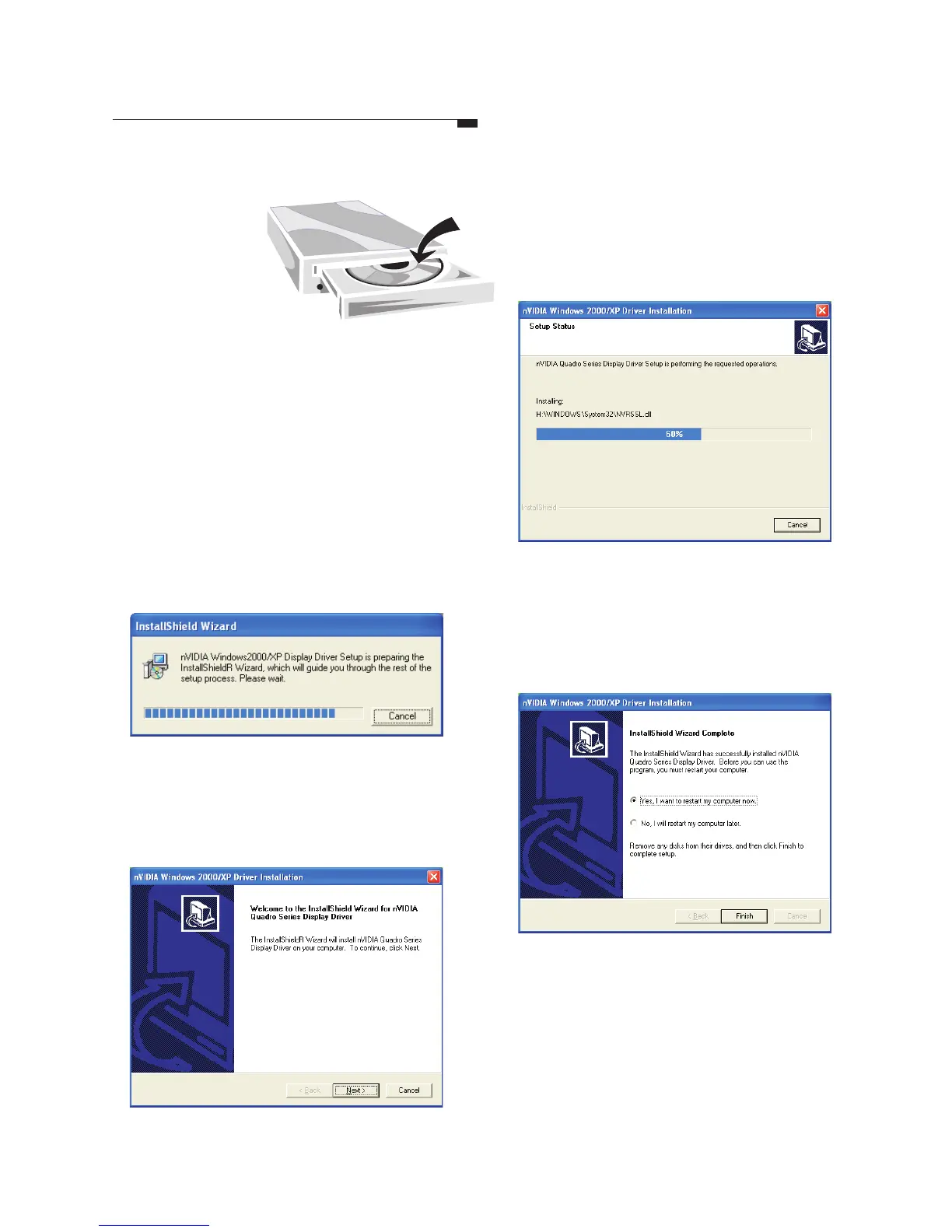
Driver Installation
Step1
Step5
Step6
Step2
Insert the
software pack
CD into the
CD-ROM drive.
The screen will display on the
screen. Select by clicking
on it.
Autorun
Driver Install
Step3
The InstallShield Wizard is been
preparing.
Step4
A dialog box tells you it is ready to
install the driver. Click .Next
Windows is installing the driver. A
dialog box appears showing you the
progress.
When it is finished, a dialog box asks
you if you want to restart your
computer. Tick and then Finish.Ye s
12



 To Next Page