EasyManua.ls Logo

Leadtek Quadro Series - Hardware Installation

Leadtek Quadro Series
37 pages
Print Icon
To Next Page IconTo Next Page
To Previous Page IconTo Previous Page
Loading...
Hardware Installation
10
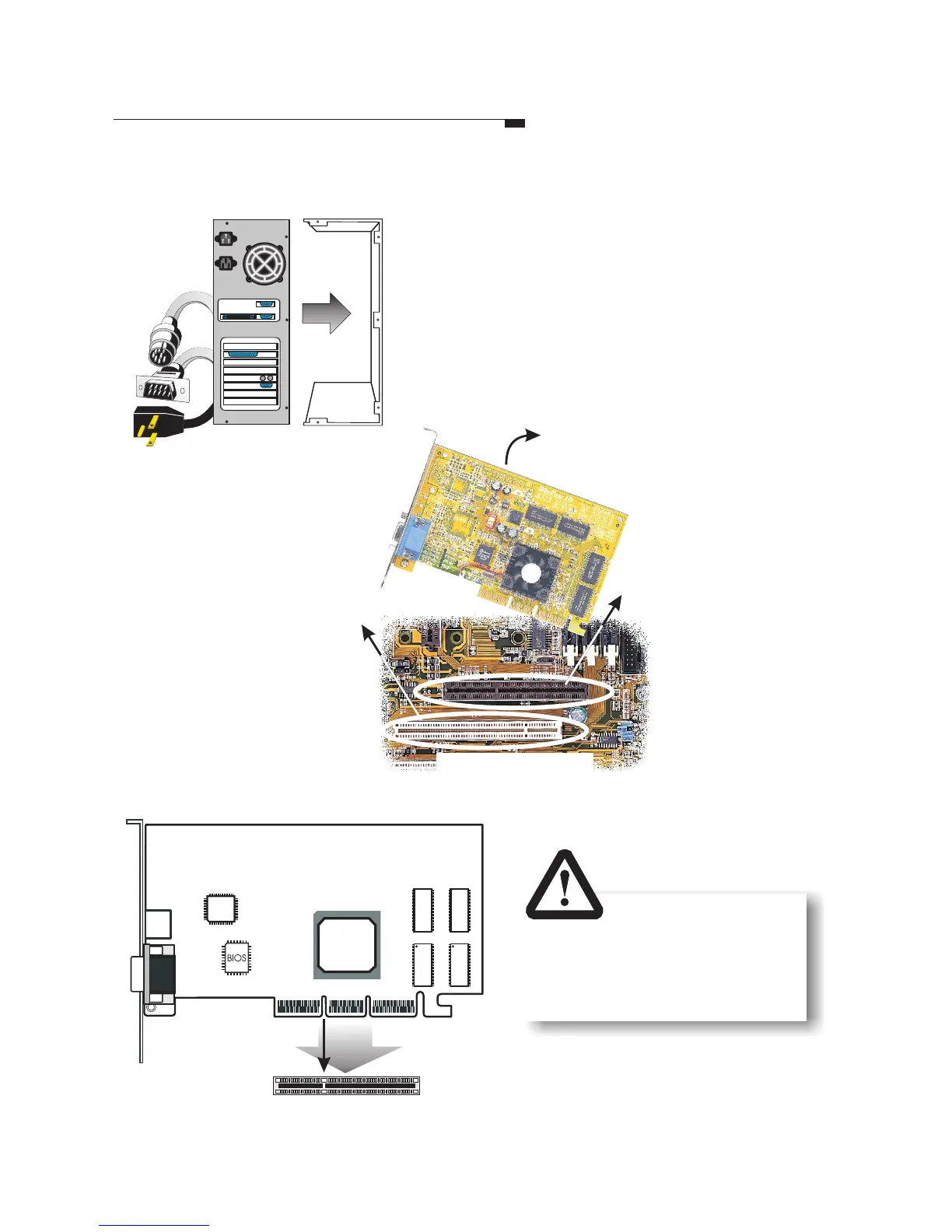
Locate the AGP/
PCI bus expansion
slot on your system
mainboard and
remove the cover if
there is one.
If there is an existing
VGA card, remove
the old card by
loosening the
mounting bracket
and pulling the card
off the slot.
OR
Step2
Shut down the
computer; unplug
all the cables and
electrical cords;
and remove the
cover from the
computer chassis.
Step1
Remove the
old card
System mainboard
AGP
slot
1
AGP slot
Step
3
Position the new card
over the AGP slot .
Insert the bus connector
in the slot and gently
press the bus connector
down. (For PCI
interface products,
please insert into PCI
bus slot.)
PCI slot
Inserting your card into
the wrong type of slot
can damage your card,
your computer or both.