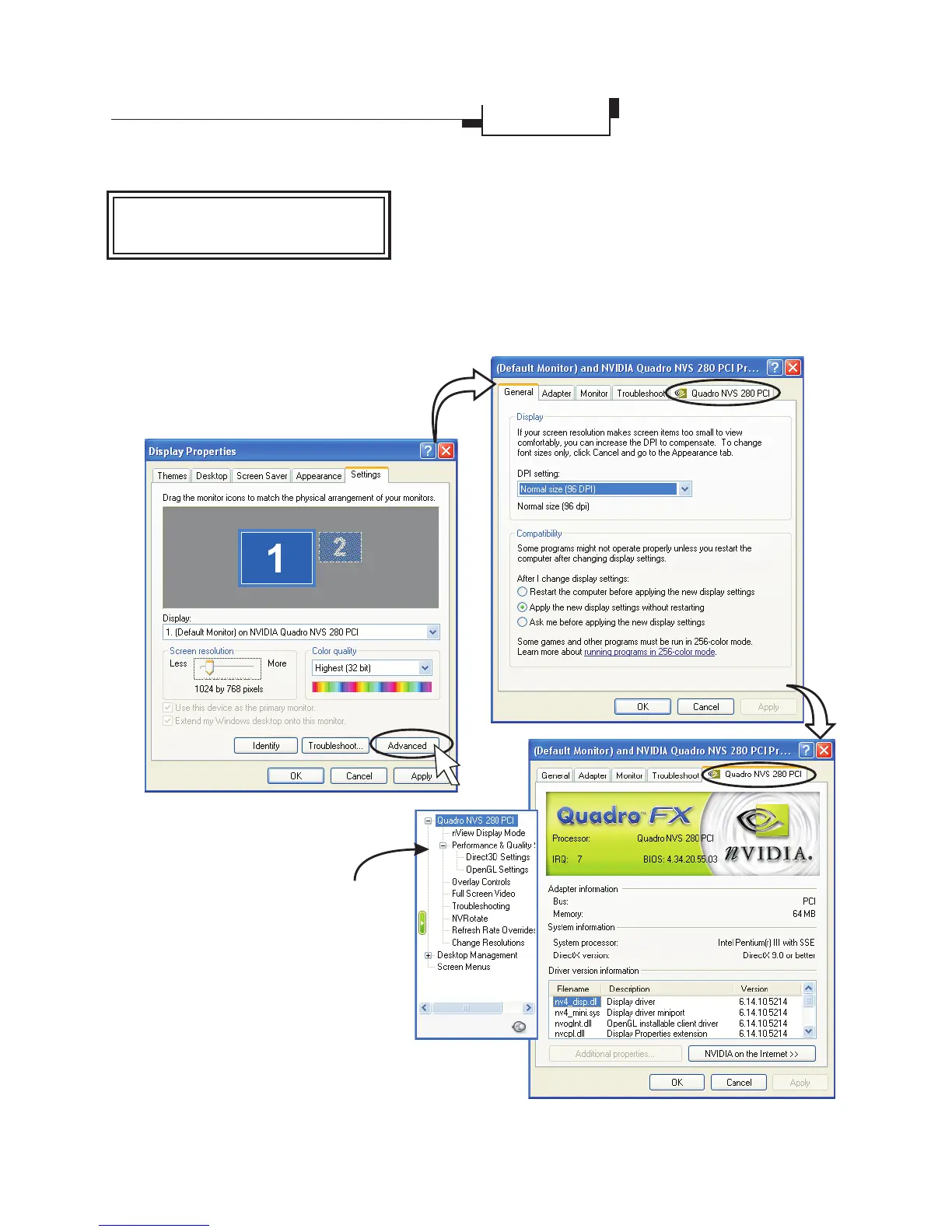
Select "Quadro NVS 280 PCI"
tab (or respective model name)
will bring up the submenu as the
right figure that allows you to do
some advanced settings including
nView, OpenGL Settings,
Direct3D Settings, Overlay
Controls, Desktop Utilities and
NVRotate, etc.
Quadro NVS 280 PCI is used as an
example here.
Card Name Tab
èQuadro NVS 280 PCI
(or respective model name)
Open the setting boxOpen the setting box
14
Display Properties
Settings
Provides information on the display
adapter, system and driver version.



 To Next Page