10
Fun Lab:
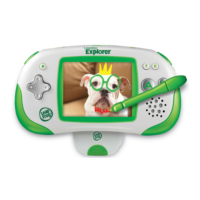
A collection of 7 fun learning activities to play with the photos
your child takes! (Note: Your child will need to have at least one
picture in the photo album to play with the photo-related learning
activities in the Fun Lab.)
Controls
D-pad or Stylus: Choose an activity
A button: Confirm selection
B button: Go back
Funimatic:
Use fun tools to edit photos!
• Stretch/distortiontool
• Arttools
• Pictureframes
• Mirroreffects
Note: Funimatic images will be stored for viewing on
the handheld, but will not be available for upload through
LEAPFROG Connect.
Photo Journalist:
Select one of eight missions, then explore the environment
taking pictures of the things on the list!
Zapped!:
Turn a photo into a tool to help zap letters or numbers.
Create New Game:SelectphotostopersonalizetheHero
and Bad Guy spaceships by touching an icon, then select
either “take a new photo” or “use a saved” photo. Additional
customization options include:
•Useaphotoasthebackgroundimageinthegame.
•Changethesoundeffects.
•Makeapersonalcheer.
•SelecteitherMathor Spelling for zapping.
Quick Game: This selection will automatically start a game based
on your child’s level.
Tips:
• TorepeataquestionpresstheBbutton.Press?fortutorialhelp.
• ZapsfromtheBadGuyorfromlettersornumbersthatare
mistakenlyattackedwilldepletetheHero’shealth.
• Lookoutforthebonusship—zapitforaspecialpower-up!
• Bonusround:zapasmanyshipsaspossibleintheallottedtime.
Fun Learning Activities





 To Next Page