LC Easyjet-16W/18S User Manual V13GZ.1
31
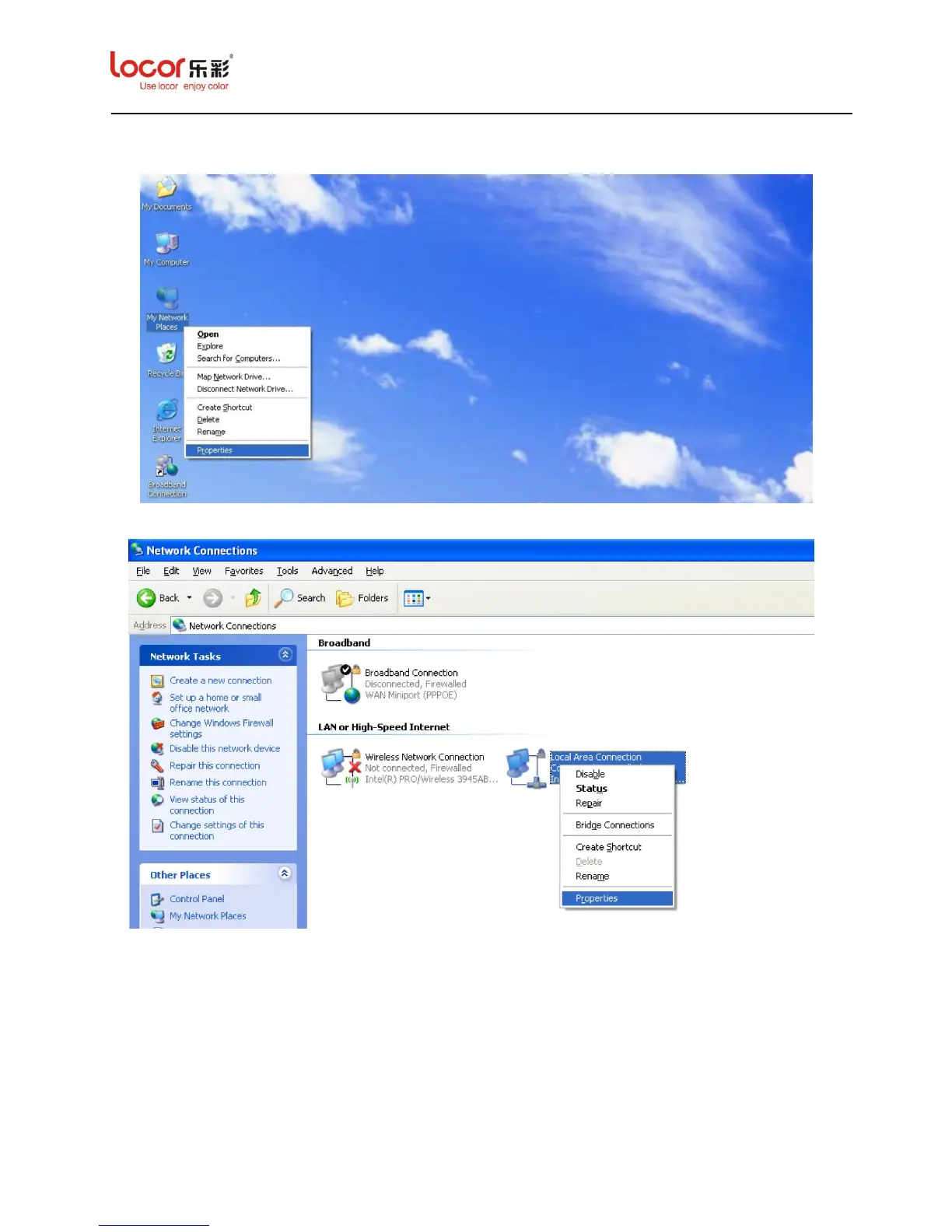
1. Right click “My Network Places” icon and then select Properties, the screen below is
displayed:
2. Right click “Local Area Connection” and then select Properties, the screen below is displayed:
3. Double Click “Internet Protocol (TCP/IP)”option, the screen below is displayed:


 To Next Page
 Loading...