LC Easyjet-16W/18S User Manual V13GZ.1
41
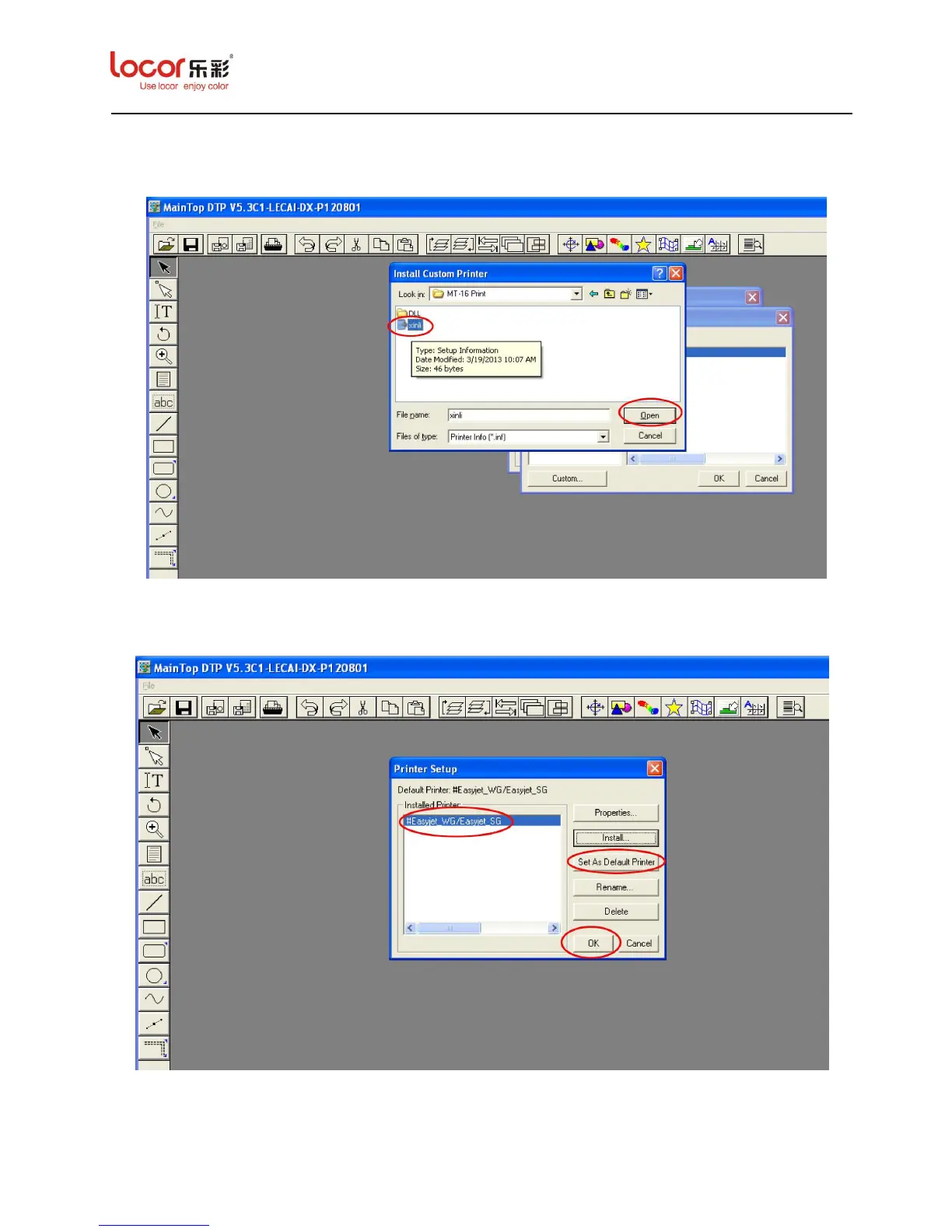
9. Find the Maintop Driver location where you pasted before and select the “xinli.inf” file and
then click “Open”.
10. The screen returns to the “Printer Setup”. Click “Set As Default Printer” to set the printer
model you selected as the default printer and then click “OK”.
11. After click “OK”, the procedure of printer setup is completed.


 To Next Page
 Loading...