LECTROSONICS, INC.10
FREQ Button
The operating frequency can be adjusted according to the frequency in MHz
or a two‑digit hexadecimal code. Press the button repeatedly to switch be‑
tween the two displays. The display switches when the button is first pushed;
push and hold the button in the desired mode and use the UP and DOWN
arrow buttons to make the adjustment.
Hex code numbering came about years ago when the first synthesized wire‑
less equipment was introduced. Two 16‑position rotary switches were used
to set the frequency. 16 on one switch and 16 on the other switch yielded 256
frequencies (16x16=256). While there are no 941 band models that use these
switches, hex code numbering is easier way to remember than frequencies
expressed in MHz with six numerals.
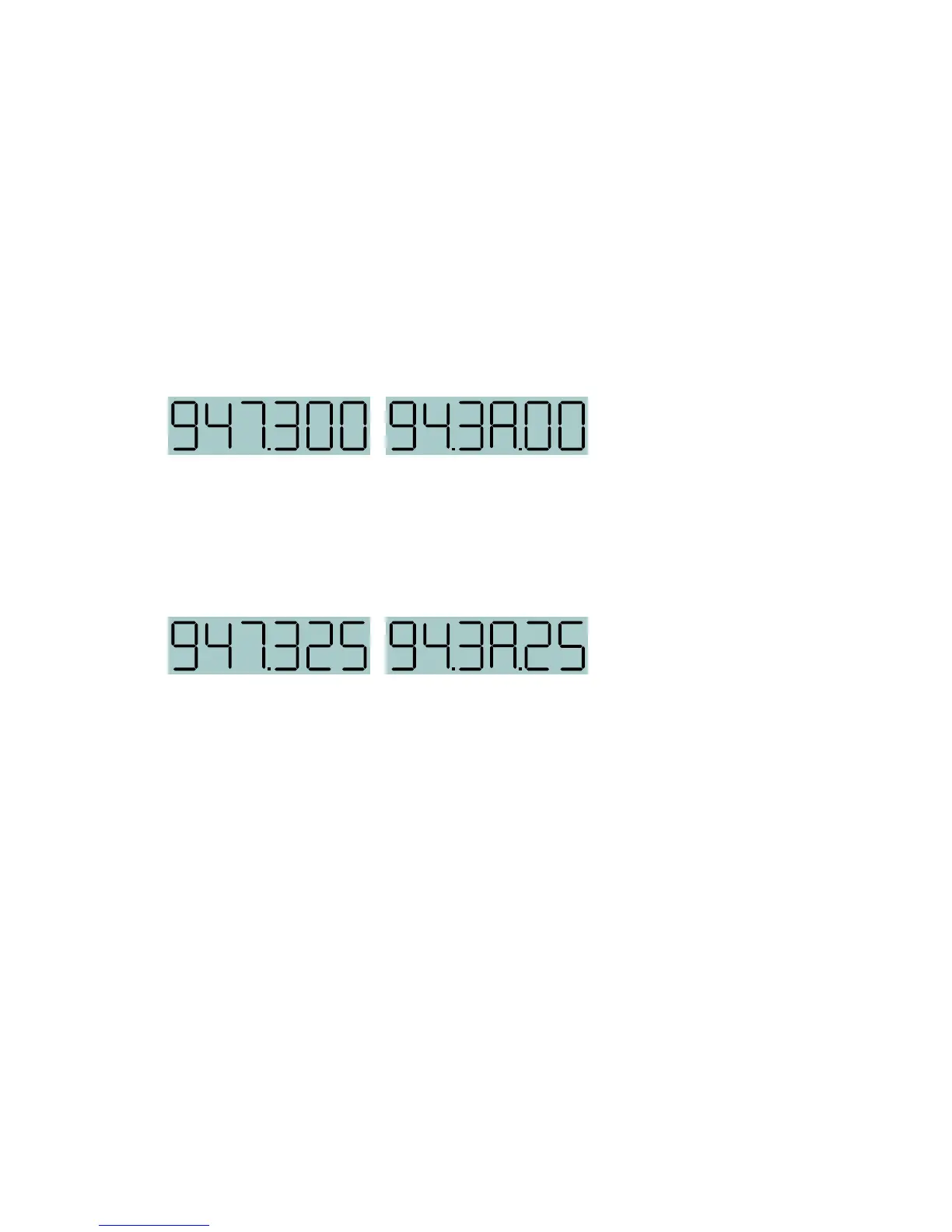
In this example, the same frequency is displayed in MHz and the equivalent
hex code.
The hex code is a hexadecimal numbering sequence that progresses upward
from lowest to highest frequency using the numerals and letters from 0
through F. When the frequency is on a 100 kHz step, the hex code will display
two 00’s for the last two digits, which is easy to remember (3A in the example
above). When the step size is set to 25 kHz, the last two digits will be 00, 25,
50 or 75 (3A.25 in the example below), which is still easier to remember than
all six numerals of the frequency in MHz.


 To Next Page