TE-QC & TE-Light Operating manual
22 LECUREUX SA
11 Connecting a TE-QC to a printer [only for TE-QC]
11.1 Printer settings
In order to operate a printer with the TE-QC follows these instructions:
The printer must have a serial port.
The settings for the printer’s serial port must be:
Baud rate 9600
8 Databits
No Parity
1 Stop bit
XON/XOFF - Protocol
The settings for the TE-QC appearing on Page 11 / 5.20 Printer (Printer) [only for TE-QC] must be
applied to the printer.
The printer recommended by the manufacturer is a STAR DP8340 serial printer.
11.2 Transmission of data to a printer
TE-QC automatically transmits every reading taken to the printer, when measuring has been completed
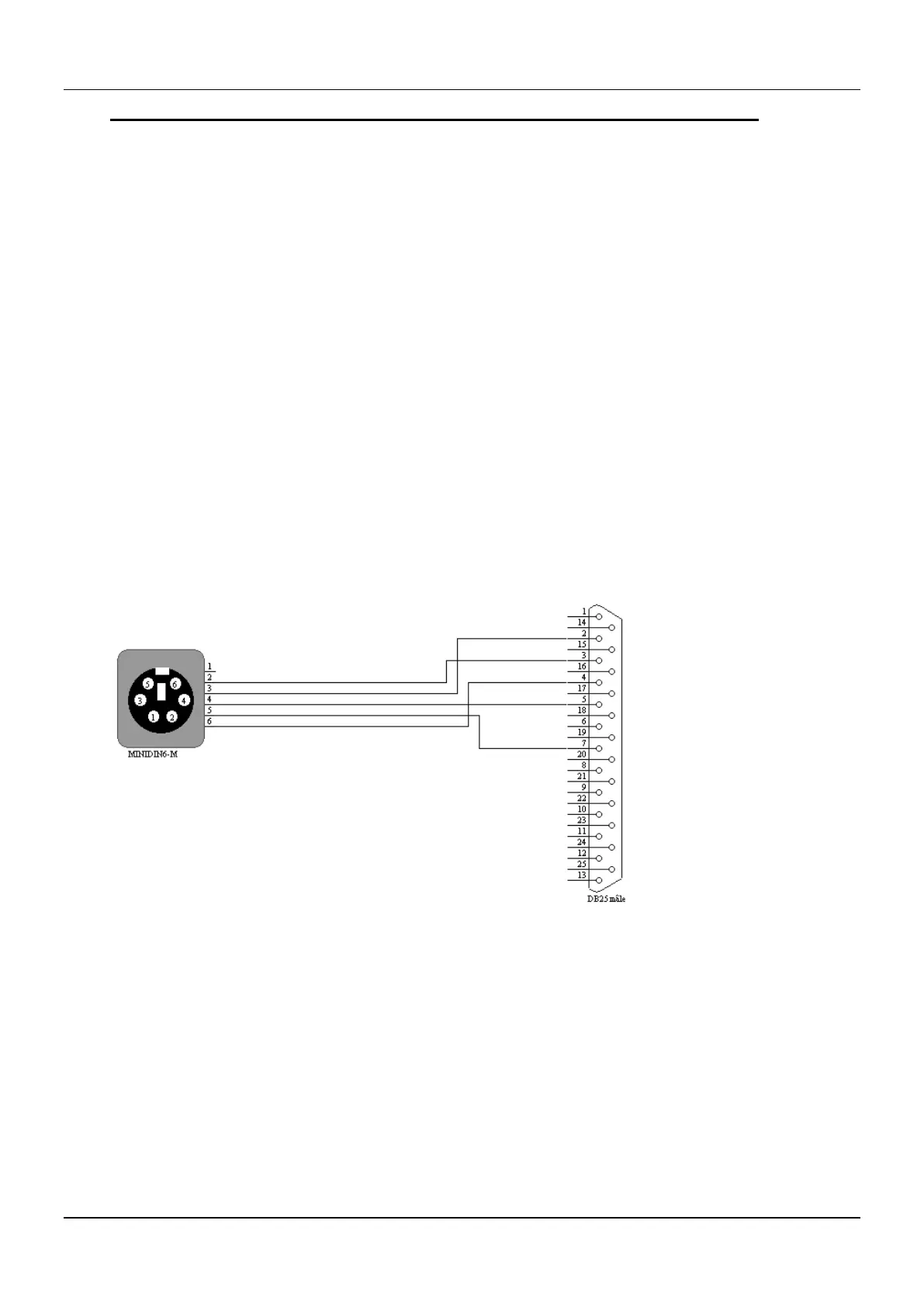
11.3 Printer cable
This cable can be ordered from Lecureux SA.
Numbering: From the front of the connector.
No 8900.600.024


 To Next Page