play eects scegli effetti / effets / effekte spielen / reproducir efectos / speel met effecten
1. 2.
1. Avvia l’app e apri la Galleria Eetti
2. Seleziona l’eetto desiderato (appare
nello schermo dello smartphone e viene
immediatamente riprodotto)
3. Sfoglia gli eetti scorrendo verso sinistra o
verso destra
4. Tocca “Applicare” per memorizzare l’eetto
sul controller e riprodurlo in modo continuo
IT
1. Lancez l’application et ouvrez la galerie d’eets
2. Appuyez pour sélectionner un eet (la vue
détaillée est achée à l’écran et l’eet est joué
immédiatement)
3. Parcourir les eets en balayant à gauche ou à droite
4. Appuyez sur “Appliquer” pour stocker l’eet dans le
contrôleur et pour le lire en continu
FR
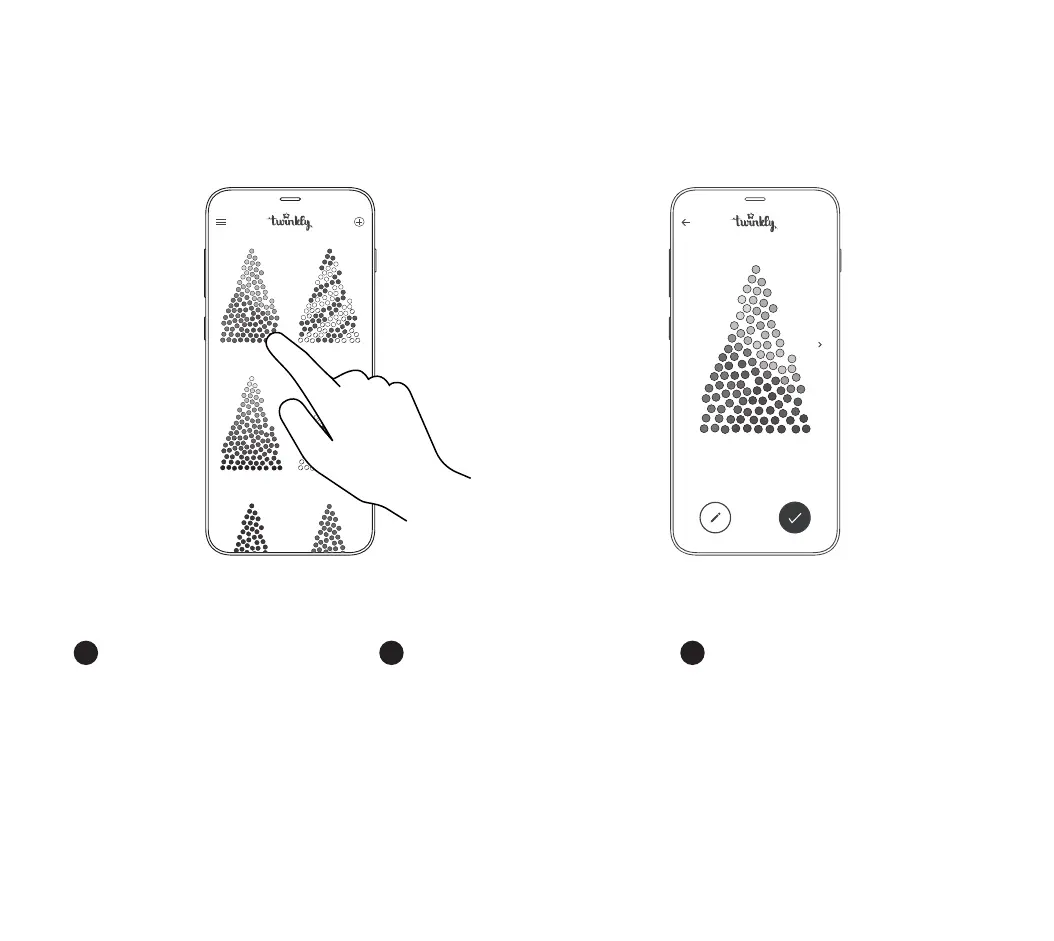
1. Launch the app and open the Eects Gallery
2. Tap to select an eect (detailed view is
shown on the screen and the eect is played
immediately)
3. Browse eects by swiping left or right
4. Tap “Apply” to store the eect in the
controller and to play it continuously
EN
edit apply
ra in bo w
sn ow
ve rt ig o
he ar tb ea t
rainbow



 To Next Page