24
rescan
CREATE GROUP
twinkly_2440E2
Twinkly Found!
175 LED
i
refresh / re-scan / reset / rescan / volver a buscar / opnieuw scannen
All’interno dell’app Twinkly, seleziona il menù, apri
“Devices” e fai tap sul simbolo “freccette”
IT
Dentro del menú de la aplicación Twinkly, abre
“Devices” y toca el símbolo “echas circulares”
ES NL
Dans le menu de l’application Twinkly, ouvrez
“Devices” et appuyez sur le symbole “èches
entourant”
FR
In het menu van Twinkly applicatie, open “Devices”
en tik op het symbool “Circling arrows”
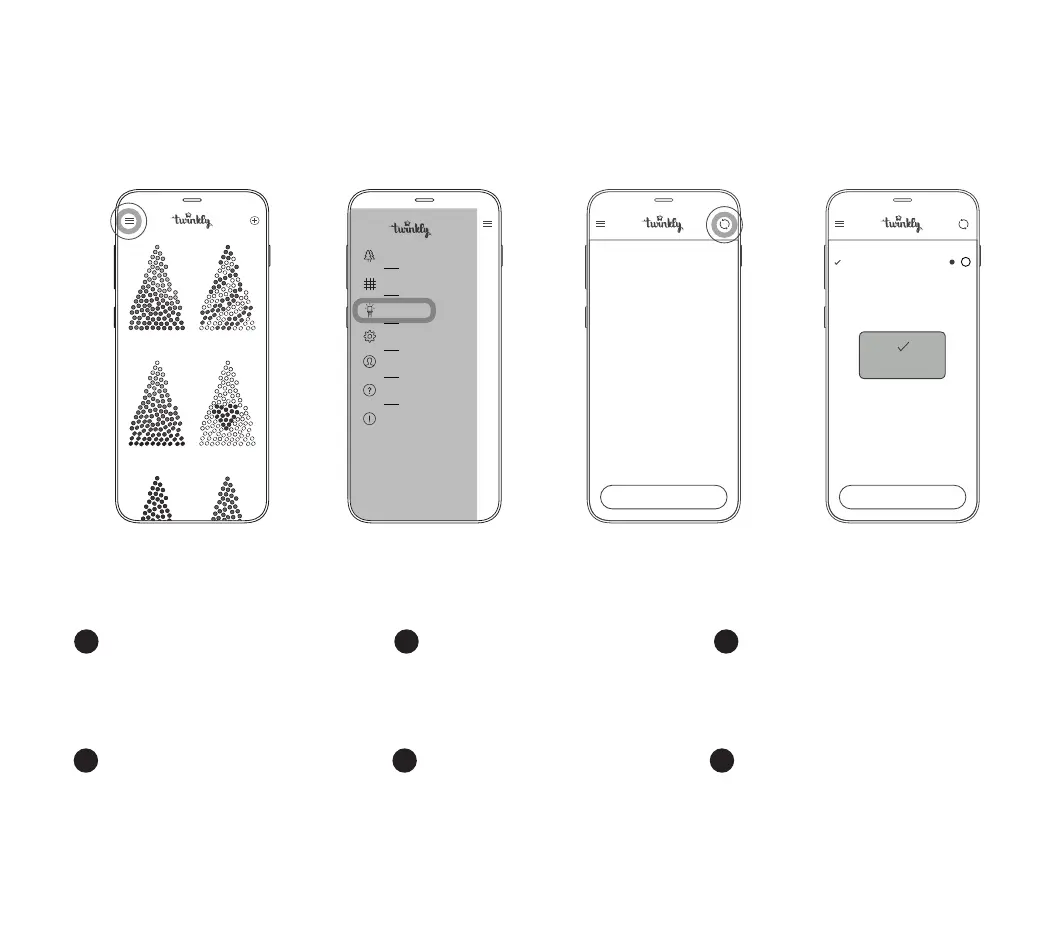
Within the menu of Twinkly application, open
“Devices” and tap the “circling arrows” symbol
EN
Önen Sie im Menü der Anwendung Twinkly
“Geräte” und tippen Sie auf das Symbol “Kreisende
Pfeile”
DE
1. 2. 3. 4.
CREATE GROUP
Effects Gallery
Layout
Devices
Settings
Account
Help
Credits
ra inbow
sn ow
ve rtigo
he artbeat



 To Next Page