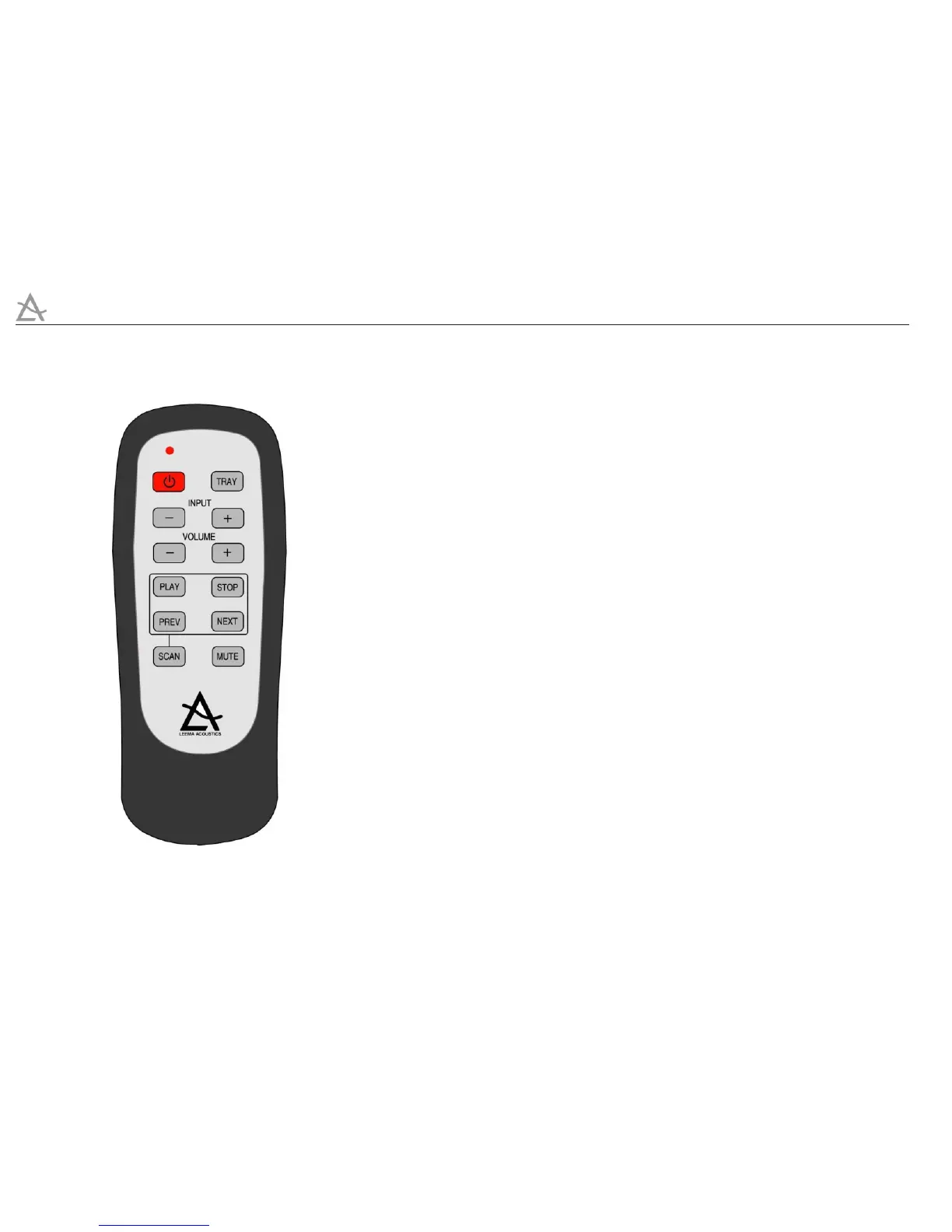
Remote
STREAM
10
RemoteRemote
1. POWER - The power button toggles Stream between On and Standby. If a
LIPS connection is used, the power status of any other Leema components
connected via LIPS will also be controlled.
2. TRAY - The tray button opens and closes the CD drawer.
3. INPUT -/+ When Stream is connected to a Leema amplifier product via a
LIPS cable, these buttons are used to cycle through the available amplifier
inputs. If LIPS is not used, the buttons have no function.
4. VOLUME -/+ The volume level of a Leema amplifier product may be
controlled from the Stream remote. If a LIPS connection is used, the amplifier
may be out of sight of the remote, in an air conditioned cupboard for
example. If LIPS is not used, the remote will command the amplifier using
infra-red.
5. PLAY - The play button also provides a pause function if the disc is already
running. Tracks may be ‘queued’ by selecting pause and then NEXT/PREV to
queue the required track. Pressing PLAY with the drawer open will close the
draw and initiate PLAY.
6. STOP - Stops playback


 To Next Page