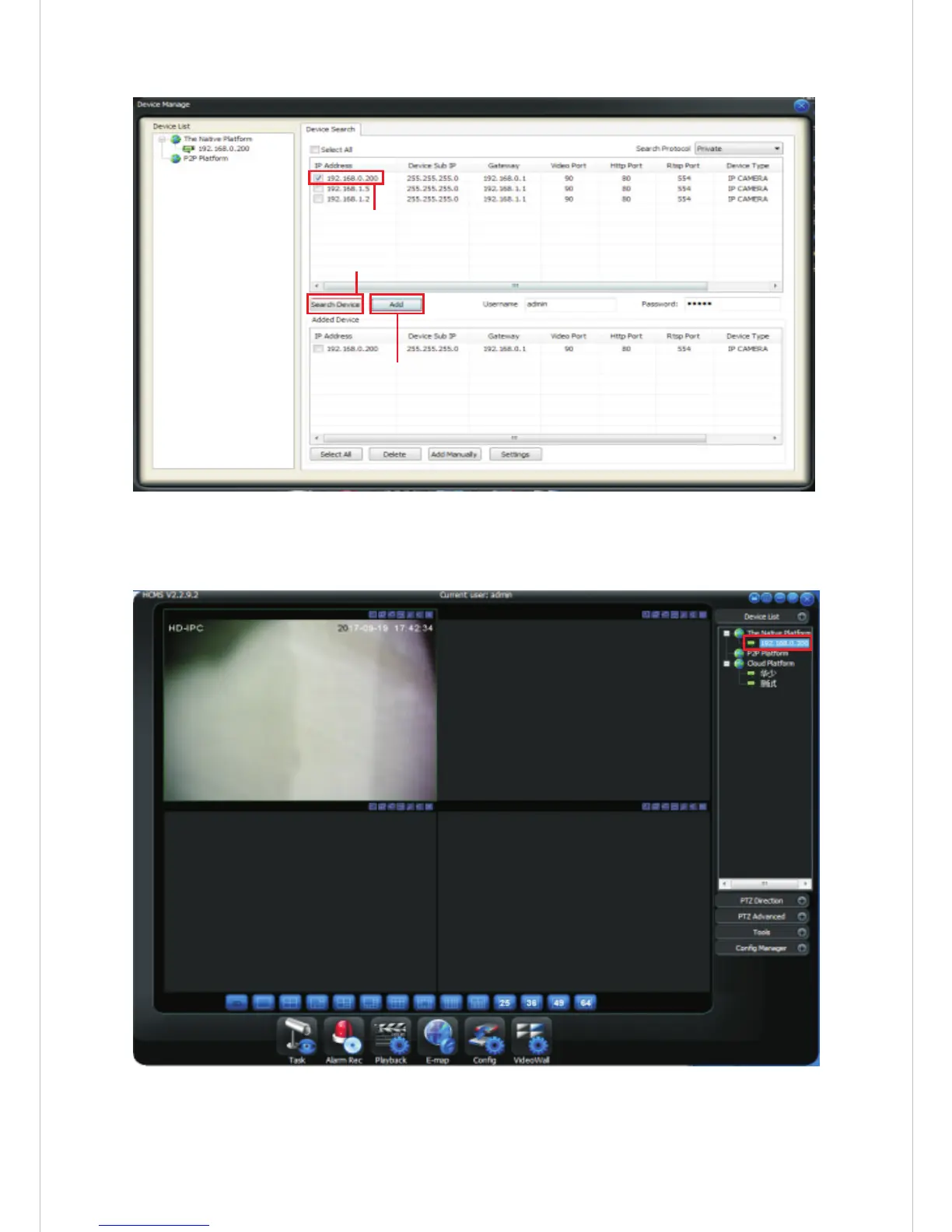
8.5 In the main interface, click [Device List] - [Local Platform] – double
click the IP address to request screen.
8.6 In the main interface of the client, open the【PTZ direction control】
to control the camera on the next, left, right, zoom +, zoom -, focus +,
focus - and so on.
2. Select the device you want to add
1. Search device IP
3. Click “add”button
-12-


 To Next Page