-08-
Web client access
6
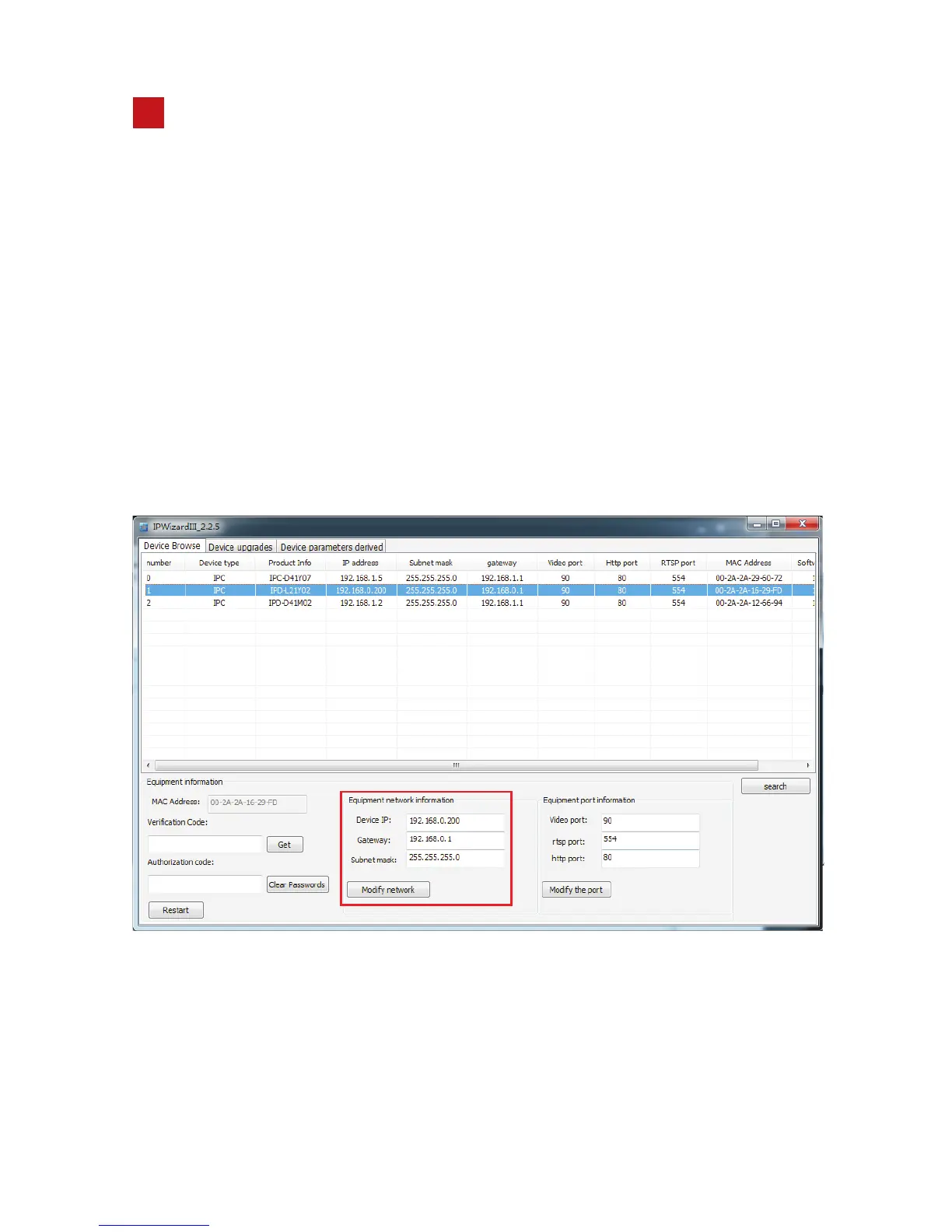
6.1 The default IP of camera is 192.168.0.200,
password: admin. when the web client-side access the ip Camera
need to set the ip address to a same network segment, or use
search tool to change the ip address of the device to same network
segment on the laptop, can use the red column below to change
the IP address of the camera.For example, if your computer ip
address is 192.168.1.20 , then you need to change the camera ip
address to 192.168.1. xx (xx rang from 0 to 225).
Please note that we donot change the default ip address of
camera as the computer is in same LAN (192.168.0.xx)
user name:admin,
6.2 Open the IE browser, enter the IP address(factory default IP:192.168.0.200)
of the camera then click Enter. The browser login screen appears, enter the
"user name" (default admin) "password" (default admin) then click login.


 To Next Page