PC client access
8
8.1 Scan code to download
the PC client(HCMS),install
the file to your computer。
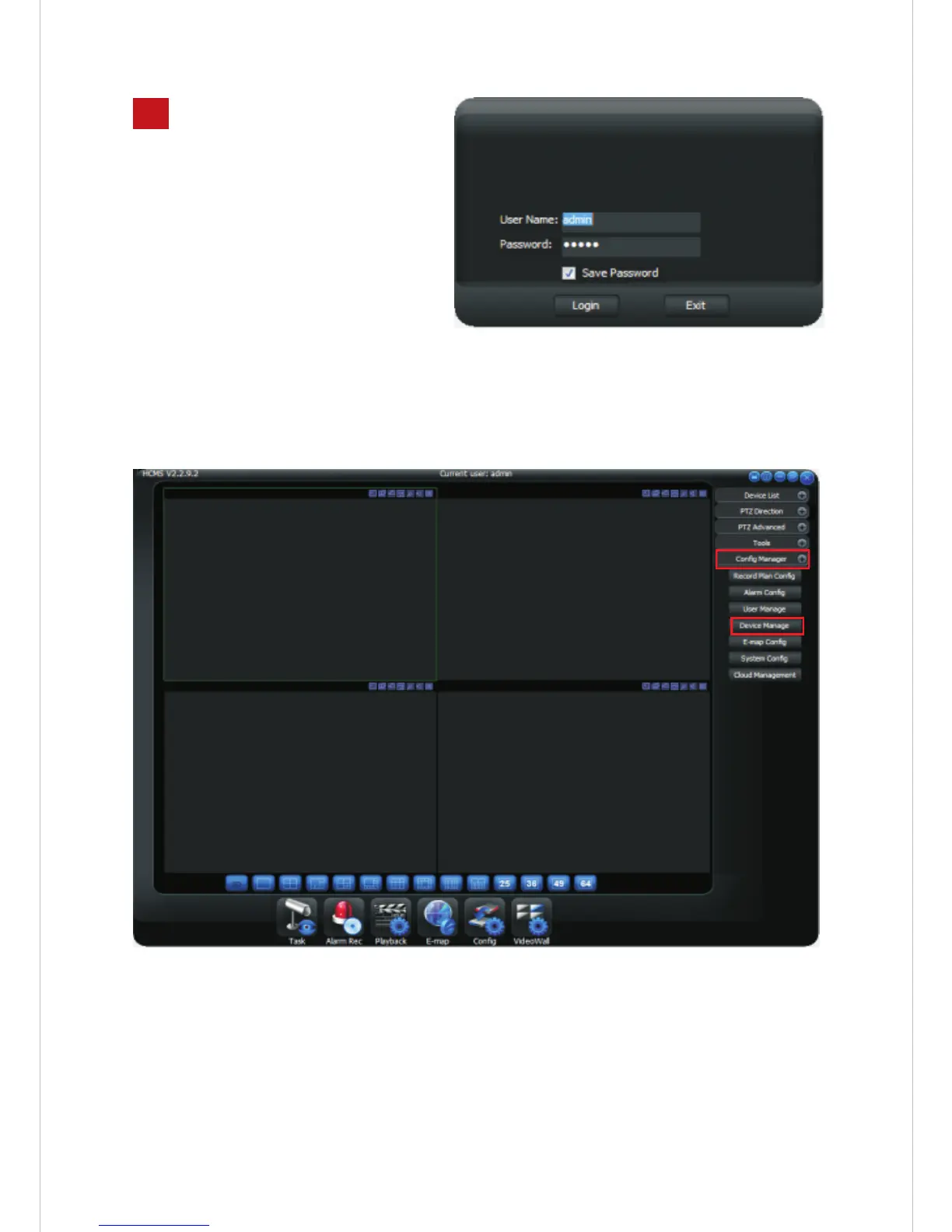
8.2 Open and log in the
HCMS client software,
Default account: admin password: admin
8.3 After enter the software, click Configuration Management - Device
Management
8.4 In the device management page, click【device look-up】, the network
setup of the local Area Network will appear below the 【device IP】,
then choose the address of the device IP, the IP address will save in the
【device saved】function, at same time, the device IP address will
appear in the left top of【device list】under【local platform】,then
clicking the X in the right top of the page for exit.
-11-



 To Next Page