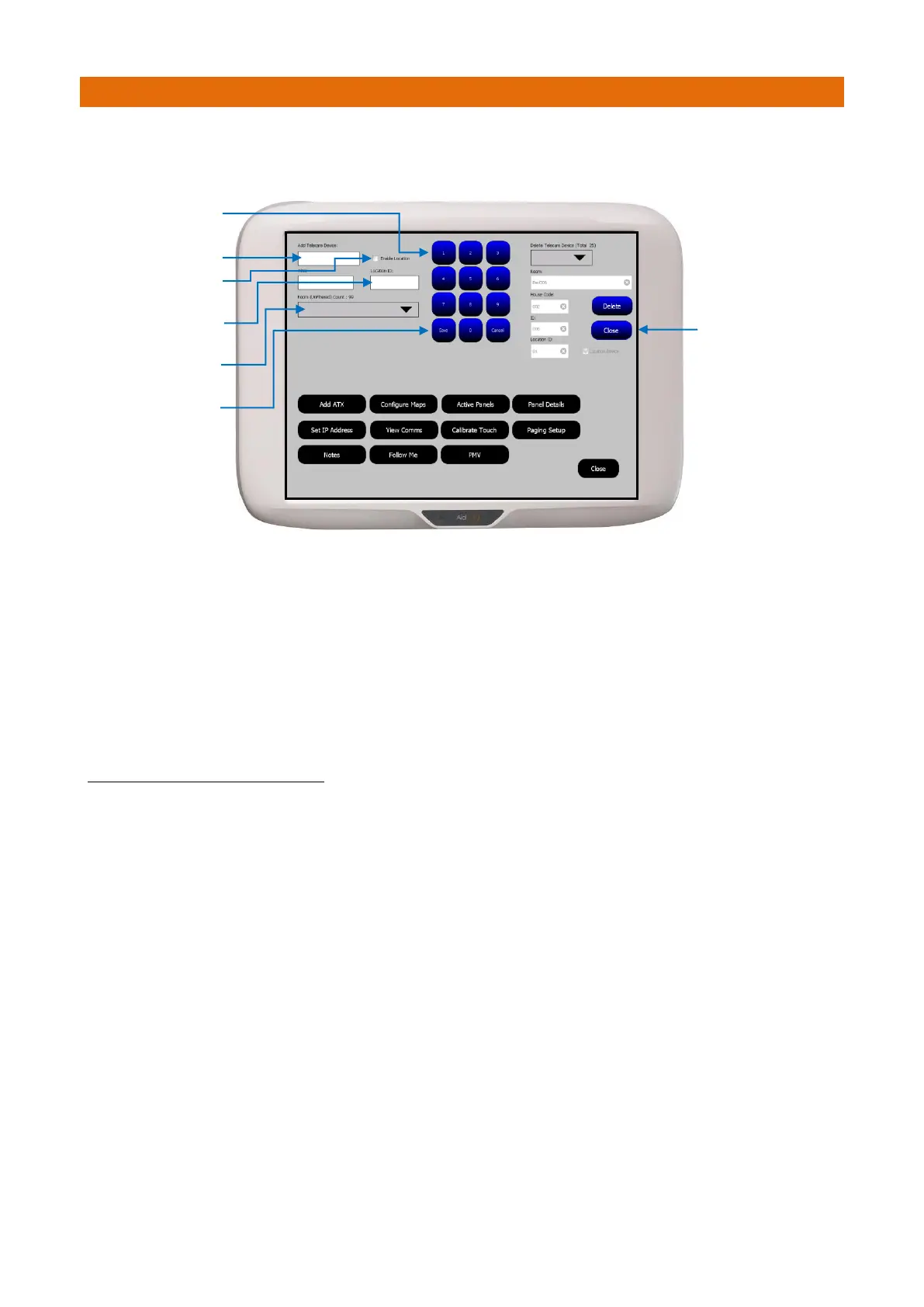
From the Touchsafe Pro Master Panel; Logon as an Engineer or a Manager, then from the main menu page
touch the Telecare button to open the screen shown below…
1. Touch the Add Telecare Device box then use the on-screen keypad to enter the 8 digit radio ID taken
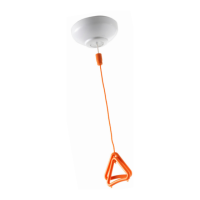
from the label on the back of the Location Pendant. Note: this ID will always start with 20xxxxxx.
2. Touch the Enable Location checkbox so it is set with a Tick ✓
3. Touch the Location ID box then use the on-screen keypad to enter the ID (1-99) previously programmed
into the Location Pendant.
4. Select the users Call Point ID from the Room pull-down list box then press Save.
Note: this is the room unit that will be used to cancel the call.
5. Press the Close button to exit Telecare mode and return back to normal operating mode.
TO DELETE A LOCATION PENDANT
1. Select the Location Pendant 8 digit radio ID to be deleted from the Delete Telecare Device pull-down list
box. Note: this will be prefixed with T20xxxxxx.
2. Details of the Location Pendant selected will be displayed in the Room, House Code, ID and Location ID
boxes below. A tick box will confirm if it’s a Location Pendant.
If the details shown are correct press the Delete button.
Press the Close button to exit.



 To Next Page