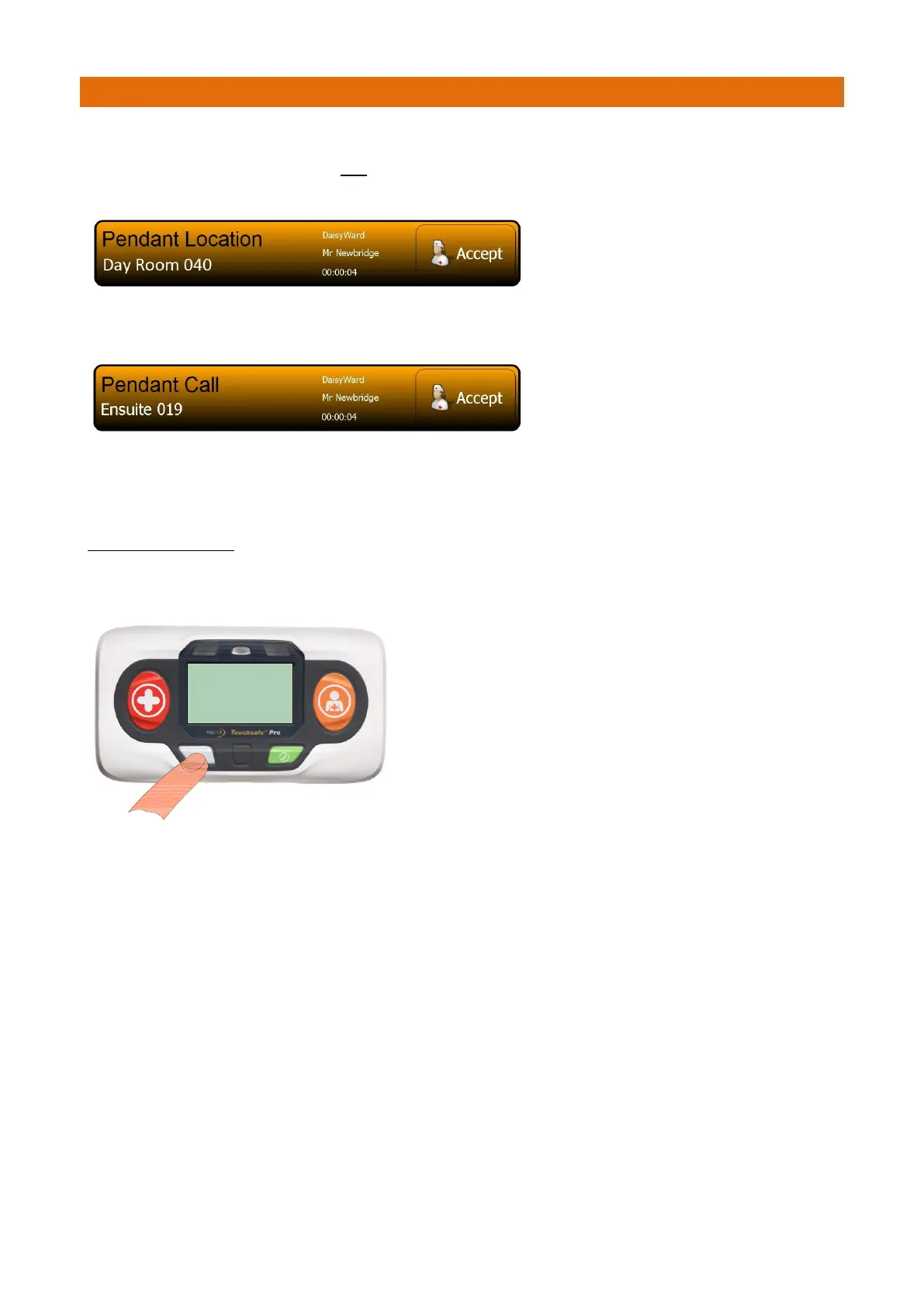
Activate the Location Pendant and check the call is displayed on the Nursecall panel.
If both the alarm radio transmission and the infrared location information is received, the panel will display
“Pendant Location” with details of where the Pendant is located and whose Pendant it is.
If the radio transmission only is received (i.e. the Pendant is not within infrared range of a Call Point), then
the panel will display “Pendant Call” and whose Pendant it is.
The screen banner is orange for a pendant call.
Press the Accept button on the banner to silence the alarm.
The screen banner changes to purple when a call is accepted.
TO CANCEL THE CALL
You must visit the Call Point which picked-up the Pendant Location (or the users bedside Call Point if no
location was displayed) and press the light grey button to cancel the call.



 To Next Page