Doc No. FM5541 issue A Page 9
JP2
A B
LK1
BT-
BT+
ISS B LEVEL
(C) TYNETEC 2020
B00569
LABEL
When the Location Pendant battery is running low; a “Device Status” alarm will be displayed on the
Nursecall panel to indicate which Pendant is affected.
Always replace the battery within 72 hours of a low battery warning.
If the warning changes to CRITICAL replace the battery IMMEDIATELY.
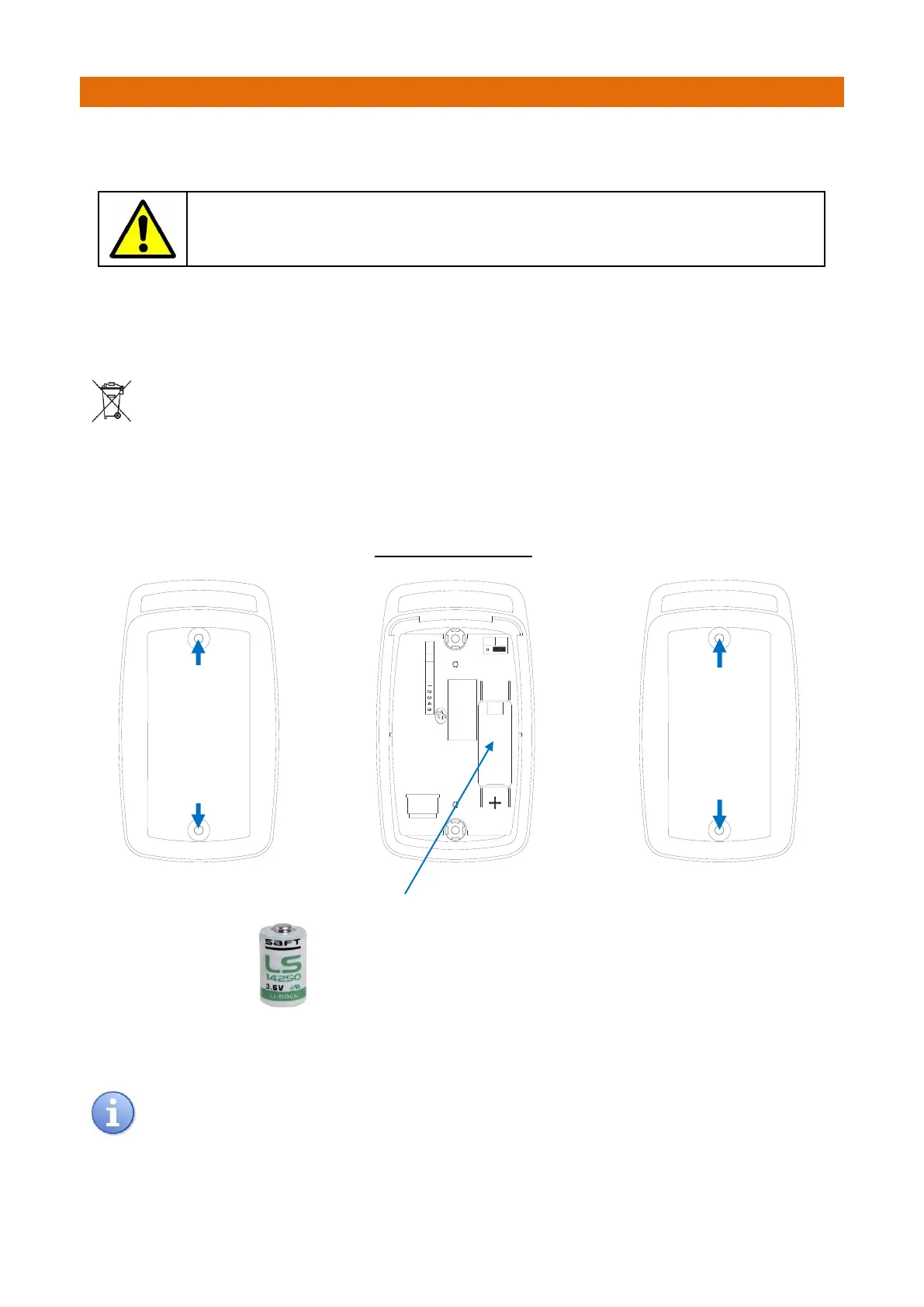
To replace the battery, remove the 2 screws on the rear of the Pendant and carefully remove the top cover.
Note: the top cover will remain attached on the keypad tail. Remove the battery from the retaining clips on
the PCB inside the Pendant base.
Used batteries must not be disposed of in domestic waste. Do not incinerate or mutilate used
batteries, the chemicals released are corrosive and my cause injury to eyes or skin and may be
toxic if inhaled.
Only replace with Manufacturer Approved battery type: 3.6V ½ AA Size 1.2Ah Lithium Thionyl Chloride
Replacement batteries are available from Aidcall; order Part No. F00171
IMPORTANT: always record the date the battery is replaced for reference on future Service visits.
INSIDE PENDANT BASE
Always perform a test call to check operation after the battery has been removed/replaced.
Pendant programming is retained when the battery is removed/replaced.
3.6V ½ Size AA Battery
Observe the battery polarity marking on the PCB and label.
Take care not to damage the battery contacts when
removing or inserting the battery.
Undo
2 Screws
and
Remove
Pendant
Back Cover
Refit
Pendant
Back Cover
and
Replace
2 Screws



 To Next Page