36
EN
PREMIUS
1-10 kVA
4 Troubleshooting Guide
4.1. Troubleshooting
If the UPS malfunctions during operation, check the following:
a. Are the input and output wiring correct?
b. Is the input voltage of the utility within the input window of the UPS?
If problems still exist check the following for proper adjustment. Should the problem still persist, please
contact your local distributor for help.
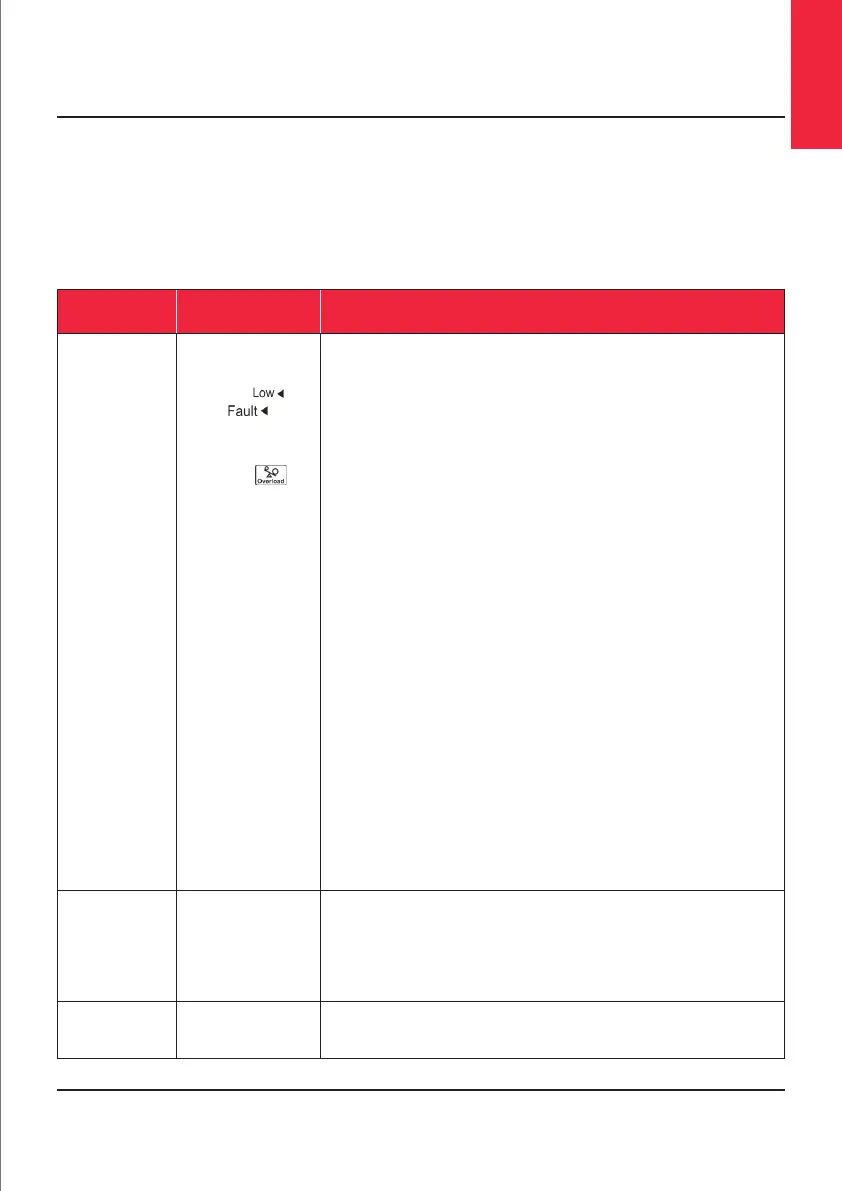
Situation Check Items Solution
Red Fault LED Check the error code
shown on the LCD.
1. Er05,
&
2. Er06, Er10, Er12,
Er28 &
3 Er07
4. Er11, Er33
5. Er14
6. Er15
7. Er16, Er17, Er27
8. Er21
9. Er24
10. Er28
11. Er39
12. Other error code
1. Check for proper battery connection, then recharge the batteries for
8 hours to see whether the UPS provides backup power normally;
otherwise, consult your local distributor right away.
2. If breaker is tripped, turn off the UPS completely and keep the CAM
switch at position INV before pressing breaker. Then remove some
uncritical load at the UPS output end. If there is any damage to the
insulation of the AC power cord, please replace it with a new one.
3. Remove the short circuit at the EPO terminal.
4. Remove any objects blocking the ventilation holes.
5. Check that the cooling fans on the rear panel are working normally.
6. Make sure the UPS is operated normally. If it is in CVCF mode you
must Turn Off and Turn On the UPS again.
7. All of the parameters except ID Number in a parallel UPS must be
the same. Please refer to section 3.5.5 to set them again.
8. Disconnect and reconnect the RJ45 connector or set a UPS with ID=1.
9. When the UPS is in CVCF mode it is prohibited from having Bypass
input. You must Turn Off the UPS and Bypass input and then restart
the UPS.
10. Check the bypass overload
11. Check the input voltage <90V
12. Consult your local distributor for help.
UPS fails to offer
battery backup
or its backup
power time is
shorter than
calculated.
If the backup power time is still too short after 8 hours of charging
please contact your local distributor for battery replacement.
UPS locks itself
and cannot be
turned off.
Refer to section 3.4.6 to troubleshoot the problem; otherwise, consult
your local distributor for help.













 To Next Page