2
INSTALLATION OVERVIEW
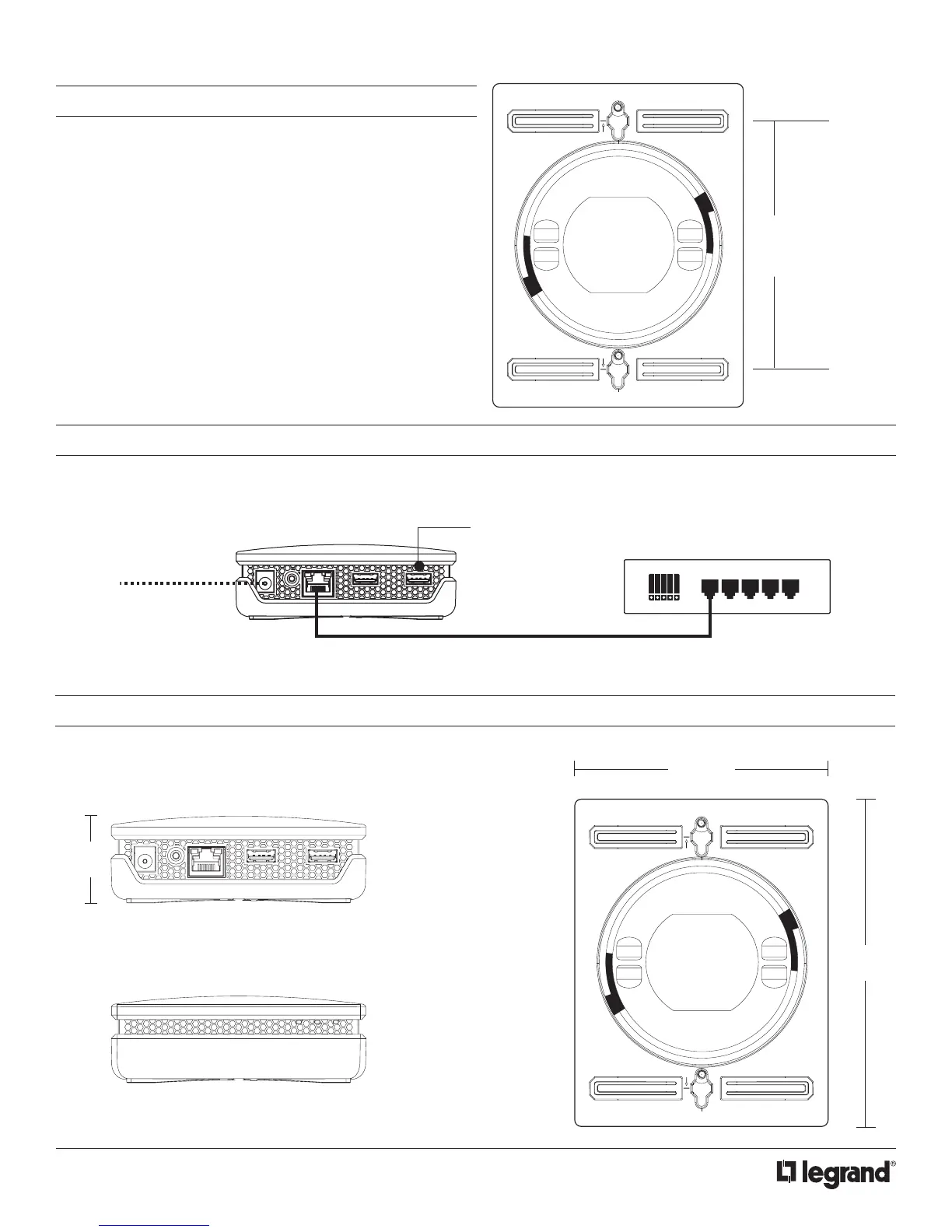
The QzHub can be placed on a desk, on the oor tucked behind
furniture, or even mounted to a wall. Built-in rubber feet provide a
no-slip surface for stability, and mounting sloths can be used for
wall or oor mounting.
4.5”
FCC ID: T3L-SS009
IC: 23293A-SS009
Contains FCC ID: D87-ZM5304-U
IC: 11263A-ZM5304
4.5”
between hole centers
CONNECTION DIAGRAM
Simply hook the power cord in and connect the QzHub to a router with an Ethernet cable.
ETHERNET
ROUTER
QzHUB USB PORTS
POWER
MULTI-VIEW LINE DRAWING
”
4.50”
(114mm)
5.90
4.5”
FCC ID: T3L-SS009
IC: 23293A-SS009
Contains FCC ID: D87-ZM5304-U
IC: 11263A-ZM5304



 To Next Page