8
EDIT GROUPS
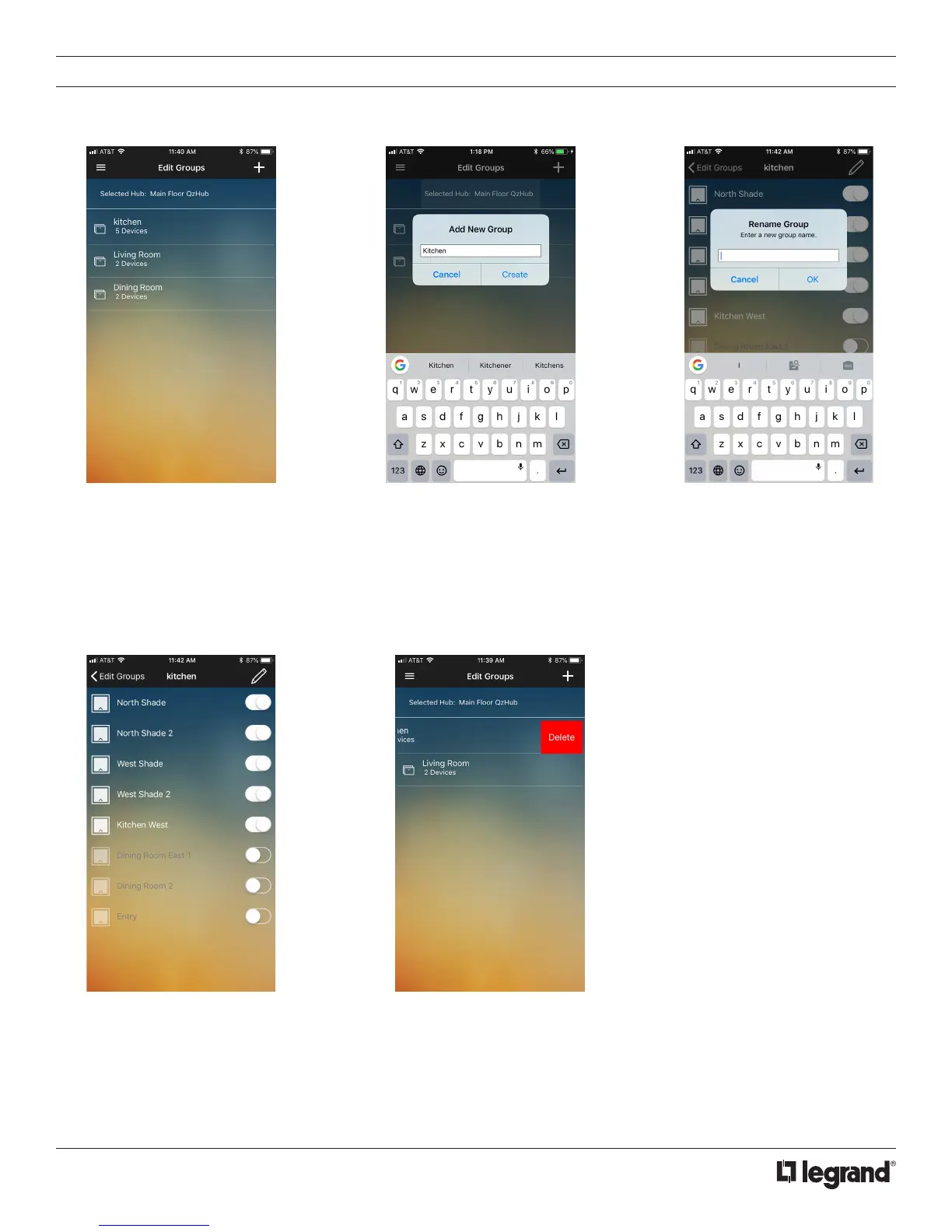
The Edit Groups page takes you to an overview of your device groups. These will typically be a room or location in your home.
1. Tap on the Edit Group which
takes you to the Edit Groups
page.
3. Tap on a group to begin editing.
Rename by tapping the name field
and editing.
2. To add a new group, tap
the “+” icon on the top right
corner of the page. You will
be prompted to enter a name.
Using the keypad, choose a
name and press Create.
4. All shades available on the hub will be
visible. Tap the toggle button to add a
shade to the group. Shades that are not
in the group are grayed out. Changes
are immediate with the toggle switch.
5. To delete a group, swipe left
(iOS) or long press (Android) on
the group name and tap the red
Delete button. Confirm delete.



 To Next Page