Group 7 Data/Programming Page 122
Release R2.0 LEIBINGER JET3
7.3.1.1 Language and units
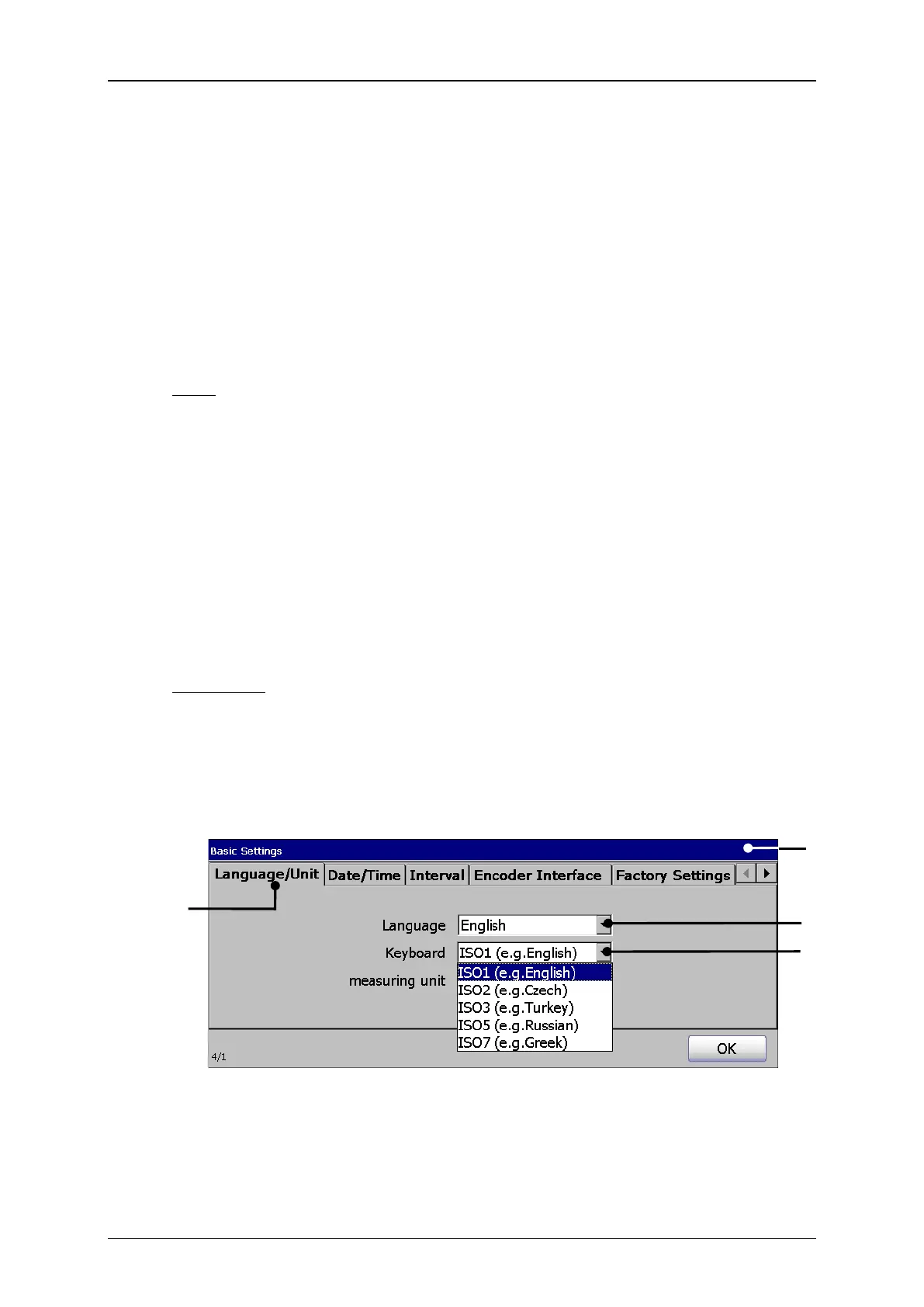
The JET3 allows the selection of the operation language, the ISO-fonts which are
assigned to the keyboard as well as the used measuring unit. The parameters which
are set currently are displayed in the drop-down lists.
The available menu languages are listed in the drop-down list. The available
languages depend on the ordered version of the printer.
Note: The function is also helpful to simplify the communication (e.g. in case of
service) with the dealer or the LEIBINGER service-hotline because English
language can be generally selected irrespectively of the installed language
package.
With the selected language the accordant ISO-font is assigned automatically to
the keyboard.
In this Drop-down list you can change preset ISO-fonts with the language
selection.
Annotation: The allocation of another ISO-font is reasonable e.g. if you have to
create also characters of another language group additionally to the
standard characters of the set language. These characters are then
available in the advanced font of the keyboard.
Set language and keyboard
1 – Menu <Basic settings>
3 – Drop-down list <Language>
4 – Drop-down list <Keyboard>



 To Next Page