Group 7 Data/Programming Page 131
Release R2.0 LEIBINGER JET3
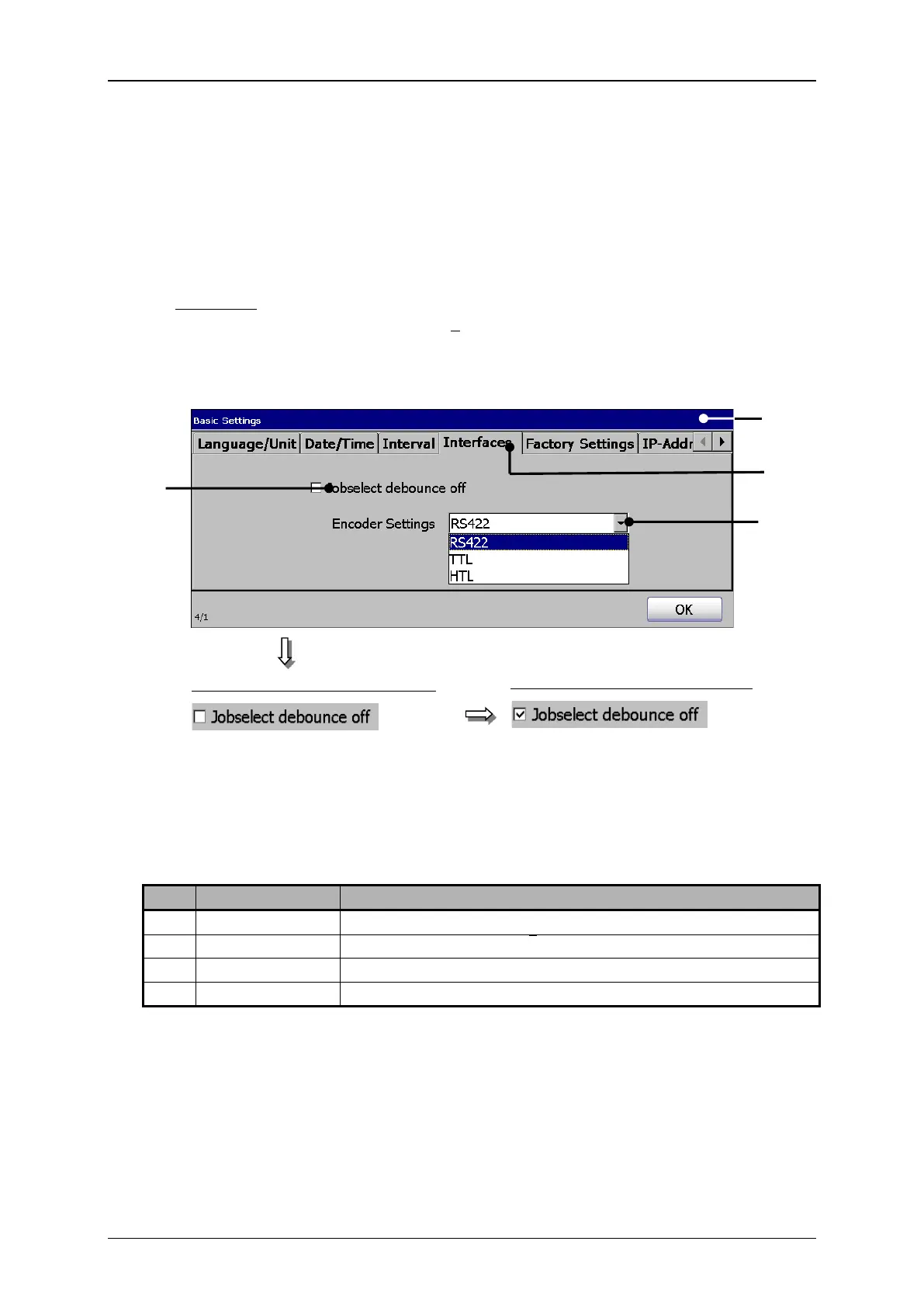
Press on the tab< Interfaces> (2) to select the tab.
Press on the arrow key of the drop-down list <Encoder Settings> (3). The drop-
down list opens for selection.
Now select the required interface.
If required activate now the bounce time delay by clicking on the checkbox (4).
An activated delay is displayed by in the checkbox.
1 –Dialog box <Basic Settings>
3 – Drop-down list <Encoder settings>
4 – Checkbox <Bounce time delay off>
5V / 4 Signals (A, Ā, B, B)
5V TTL / 2 Signals (A, B)
Bounce time delay is switched on
Bounce time delay is switched off



 To Next Page