Group 7 Data/Programming Page 135
Release R2.0 LEIBINGER JET3
7.3.1.7.1 Display MAC address
If you would like to work with the optional software “Remote Control” you have to
transfer the MAC-address to the company Leibinger first to calculate a valid licence
key for the device.
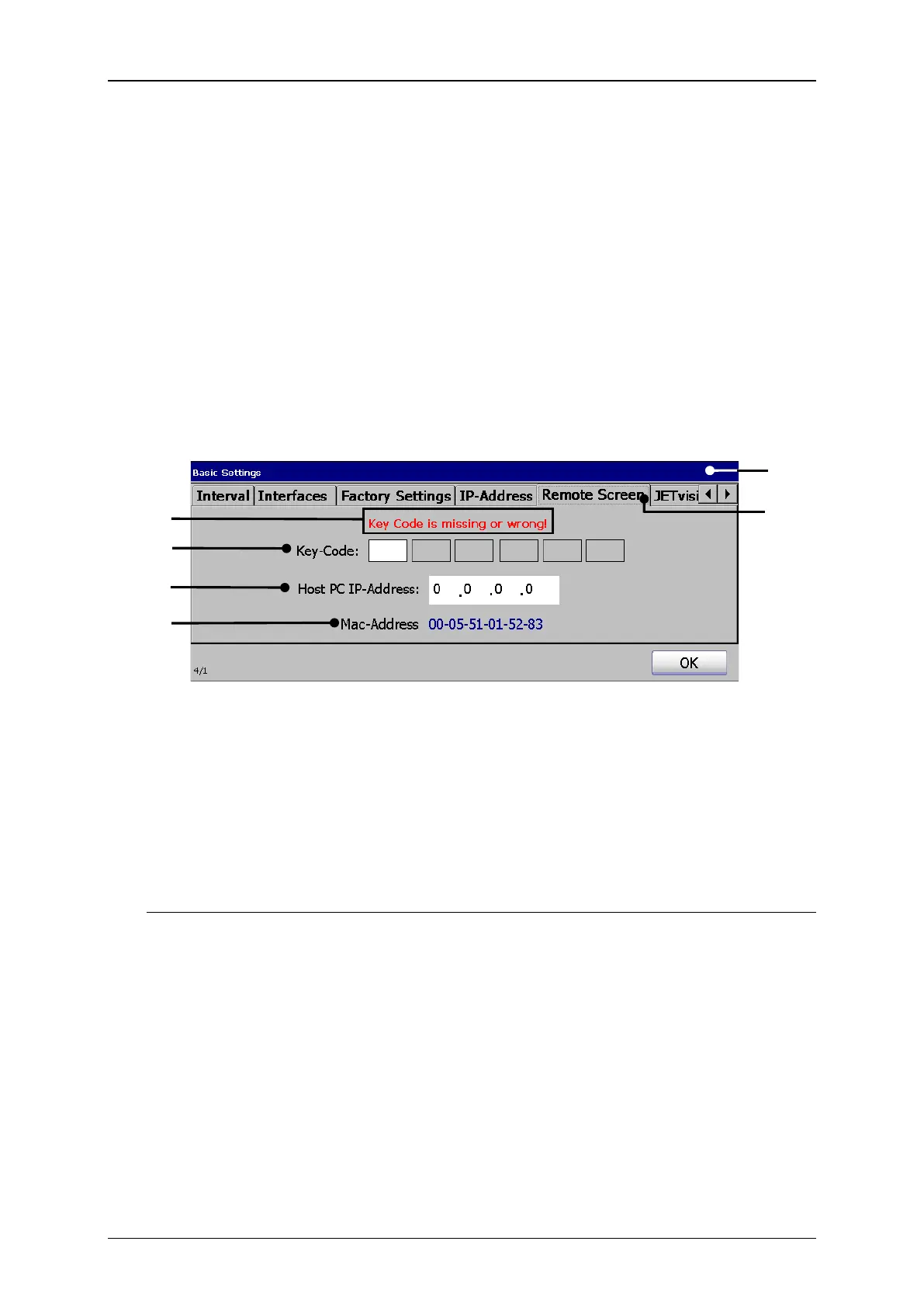
Press on the tab <Remote screen> (2) to select the tab.
In the display field <MAC-Address> (6) you can see the physical address of the
printer.
Remote screen (MAC-address)
1 – Dialog box <Basic Settings>
4 – Setting field <Key-Code>
5 – Setting field <Host PC IP-Address>
3 – Display field <Licence key status>
6 – Display field <MAC-Address>
7.3.1.7.2 Installation of the Remote Control-Software
To work with the additional software, the following steps have to be carried out:
The program installation (Step 1)
The licence key input (Step 2)
The input of the Host PC IP-address (Step 3)
1. Installation of the program (Step 1):
Install the program LJ Remote Control Installer.exe on your computer. Please see
software manual for details



 To Next Page