Group 7 Data/Programming Page 144
Release R2.0 LEIBINGER JET3
If the password of the highest defined access right (Supervisor) has been lost special
measures are required. In this case please contact the dealer address which is listed
in the chapter 1.3 Publisher.
7.3.3 Password protection (Password query)
If the password protection LEIBINGER JET3 is activated a password enquiry is carried
out for every start of the device.
Further more the function <Login> in the menu „Extra“ is activated. With this
function an user can login during the operation to e.g. carry out functions which are
still not enabled and can logout and can therefore prevent changes of the settings
by unauthorized staff.
If the device is switched off during an activated password query, the current
password level will be logged-out automatically. By switching on the device, the
LEIBINGER JET3 is always in the logged-out status.
If the function is activated it is displayed by a on the checkbox of the function.
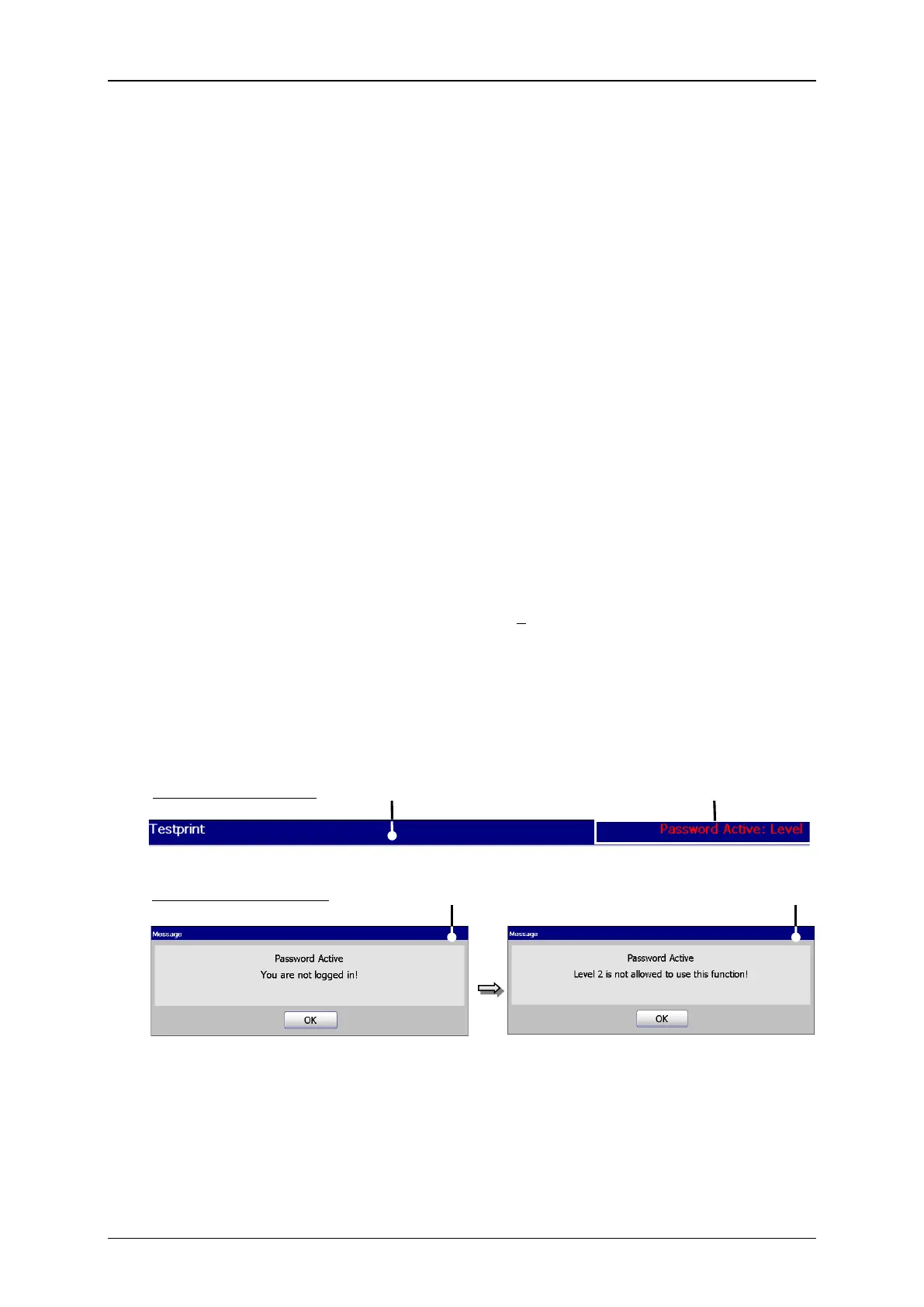
Further more the last active password level is displayed on top right in the title bar.
If no password levels have been assigned up to this date, level 1 is displayed.
Password level display and safety messages
3 – Message <Login required>
2 – Password level display
4 – Message <Access authorisation>



 To Next Page