EasyManua.ls Logo

Leibinger Jet 3 - Special Functions and Tools; Constant Bleed Functionality

Leibinger Jet 3
378 pages
Print Icon
To Next Page IconTo Next Page
To Previous Page IconTo Previous Page
Loading...
Group 7 Data/Programming Page 160
Release R2.0 LEIBINGER JET3
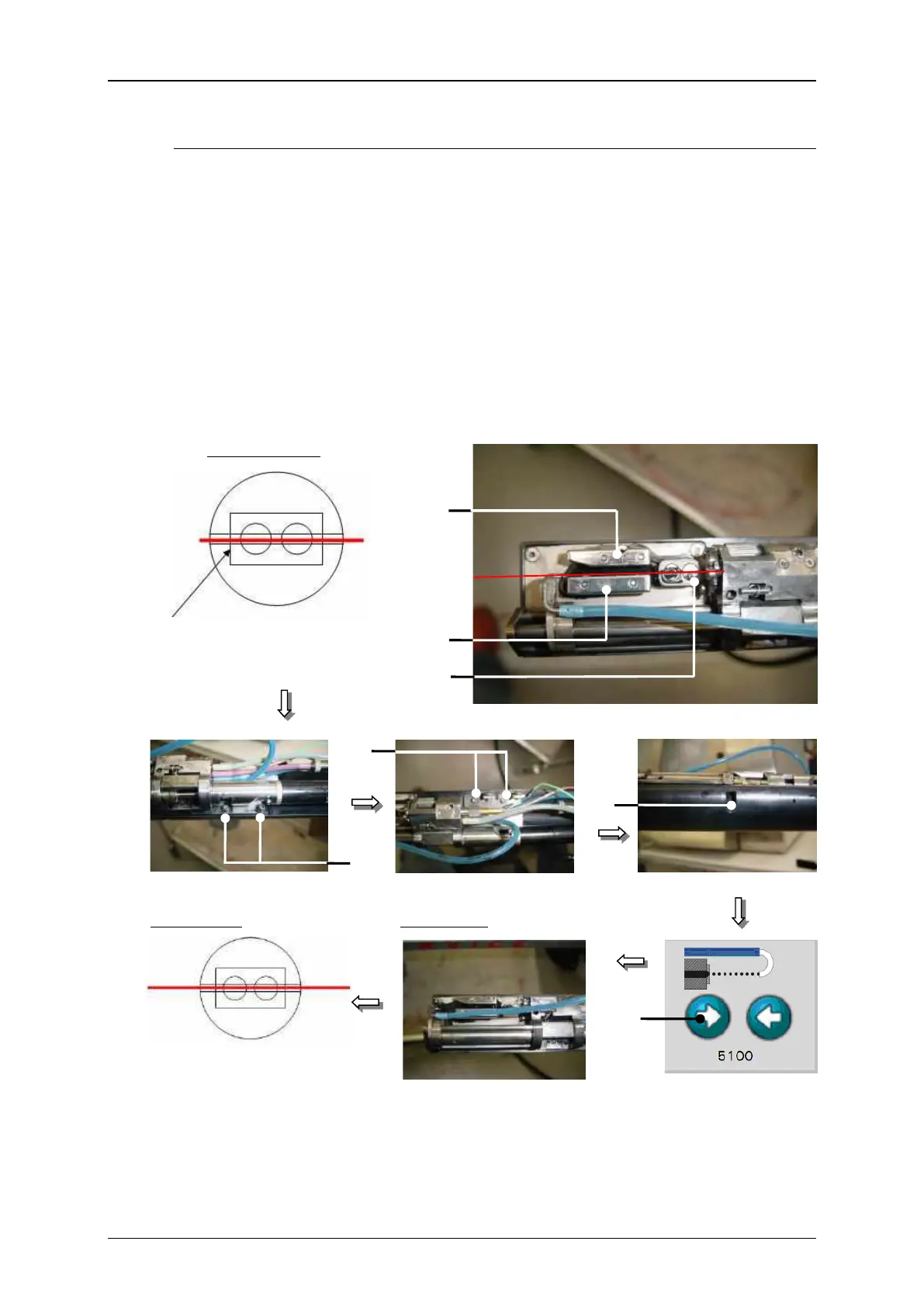
Setting sequence:
1. Open the 5 locking screws on the fixing plate (17) as far as the unit can be
moved by hand.
2. Move the unit carefully until the ink jet corresponds with the shown setting
position.
3. Fix the settings by tighten the locking screws (17).
4. Check the setting positions after fixing again and if necessary correct the
position again.
Figure 74
Jet adjustment (Step 3)
15 Charging tunnel
17 Holding screw of the fixing plate (5x)
16 Deflection plates
18 Arrow key <Open nozzle>
Setting position
17
17
Left angle of charging tunnel
17
16
15
16
18
End position
Target result

Related product manuals