Group 7 Data/Programming Page 173
Release R2.0 LEIBINGER JET3
In the production counter dialog box you can carry out settings of the production
counter and you can set-up a pre-defined print stop. Furthermore all existing job
counters in the current loaded job can be reset. Additionally it is possible to set a
second production counter. This counter can be set and reset independently from
the first one.
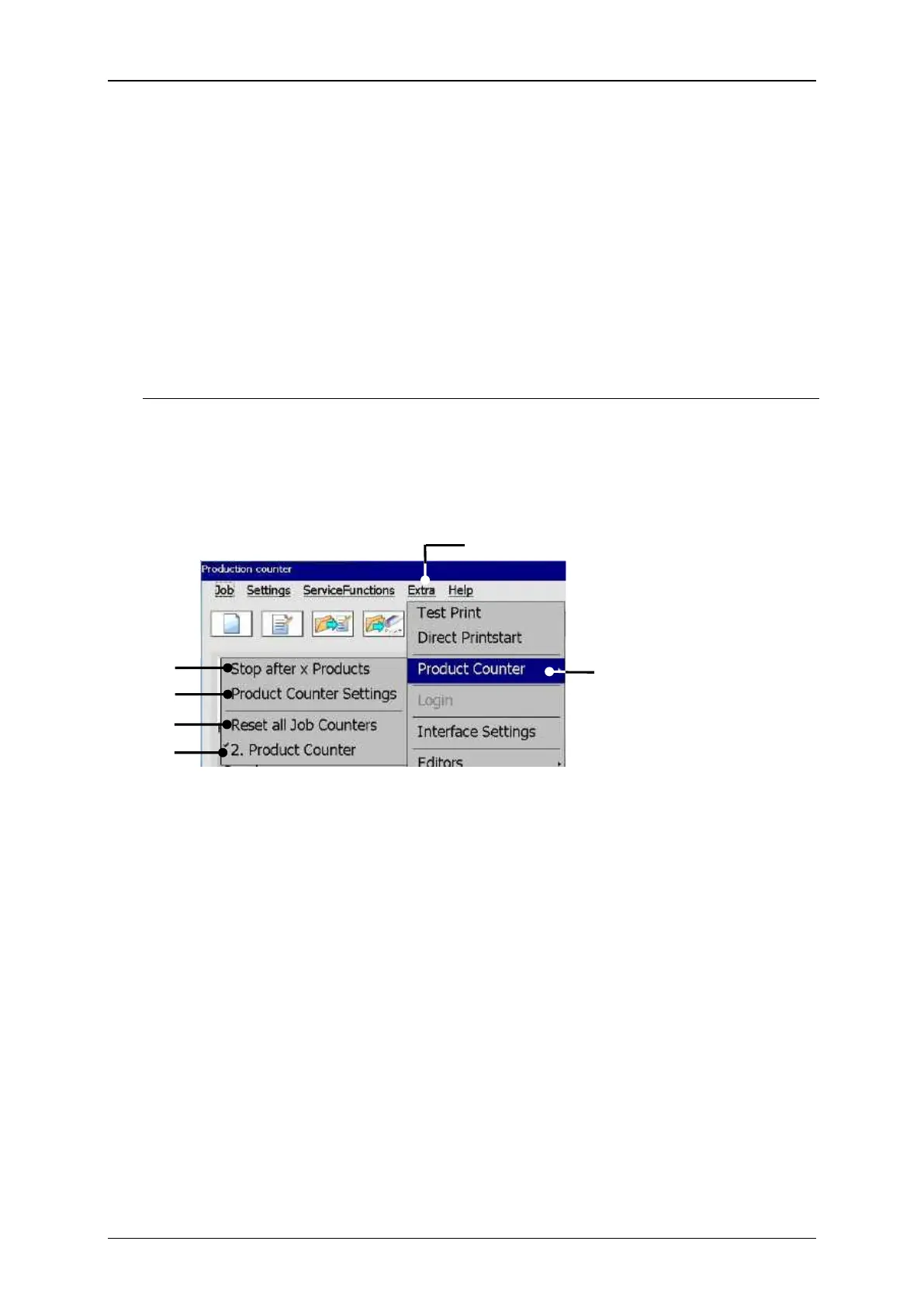
For the production counter options selct the menu item <Product Counter> (3) in
the <Extra> drop down menu (2). Select an option from the offered subdialog box.
In the dialog box <Product Counter> the following options are available:
Product Counter Settings
Call up product counter dialog box
1 – Drop down menu <Extra>
4 – Option <Stop after x Products>
2 – Menu item <Product Counter>
5 – Option <Reset all Job counters>
3 – Option <Product Counter Settings>
6 – Option <2. product counter>
7.5.3.1 Product counter settings
Proceeding (see figure 84 and 85)
Press the option <Product Counter Settings> (2).
The window <Product Counter Settings> is displayed. Depending on how many
product counters are defined (1 or 2) (6) you can see 1 or two tabs.



 To Next Page