Group 7 Table of contents Page 176
Release R2.0 JET3
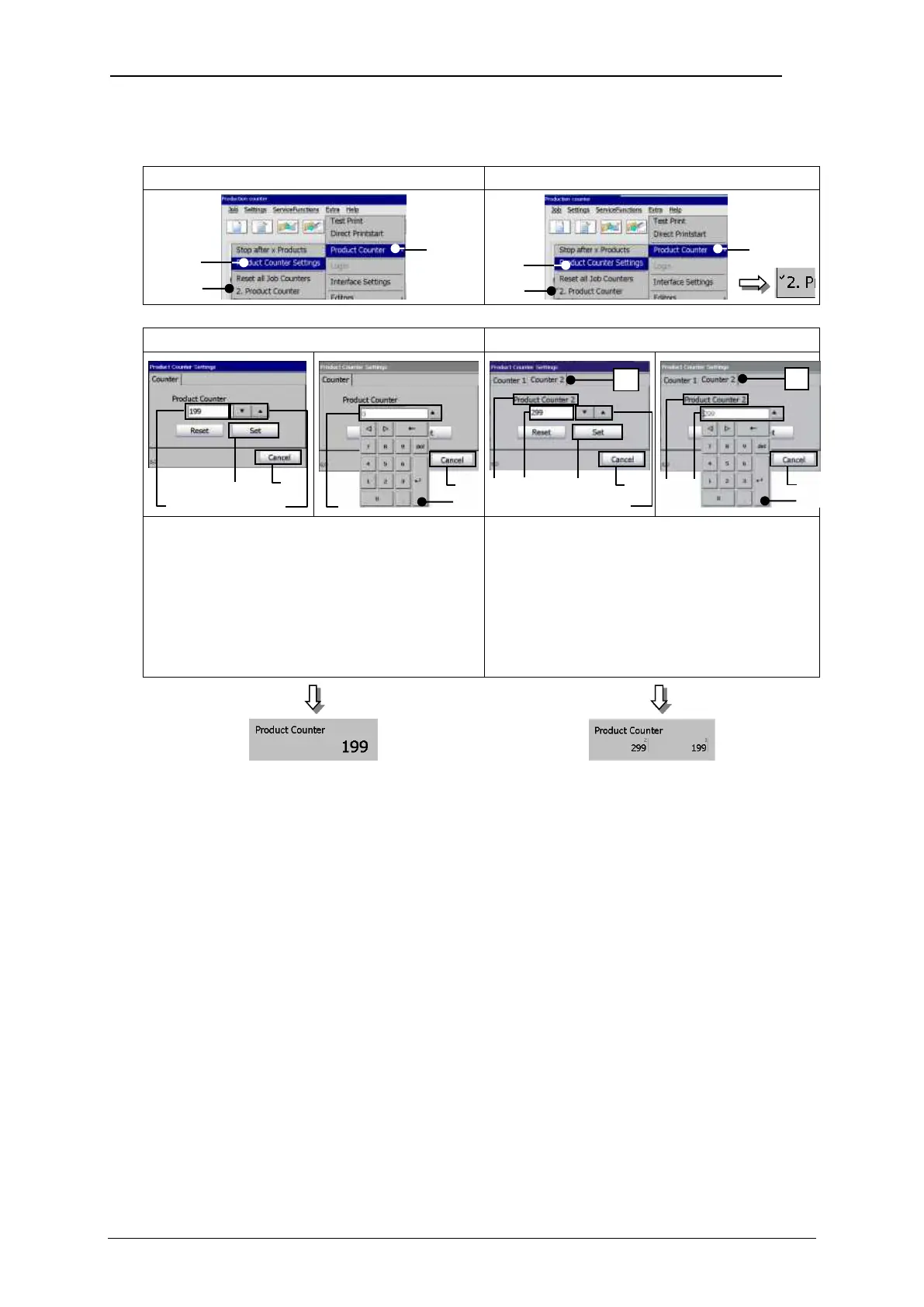
Select Product Counter Settings / 1 or 2 product counters
Settings for 1 product counter
Settings for 2 product counters
The counter can either be set with the
arrow keys or with the virtual keyboard.
Settings have to be confirmed with the
<Set> button. To leave th dialog box
without confirmation use the <Cancel>
button.
The counters can either be set with the
arrow keys or the virtual keyboard. Each
counter has to be set separately. Settings
have to be confirmed with the <Set>
button. To leave the dialog box without
confirmation use the <Cancel> button.
1 – Dialog box <Product Counter>
2 – Option <Product Counter Settings>
3 – Option <2. Product Counter> with indicator
4 – Counter display field
9 – Tabs for counter selection



 To Next Page