Group 8 Job editor Page 216
Release R2.0 LEIBINGER JET3
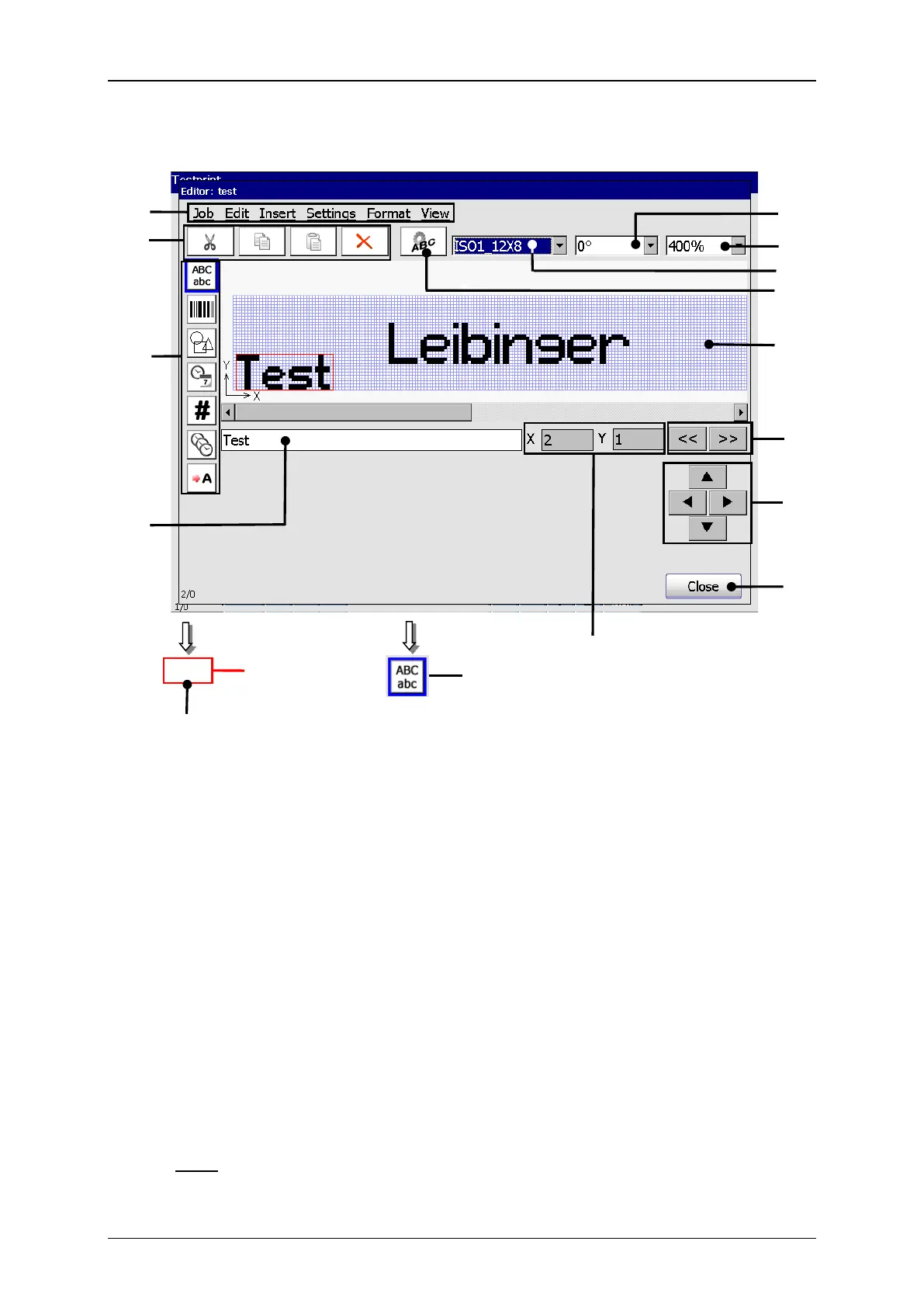
8 – Display area <Print image>
2 – Direct buttons <Creation tools>
3 – Direct buttons <Editing tools>
10 – Display <Coordinates>
4 – Direct button <Object settings>
5 – Drop-down list <Font selection>
6 – Drop-down list <Orientation>
7 – Drop-down list <Zoom>
Input field <Text> (9): In the field the text of the selected text print element is
displayed. By clicking in the field a keyboard field opens to change the input.
If the creation tool <Text> is activated a keyboard field also opens and you can
see the inputs directly in the input field (9).
On the display <Coordinates> (10) the start position (bottom left corner) of the
selected printing element is dispalyed.
Note: For the displayed position not the actual printing element but the position
of the displayed object frame is decisive.



 To Next Page