Group 8 Job editor Page 221
Release R2.0 LEIBINGER JET3
8.2.5 Parameter setting tools
(Parameter settings menu)
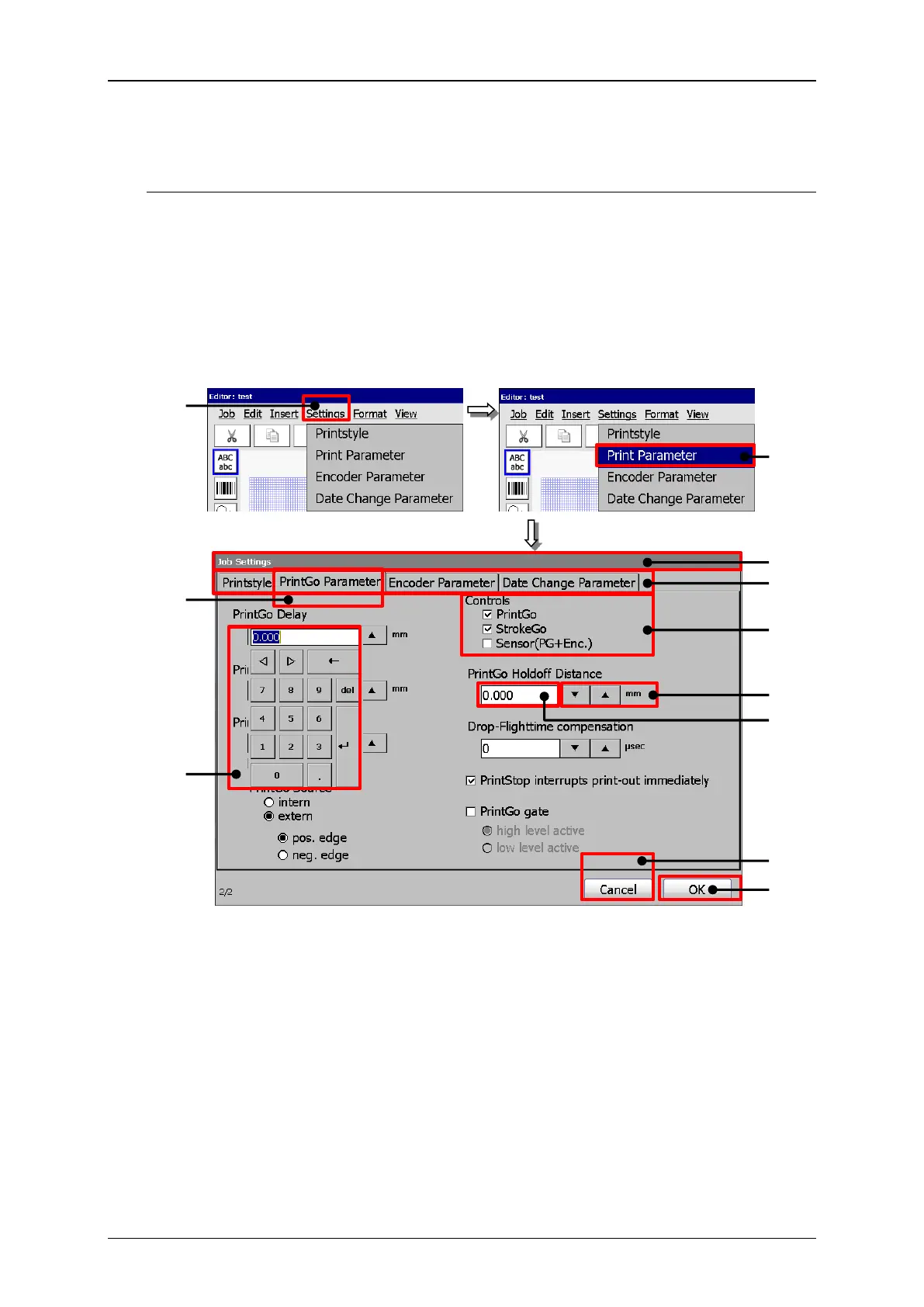
The drop-down menu <Settings> offers the following options:
Date changing parameter
The settings for each option are arranged in tabs.
Job editor (Parameter settings menu)
1 – Drop-down menu <Settings>
2 – Option <Print Parameter>
3 – Dialog box <Job settings>
5 – Tab caption <PrintGo Parameter>



 To Next Page