Group 8 Job editor Page 234
Release R2.0 LEIBINGER JET3
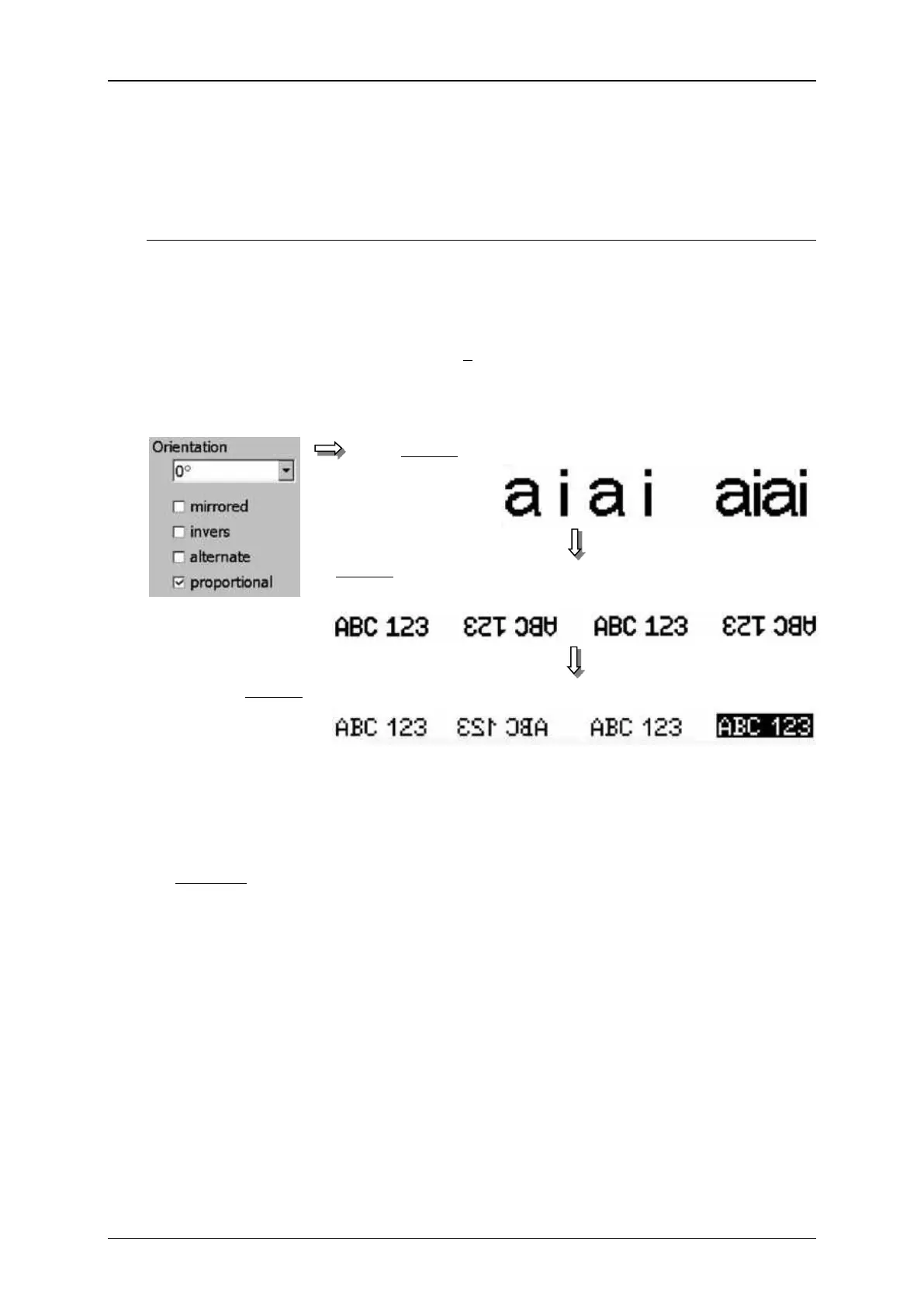
With this function you can activate different display options.
The following display options are available:
An activated option is displayed with a in the checkbox.
Object settings (Display options)
Mirrored display: The printing element is mirrored horizontally.
Inverse display: The printing element is displayed inverse.
Example: For printing a black ink is used on a white medium.
Without the option <Invers> the letters of the printing text are written
in black.
With the option <Invers> the area around the letters will be blacken
and the characters stay white.
Alternating display: Every second print out is displayed mirrored horizontally and
vertically.
Proportional display: The printing object is displayed proportionally that means
unneeded blank fields between the single characters of the printing element can
be avoided.
Display: normal proportional
Display: alternating
1. Print 2. Print 3. Print etc.
Display: normal horz. mirrored normal inverted



 To Next Page