Group 8 Job editor Page 235
Release R2.0 LEIBINGER JET3
With this function you can assign a counter to an object in order to create a
periodically repeated object.
Basically a counter can be assigned to all kinds of objects:
Text objects
Barcode objects
Graphic objects
Time/Date objects
Counter objects
Shift code objects
External text objects
With an activated assigned counter you can define at which counter reading the
object shall be printed. With this function it is possible to create a print job with
periodically repeated elements. See example for details.
Please see details regarding the counter function in chapter 8.7.3.1
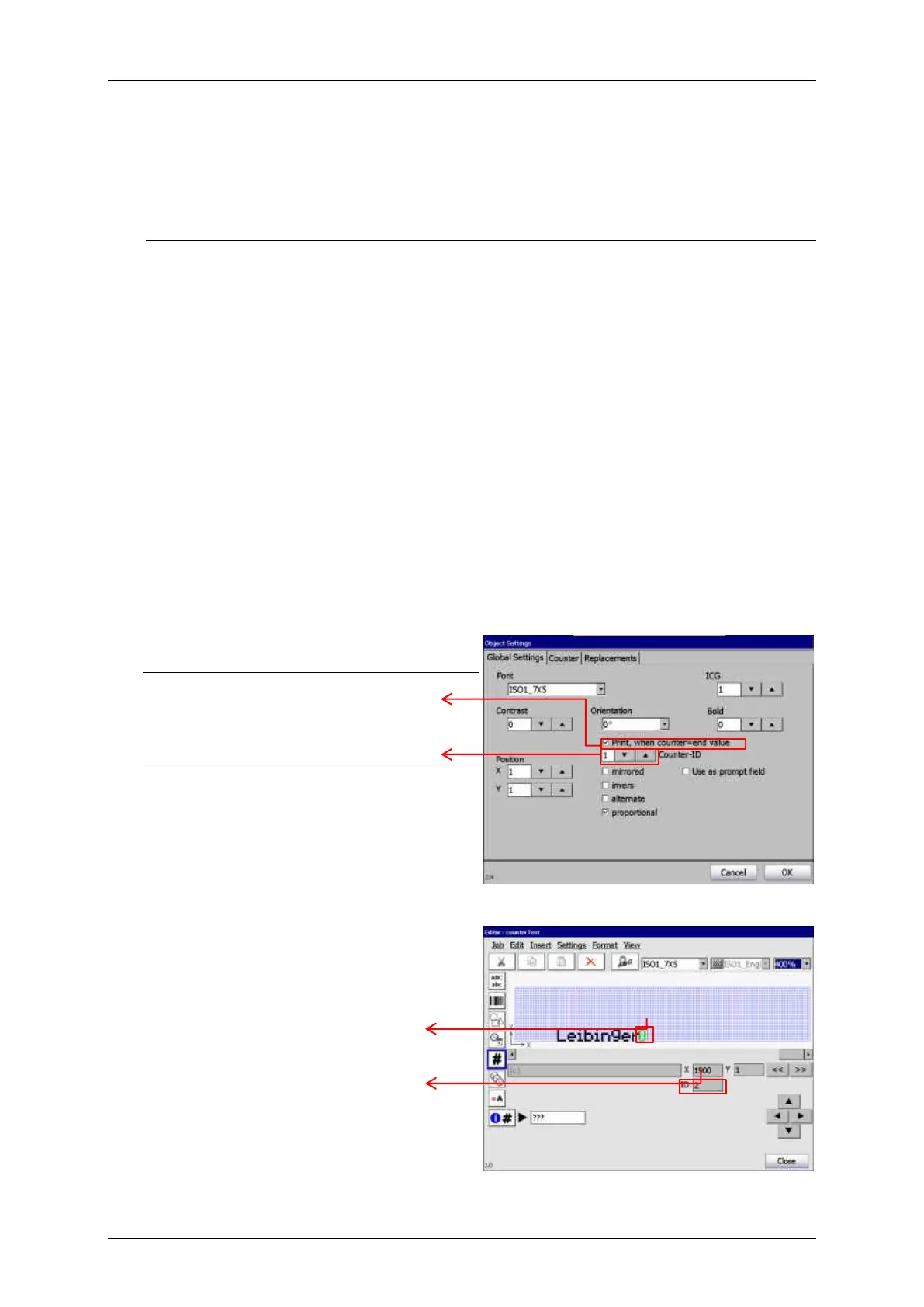
Settings for counter assignment
Check box Print, when counter=end
value
Settings for counter assignment
Objects ID
With this box checked a counter is
assigned to the object.
With these spin buttons you choose the
required counter. You’ll have to make
sure that there is a counter object defined
in the job and and that the correct ID is
set. The counter ID is shown in the editor
while the object is selected.
If there’s no counter defined in the
current print job or in case you set the
wrong ID the counter assignment
settings will be ignored.
ID of the selected counter object



 To Next Page