Group 8 Job editor Page 237
Release R2.0 LEIBINGER JET3
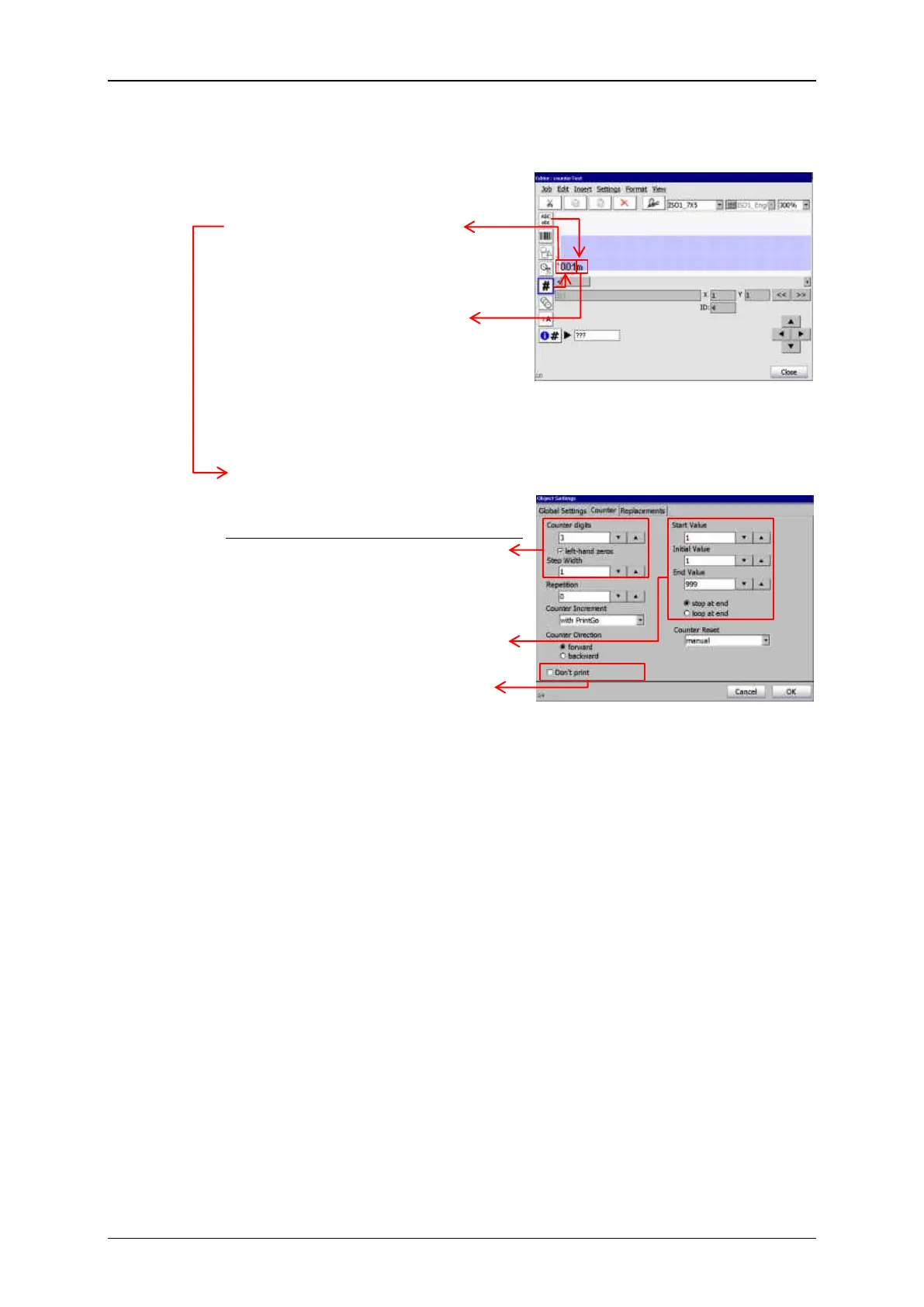
The two „object groups“ in the JET3 job editor
“Length specification group”
Picture 4 – JET3 job editor: Objects
for the length specifi-
cations printout
Counter object for the length
specifications.
Text object for the unit [m].
No specific settings needed.
Printout of lenghts specifications
Picture 5 – Counter settings for the
length specifications
printout
1. The lenghths specifications are
printed with 3 digits, left-hand
zeros and step width is 1
(in this example: 1 meter).
2. The count will start at 1 meter
and it will stop after 999 meter.
3. The current counter value is
printed after each PrintGo
signal.



 To Next Page