Group 8 Job editor Page 287
Release R2.0 LEIBINGER JET3
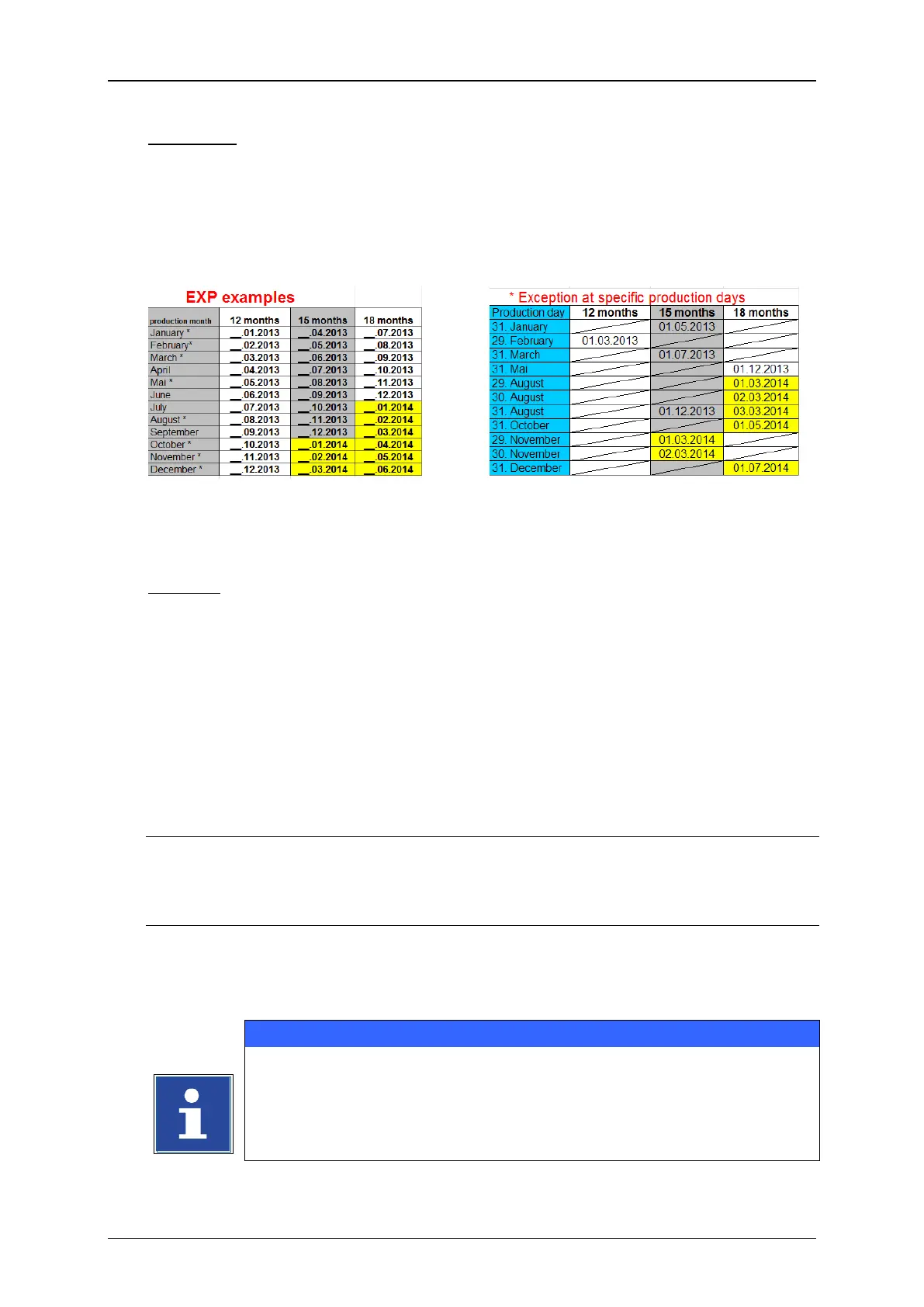
The day of the production is: 31 March 2012
The expiry date shall be: 15 months
The regular result of the final date would be the 31
st
June 2013. Due to the fact that
this day not exists, the printer will print 01. July 2013. In that case 1 day is missing
in June.
8.7.2.1 Insert date- and time specifications
Example: To an already existing text object „A“ the current date should be added and
printed and to an existing text object „V“ the expiry date as a result of the
set expiry time should be added and printed.
Each date should be formatted dd/mm/yyyy (Day/Month/Year) and it should
be displayed with left-hand zeros (e.g. 01/01/2014). The print should be a
two-line print whereby the “A” and the current date should be printed in
the first line and the “V” and the expiry date in the second line.
The set expiry time should be 15 days.
Approach (part 1) refers to Figure 153
Point 1
Press the menu item <Insert> (1) and in the drop down menu select the menu
item <Date/Time> (2) or the appropriate direct button (3)
Point 2
The dialog box <Global Settings (Date/Time)> is faded in and it shows the first
tab <Global Settings>. You can make the requested settings for the font
parameters and display options on this tab.
You will find further information in the chapter Object settings!



 To Next Page