Group 6 Operation – Elements and procedures Page 66
Release R2.0 LEIBINGER JET3
6.4 Essential operating- and information elements
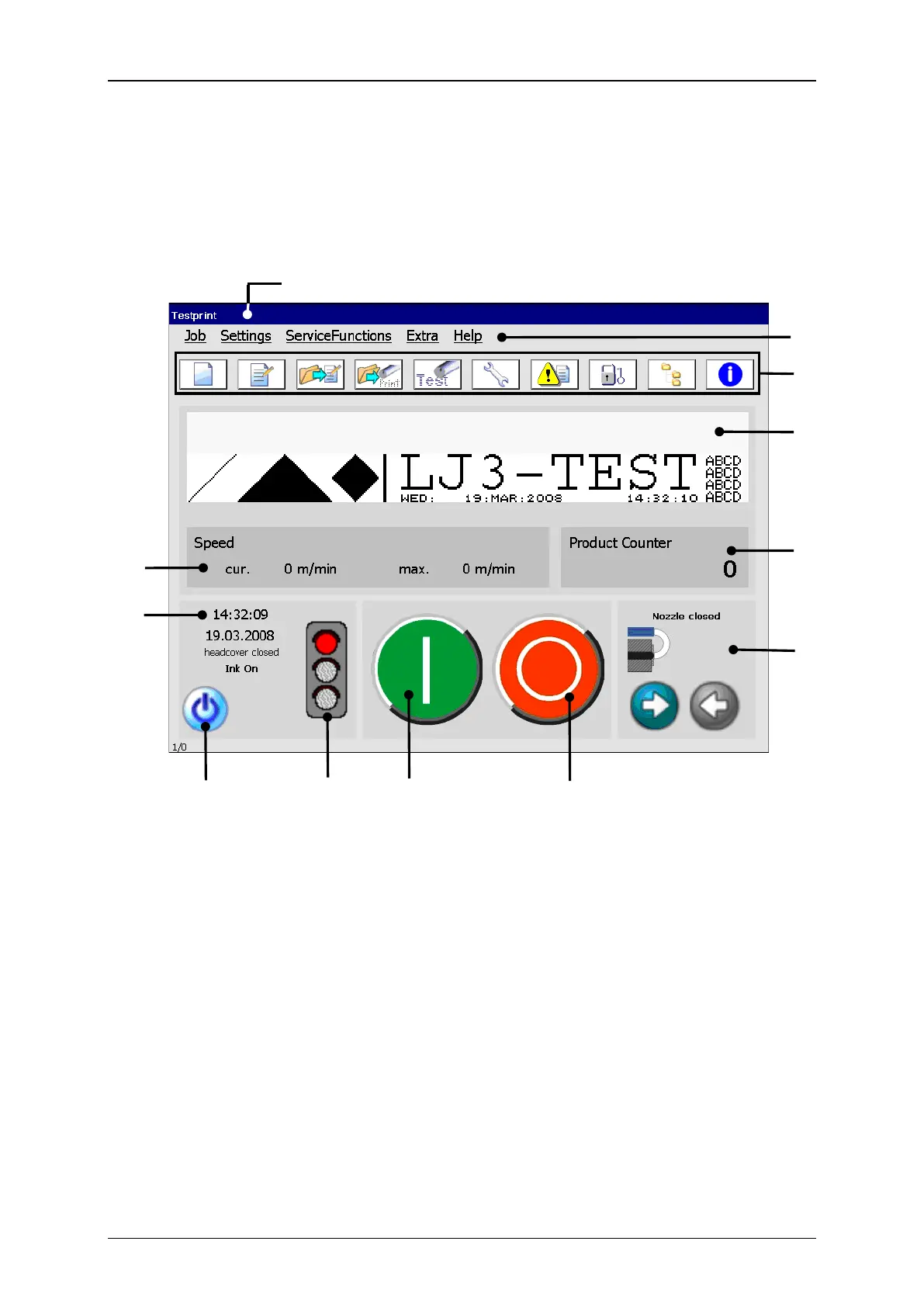
This chapter describes the essential operating- and information elements of the LEIBINGER
JET3 main menu.
7 – Status field <General>
8 – Status field <Nozzle>
9 – Device status (traffic light)
10 – Button <Off/Shut down>
5 – Status field <Printing speed>
6 – Status field <Product counter>
Title bar (1): The title bar is displayed at the top of the main menu and contains the
name of the active printing job as well as for activated password function the display
of the logged-in password level.
Main menu bar (2): The corresponding menus of the JET3 can be called with the
buttons in the main menu bar. The following menus are available:



 To Next Page