Group 7 Data/Programming Page 91
Release R2.0 LEIBINGER JET3
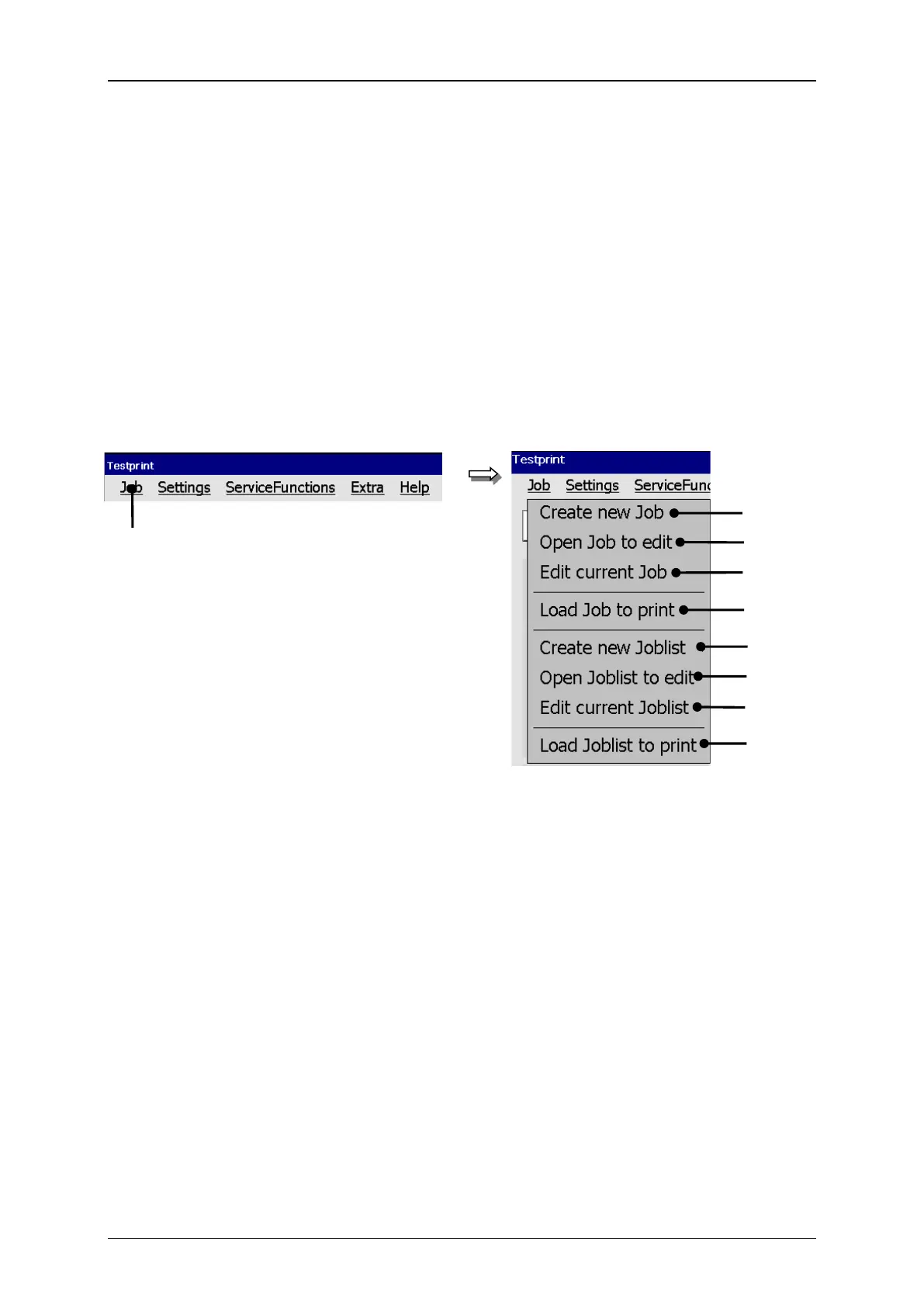
With the button <Job> in the main menu bar the submenu „Job“ is displayed. The
following options are available:
Job menu (file management)
6 – Option <Create new Joblist>
2 – Option <Create new Job>
7 – Option <Open Joblist to edit>
3 – Option <Open Job to edit>
8 – Option <Edit current Joblist>
4 – Option <Edit current Job>
9 – Option <Load Joblist to print>
5 – Option <Load Job to print>



 To Next Page