Group 7 Data/Programming Page 92
Release R2.0 LEIBINGER JET3
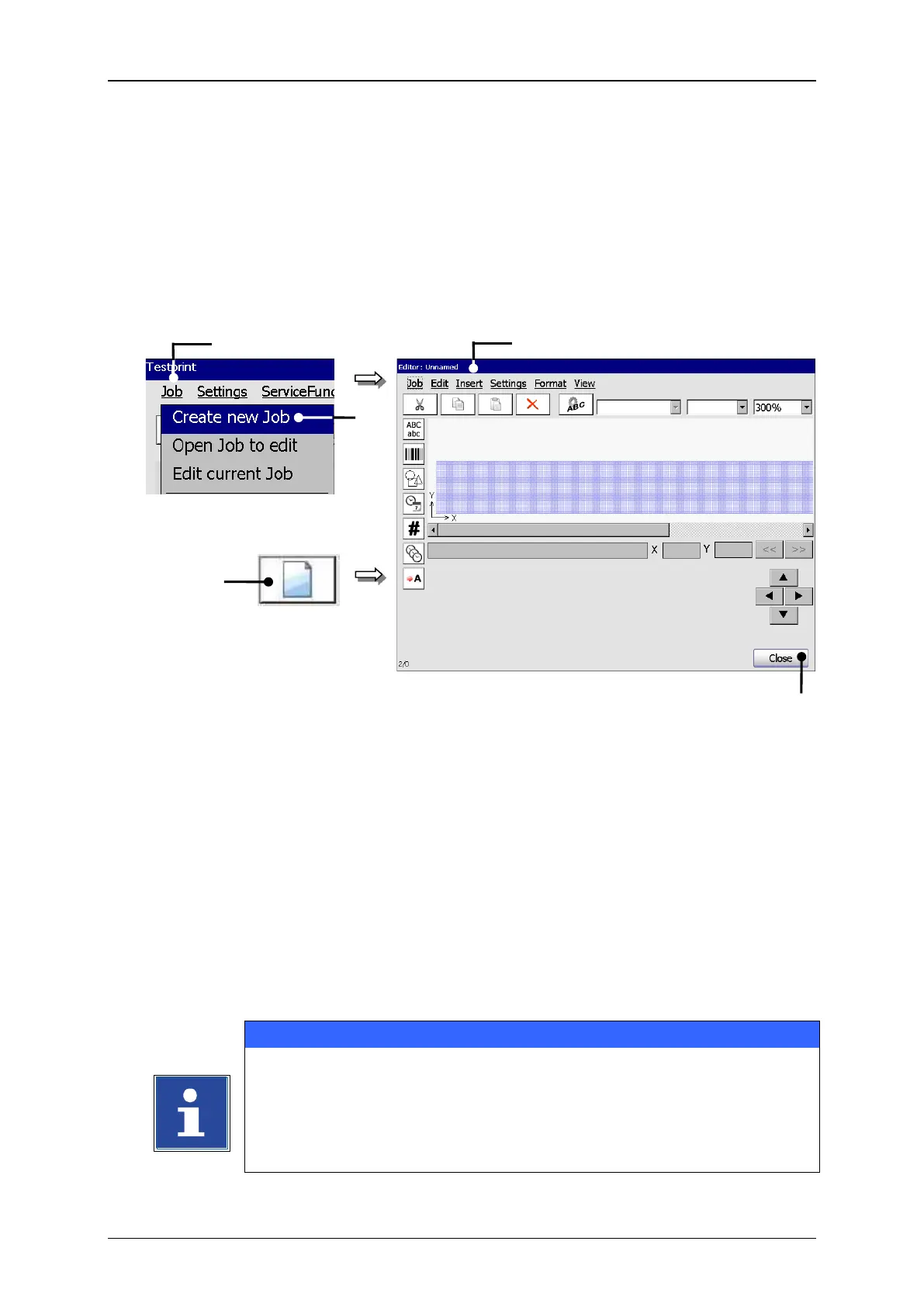
With the option <Create a new Job> or by pressing on the accordant direct button
(Icon) you can create a new job. For creation the job editor opens where you can
create the printing data and save it as a job. A variety of Windows® similar tools make
the operation easier.
2 – Option <Create new Job>
Press the button <Job> (1) and the option <Create new Job> (2) or press the
accordant direct button [icon] (3).
The menu <Jobeditor> (4) opens to create the printing data.
Carry out the requested inputs and save the job data.
You will find further information regarding the memory process in
the group Jobeditor in the chapter 8.3.1 Save job/Save job as.
You will find further information regarding the operation of the job
editor in the group Jobeditor.



 To Next Page