Starting up
31
Leica M525 OH4 / Ref. 10 714 368 / Version A
Balancing out the Leica M525 OH4
Warning
Risk of injury by movements of the microscope during
balancing out!
➩Ensure that no one is in the direct vicinity of the micro-
scope while balancing it out.
➩Switch on the Leica M525 OH4.
➩Refer to the Leica M525 OH4 user manual for the further
actions.
Checking mobility
➩Move the Leica M525 OH4 to the stretched position.
➩Move each movable shaft until it stops.
Ensure that cables have freedom of movement and are not
tensioned.
If necessary:
➩Loosen cables, increase size of cable loop and resecure with
cable ties.
Carrying out functional tests
Additional information on the tests listed here can be
found in the Leica M525 OH4 user manual.
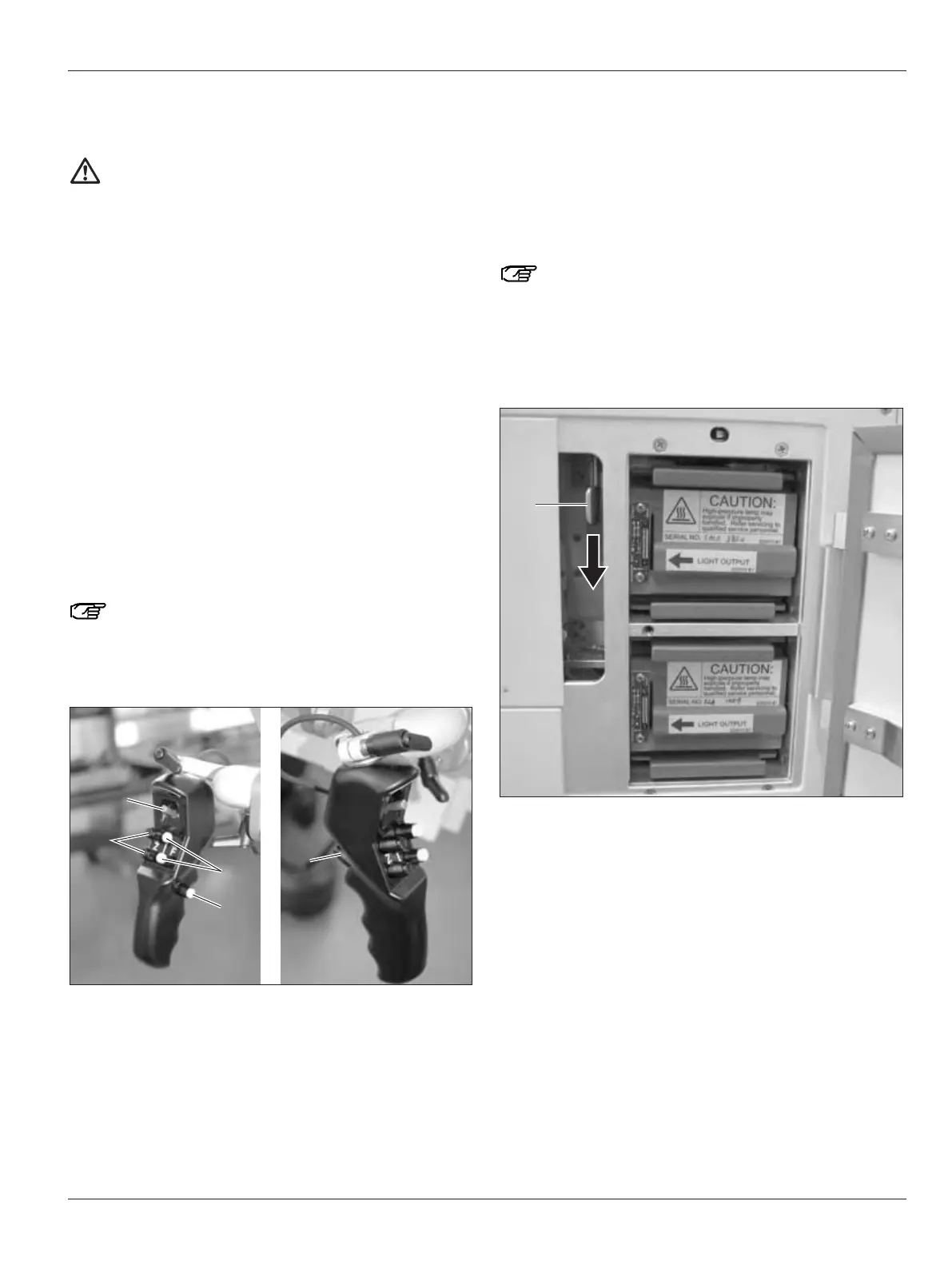
➩Press ALL FREE button (5) on handgrip.
All brakes must be released.
Fig. 1
➩Press selector button (3) on handgrip.
The three brakes of the set brake grouping must be released.
➩Press the buttons for zoom (4) and focus (2).
➩Check whether zoom and focus mechanisms at the optics
carrier move properly.
➩Move stand to its intended working position.
➩Check each position of microscope to determine whether it
remains in its position when the brakes are released. There
must be no perceptible upward, rearward or frontward
tension.
All movement must be silent and smooth.
Always allow the main and backup illuminators to
remain lit for at least 5 minutes, otherwise the lighting
capacity will be quickly reduced.
➩Switch on the main illuminator and check its function.
➩Use the lever (6) to switch to the backup illuminator and
check whether it functions (Fig. 2).
Fig. 2
➩Operate the joystick (1) at the handgrip.
The microscope carries out the corresponding XY movements.


 To Next Page