28
Instruction manual V 2.3 – 02/2009
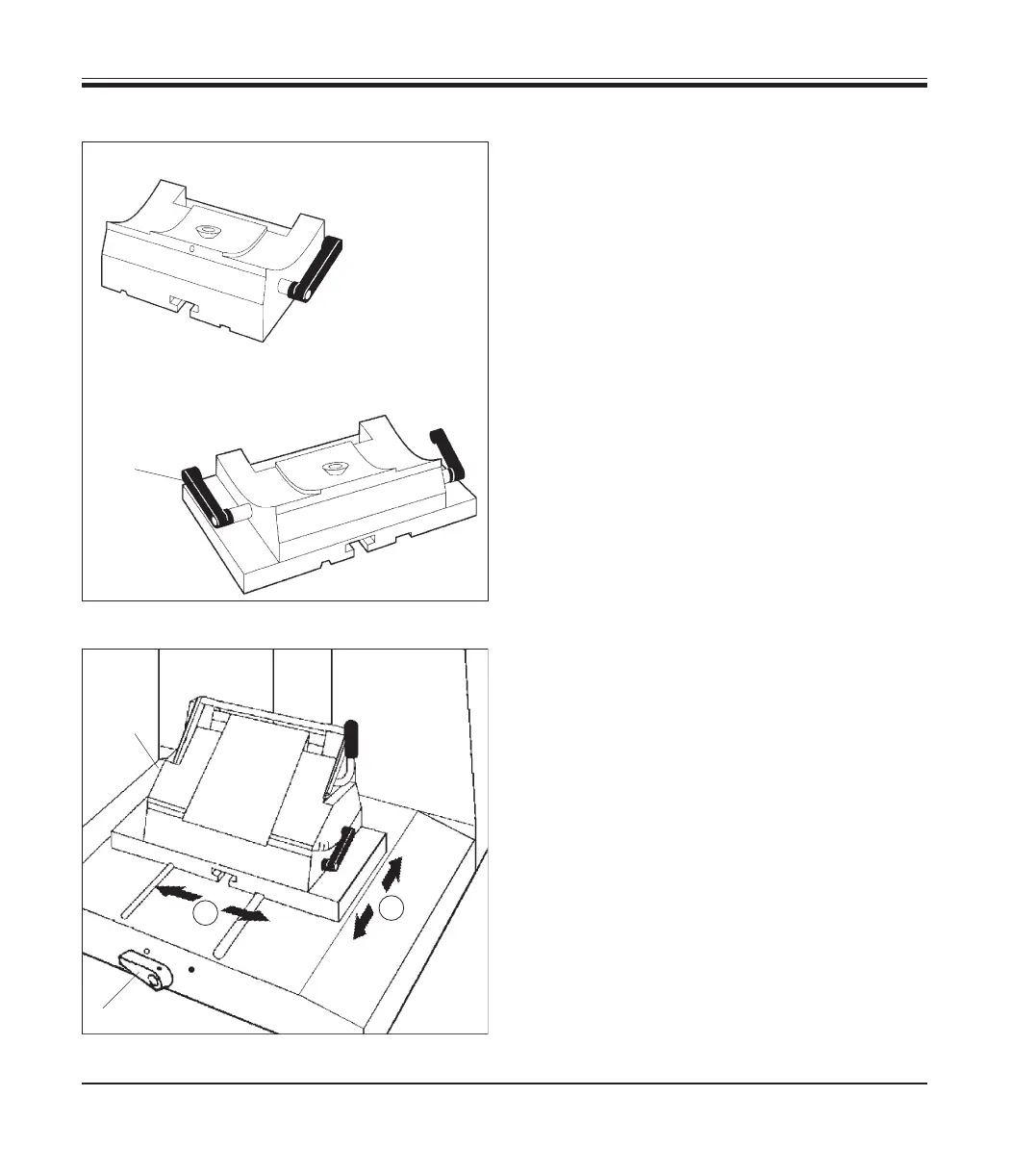
Knife holder base without lateral displacement
The knife holder base without lateral adjustment
feature (21.
1) can only be moved on the micro-
tome base plate in north-south direction.
North-south adjustment
The north-south orientation allows you to bring
the knife holder as closely as possible to the
specimen - to the optimal sectioning position.
• Rotate the clamping lever (20, Fig. 26) at the
front of the microtome base plate counter-
clockwise to release the clamping mecha-
nism.
• Move knife holder base with knife holder for-
ward or backward as needed.
• Secure the clamping mechanism by turning
the lever (20) clockwise.
Fig. 26
5.8.7 Knife holder base
Fig. 25
Knife holder base without
lateral displacement (21.1)
Knife holder base with lat-
eral displacement (21.2)
Knife holder base with lateral displacement
The knife holder base with lateral displacement
feature (21.
2) consists of two pieces and can be
adjusted in north-south as well as in east-west
direction
East-west adjustment
The lateral displacement feature makes it possi-
ble to use the entire length of the cutting edge
of the knife without having to change any of the
settings at the knife holder.
• To release the clamping mechanism rotate
clamping lever
(39, Fig. 25) (located on the
left side of the knife holder base) forward.
• Adjust the knife holder base / knife holder
laterally.
• To retighten the clamping mechanism rotate
lever (39) backward.
39
21.1
21.2
20
1
2
39
5. Operation


 To Next Page