EasyManua.ls Logo

Leica ThermoBrite S500 - User Manual

Leica ThermoBrite S500
40 pages
Print Icon
To Next Page IconTo Next Page
Loading...
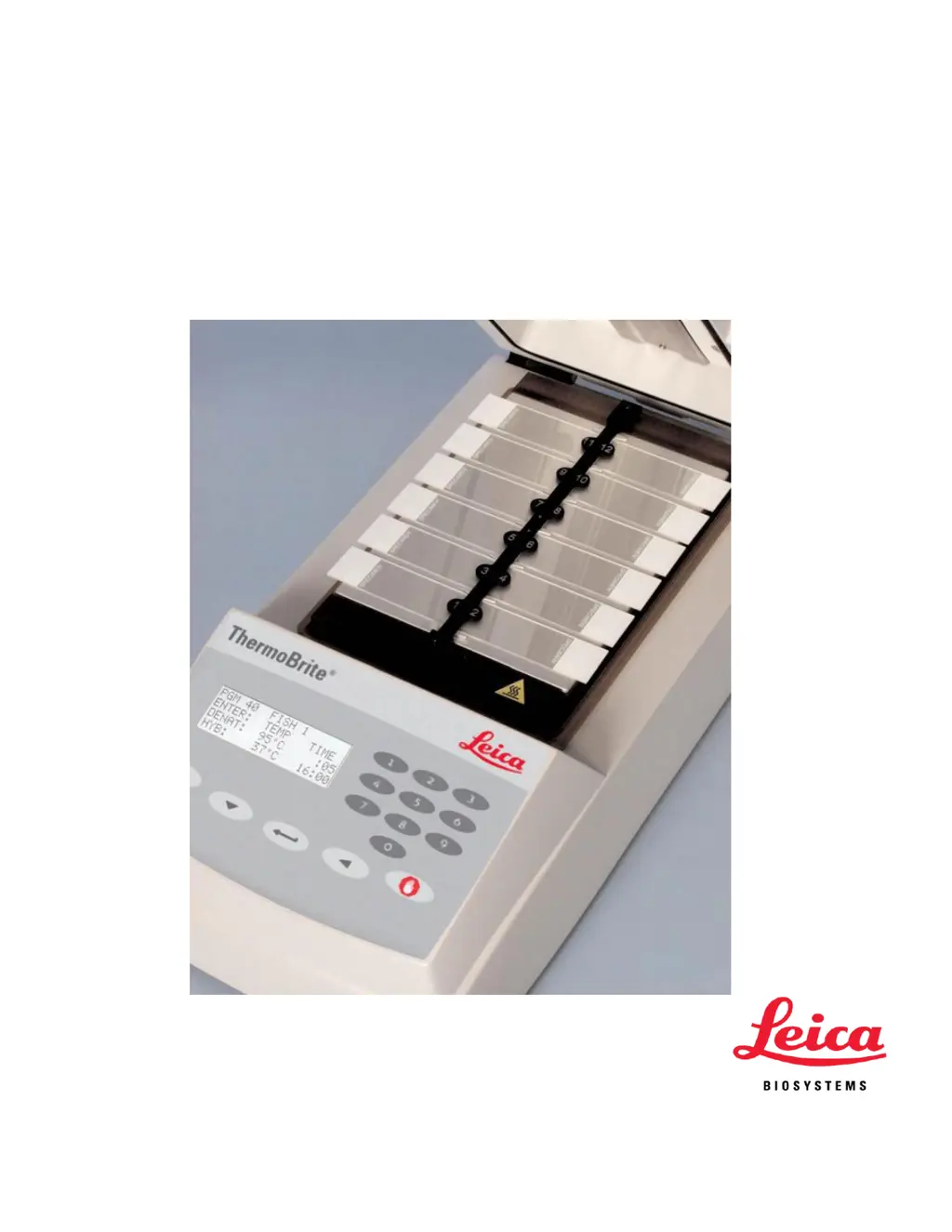
ThermoBrite
®
Slide Denaturation/Hybridization
System
Operators Manual

Questions and Answers

  • C
    Chris GrayAug 8, 2025
    How to troubleshoot Leica Laboratory Equipment when it does not turn on?
    • C
      courtney67Aug 8, 2025
      If your Leica Laboratory Equipment unit isn't turning on, first, make sure both ends of the power cord are securely plugged in. Then, check the fuses located on the rear panel next to the On/Off switch. If needed, replace them with the exact same type and value as indicated on the label at the back of the instrument.
  • M
    Matthew AndrewsAug 12, 2025
    What to do if Leica ThermoBrite S500 Laboratory Equipment shows a high temperature error?
    • J
      Jeffery MartinAug 12, 2025
      If you're getting a high temperature error on your Leica Laboratory Equipment, make sure nothing is blocking the fan on the underside of the unit. Also, ensure the unit is at least 12 inches (30 cm) away from the wall. Lastly, check that the ambient temperature isn't higher than the lowest programmed temperature plus 5°C.
  • Q
    qtaylorAug 16, 2025
    Why am I getting poor results on slides with my Leica ThermoBrite S500?
    • M
      Margaret JonesAug 16, 2025
      If you're getting poor results on slides with your Leica Laboratory Equipment, try these steps: * Check the programmed protocol against the probe manufacturer’s recommendation. * Make sure Humidity Cards are in place and fully saturated with distilled or deionized water. * Replace Humidity Cards every 1-2 weeks, as they lose their water retention ability. * Use the Temperature Verification Kit to confirm the ThermoBrite is heating correctly. * Ensure the lid is properly closed and the cover gasket seal is correctly seated and undamaged. * Make sure the ThermoBrite has enough ventilation clearance. * Clean the fan filter to remove any debris. * Ensure the plate is clean, allowing full slide contact.
  • A
    antonio33Aug 21, 2025
    What to do if the temperature display doesn't match the slide surface temperature on Leica ThermoBrite S500?
    • D
      Desiree RuizAug 21, 2025
      If the temperature displayed on your Leica Laboratory Equipment doesn't match the surface temperature of the slides, start by cleaning the slide heating plate with 70% ethanol or 10% bleach to remove any sealant or rubber cement. Also, make sure the thermometer you're using to check the temperature is currently calibrated.
  • H
    Haley BrowningAug 26, 2025
    How to fix a loose cover gasket on Leica Laboratory Equipment?
    • K
      Kyle FreemanAug 26, 2025
      If you have a loose cover gasket on your Leica Laboratory Equipment, check if any rubber cement or sealant is causing it to stick. If so, clean the area and reinsert the gasket. If the issue persists, replace the gasket with a new one.
  • M
    Maria TuckerAug 29, 2025
    Why can't I set the temperature above 70°C on my Leica Laboratory Equipment?
    • S
      Sara HoffmanAug 29, 2025
      If you cannot set the temperature above 70ºC on your Leica Laboratory Equipment, verify the program mode. You might be unable to exceed preset limits in the current mode.
  • C
    craignicholsonSep 2, 2025
    Why can't I find the 'Create a Program' option on my Leica ThermoBrite S500?
    • H
      Holly RobbinsSep 2, 2025
      If you can’t find the “Create a Program” option on your Leica Laboratory Equipment, it may be because the maximum of 40 programs have already been stored. In this case, you can only edit an existing program.

Leica ThermoBrite S500 Specifications

General IconGeneral
BrandLeica
ModelThermoBrite S500
CategoryLaboratory Equipment
LanguageEnglish

Related product manuals