MS50/TS50/TM50, Operation
40
4.2 Setting Up SmartStation
SmartStation setup
step-by-step
Step Description
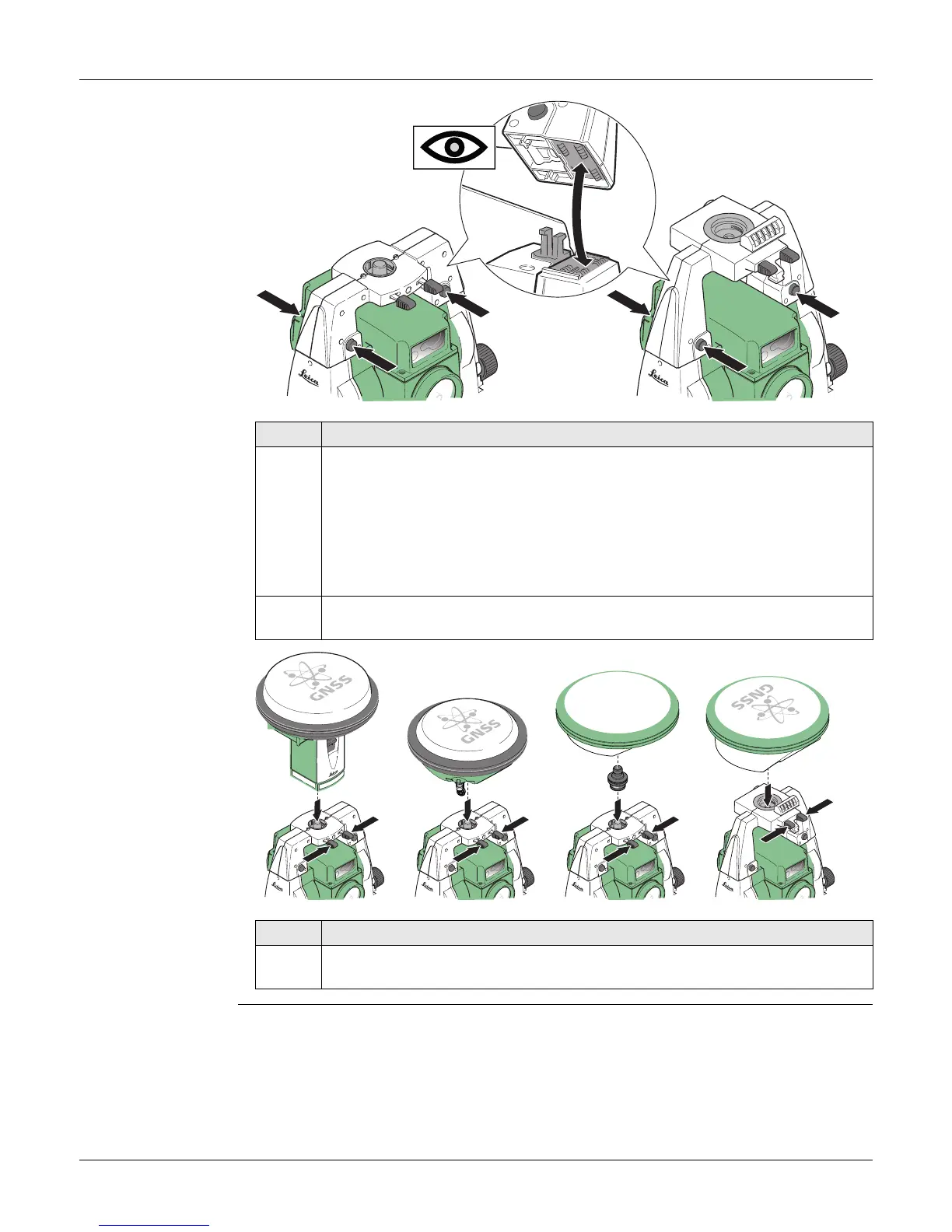
1. Place the GAD110 adapter for the GS15/GS14/GS08plus antenna onto the
instrument by simultaneously pressing and holding-in the four push
buttons.
For GS08plus: In addition to the GAD110 adapter, the GAD113 adapter is
required.
Place the GAD104 adapter for the GS12 antenna onto the instrument by
simultaneously pressing and holding-in the four push buttons.
Ensure that the interface connection on the underside of the adapter is on
the same side as the Communication side cover.
Step Description
2. Place the GS15/GS14/GS12/GS08plus antenna onto the adapter by simulta-
neously pressing and holding-in the two press clips.
000605_003
000606_003



 To Next Page