MS50/TS50/TM50, Check & Adjust
64
Next Step
6. Meas to measure and to continue to the next screen.
If Calibrate the telescope camera has
been checked, aim at the same target
accurately with the telescope camera
using the view finder and the digital
crosshair on the display. Meas to
measure and to continue to the next
screen.
The fine pointing has to be
performed manually in both faces.
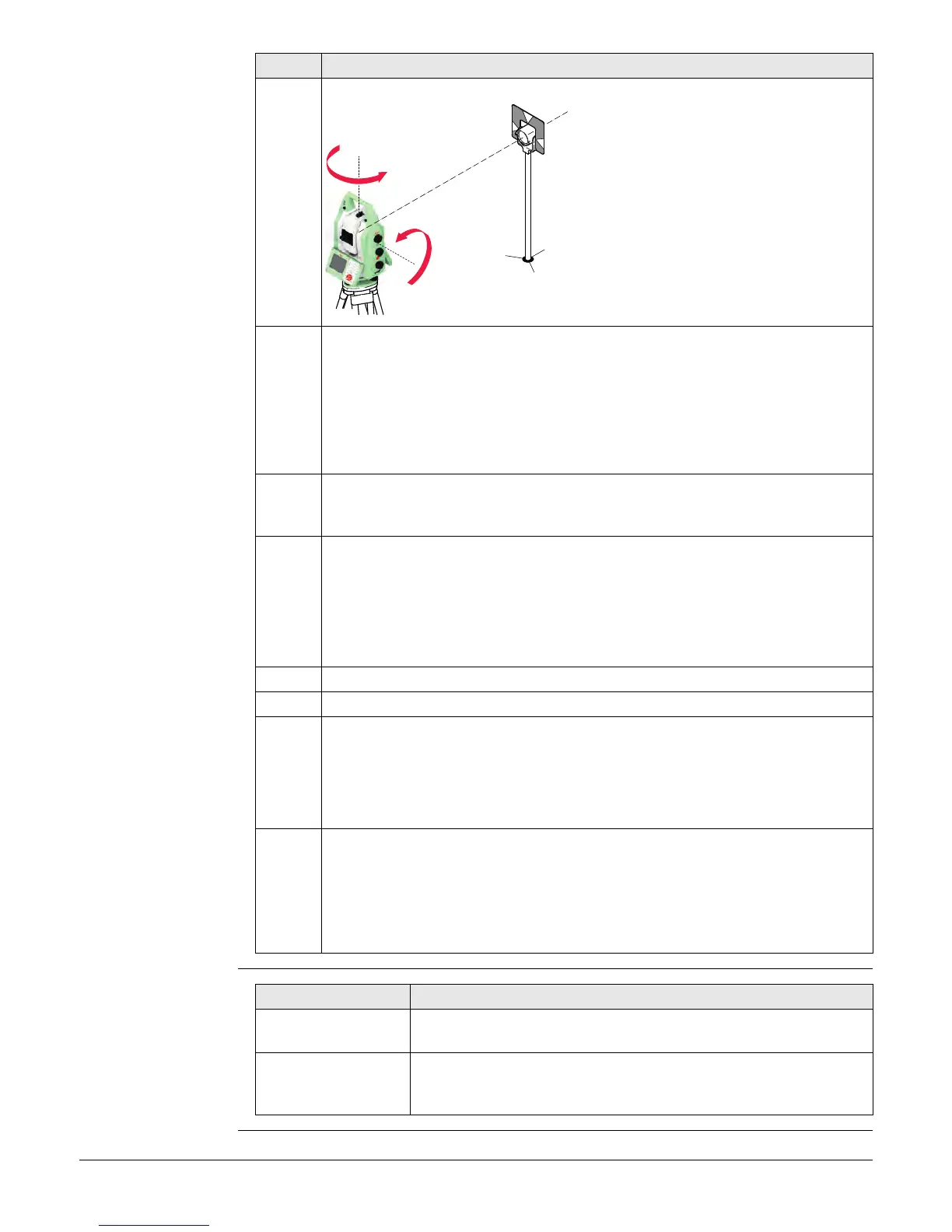
7. Face II measurement
Meas to measure the same target in the other face.
If Calibrate the telescope camera has been checked, aim at the same target
accurately with the telescope camera using the view finder and the digital
crosshair on the display. Meas measure to the target and to calculate the
instrument errors.
If one or more errors are bigger than the predefined limits, the procedure
must be repeated. All measurements of the current run are rejected and
none of them is averaged with the results from previous runs.
8. Adjustment Status
No. of measurements: Shows the number of runs completed. One run
consists of a measurement in face I and face II.
σ l Comp: and similar lines show the standard deviations of the determined
adjustment errors. The standard deviations can be calculated from the
second run onwards.
Measure at least two runs.
9. Next to continue with the check & adjust procedure.
10. Select Add another calibration loop if more runs have to be added. Next and
continue with step 4.
OR
Select Finish the calibration & store the results to finish the calibration
process. Next to view the adjustment results.
11. Select Finish to accept the results. No more runs can be added later.
OR
Select Redo to decline all measurements and to repeat all calibration runs.
OR
Back returns to the previous screen.
Step Description
005026_001
180°
180°
IF the results are THEN
to be stored If the Use status is set to Yes, Next overwrites the old adjust-
ment errors with the new ones.
to be determined
again
Redo rejects all new determined adjustment errors and repeats
the whole procedure. Refer to paragraph "Combined adjust-
ment procedure step-by-step".



 To Next Page