EasyManua.ls Logo

Leica Z2X - Basic Camera Operations; Switching the Camera On and Off; Supported 35 mm Film Types

Leica Z2X
47 pages
Print Icon
To Next Page IconTo Next Page
To Previous Page IconTo Previous Page
Loading...
zoom selector,
all electronics
are
activated
and the
camera
is again
immediately
ready
to
shoot.
This
function
is to
prevent
unne-
cessary
battery
use.
We
recommend
that
you
switch
off the
camera
when
it
is
not
used
for long
periods
of time
in order
to
extend
battery
life.
Compatible
35
mm
films:
The
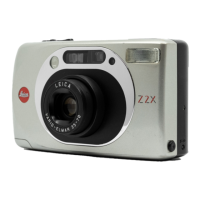
LEICA
ZZX automatically
sets
the
follo-
wing film speeds
for
DX-coded
35
mm films
(package
and
cartridge
are
marked
,,DX").
Film speed
in ISOSwitching
the camera
onloff
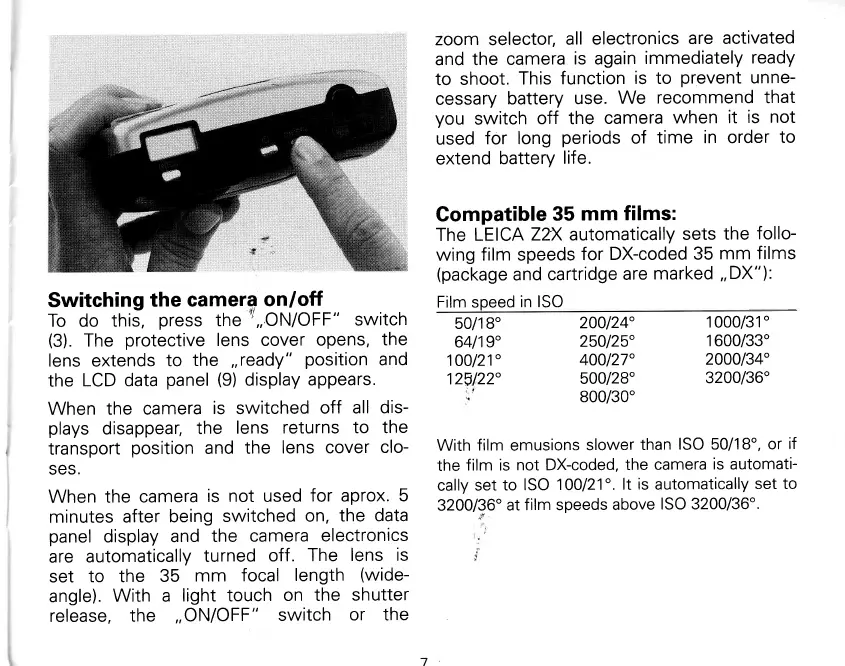
To do this,
press
the
''
,,ON/OFF"
switch
(3).
The
protective
lens cover
opens,
the
lens
extends
to
the
,,ready"
position
and
the
LCD data
panel
(9)
display
appears.
When
the camera
is
switched
off
all dis-
plays
disappear,
the
lens
returns
to the
transport
position
and
the
lens cover
clo-
SES.
When the
camera
is
not
used
for aprox.
5
minutes after
being
switched
on,
the
data
panel
display
and
the
camera
electronics
are
automatically
turned
off
. The
lens
is
set
to the
35
mm
focal
length
(wide-
angle).
With a
light touch
on the
shutter
release,
the
,,
ON/OFF
"
switch
or the
200124"
1000/31"
250125"
1600/33'
400127"
2000134"
500128"
3200/36'
800/30"
50/1 8'
64119"
100121"
125122"
ot
With
f ilm
emusions
slower
than
ISO 50/1 8",
or
if
the
film is
not DX-coded,
the
camera
is
automati-
cally
set
to
ISO
1
00121".
lt
is
automatically
set to
3200/36'
at
film speeds
above
ISO 3200/36'.
w
il
rl