EasyManua.ls Logo

Leica Z2X - Automatic Program Mode: Exposure Override; Adjusting Exposure Compensation

Leica Z2X
47 pages
Print Icon
To Next Page IconTo Next Page
To Previous Page IconTo Previous Page
Loading...
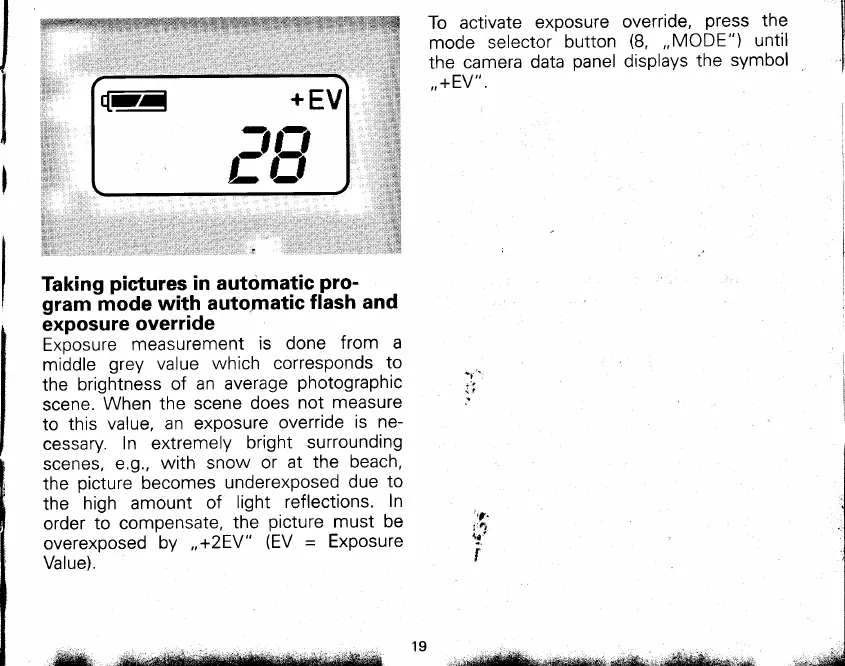
To activate
exposure
mode
selector
button
the
camera
data
panel
,,+EV".
override,
press
the
(8,
,,MODE")
until
displays
the
symbol
E
_.:5u
t-'i-i
,--
Taking
pictures
in autdmatic_pro-
gram
mode
with
automatic
flash and
exposure
override
Exoosure
measurement
is
done
from a
middle
grey
value
which corresponds
to
the
brightness
of
an average
photographic
scene.
When the
scene
does
not
measure
to this
value,
an exposure
override
is ne-
cessary.
In extremely
bright
surrounding
scenes,
e.g.,
with snow
or
at the
beach,
the
picture
becomes
underexposed
due
to
the
high amount
of
light
reflections.
In
order
to compensate,
the
picture
must be
overexposed
by
,,+2EV"
(EV =
Exposure
Value).
,"r
't/"
!1pt
ntr
:
t
,, eea&lustu *sa#*r' d;*dd*&;o*.,.o