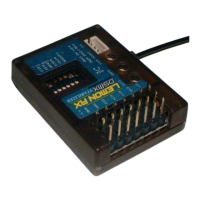
Lemon Microbrick Reference Guide
Page 12 of 20
2. V-Tail or Elevon (Delta) mixing can be set in the Microbrick, while other mixing is done in the transmitter. For
example, the Microbrick could be set to V-Tail while aileron servos were on channels 2 and 6. In this case
Aircraft type would be set to Dual Ail or Flaperon in the transmitter.
Mixing in the transmitter has the obvious advantage of being familiar and flexible. It avoids the need to master
the “blue light dance” in the Microbrick.
Mixing in the Microbrick, on the other hand, is very neat and self-contained. It only needs to be done once for a
given model.
If stabilization is enabled
Your options are restrained:
1. V-Tail or Elevon (Delta) mixing must be done only in the Microbrick; the transmitter must be set for a
NORMAL aircraft type.
2. For stabilization on both ailerons, Dual Aileron mixing must be set in the Microbrick, while the transmitter
must be set to Dual Ail wing type (or Flaperon).
3. Mixes that involve two functions on the same flight axis (such as Flap>Elevator or Throttle>Elevator) are
done in the transmitter as usual.
4. Rudder coupling (Aileron>Rudder mixing) is done in the transmitter as usual.
Programming the Microbrick
Swapping the Functions of the Onboard Servos
If the layout of your plane requires the Elevator and Rudder functions to be swapped between the onboard
servos, you can do this on the Microbrick. Essentially this action shifts the rudder servo to channel 3 and the
elevator servo to channel 4. Nothing else changes.
1. With the transmitter off, hold the receiver button down and connect the battery. The Microbrick will
immediately cause the red LED on the bottom side to flash rapidly.
2. Continue to HOLD the button until the “A” blue LED flashes (about 12 seconds). The red LED will continue to
flash but ignore it.
3. As soon as the “A” blue LED flashes, release the button. Within 3 seconds press it again to reverse the
servos. Lemon say that if the “A” LED is lit, this indicates servo swap. In practice, it can be a bit confusing, so
just check what happened by turning on the transmitter. If it didn’t work, do it again.
This operation is also normally a one-off task and does not have to be repeated, as the Microbrick remembers
the change permanently.
Changing Stabilization Response Direction
This can be done for any of the 3 axes if the stabilizer correction direction needs to be changed to oppose an
external disturbance.
With the Microbrick on and operating:
Aileron (Roll) axis
Hold the button for just over 1 second. The first LED (“A”) will flash. Release the button and the other two will
start flashing for 5 seconds. During that time the aileron response can be reversed by pressing the button. The
direction will be indicated by the “A” LED. ON= reversed.


 To Next Page