- 11 -
BASIC OPERATION
TIME SELECTION
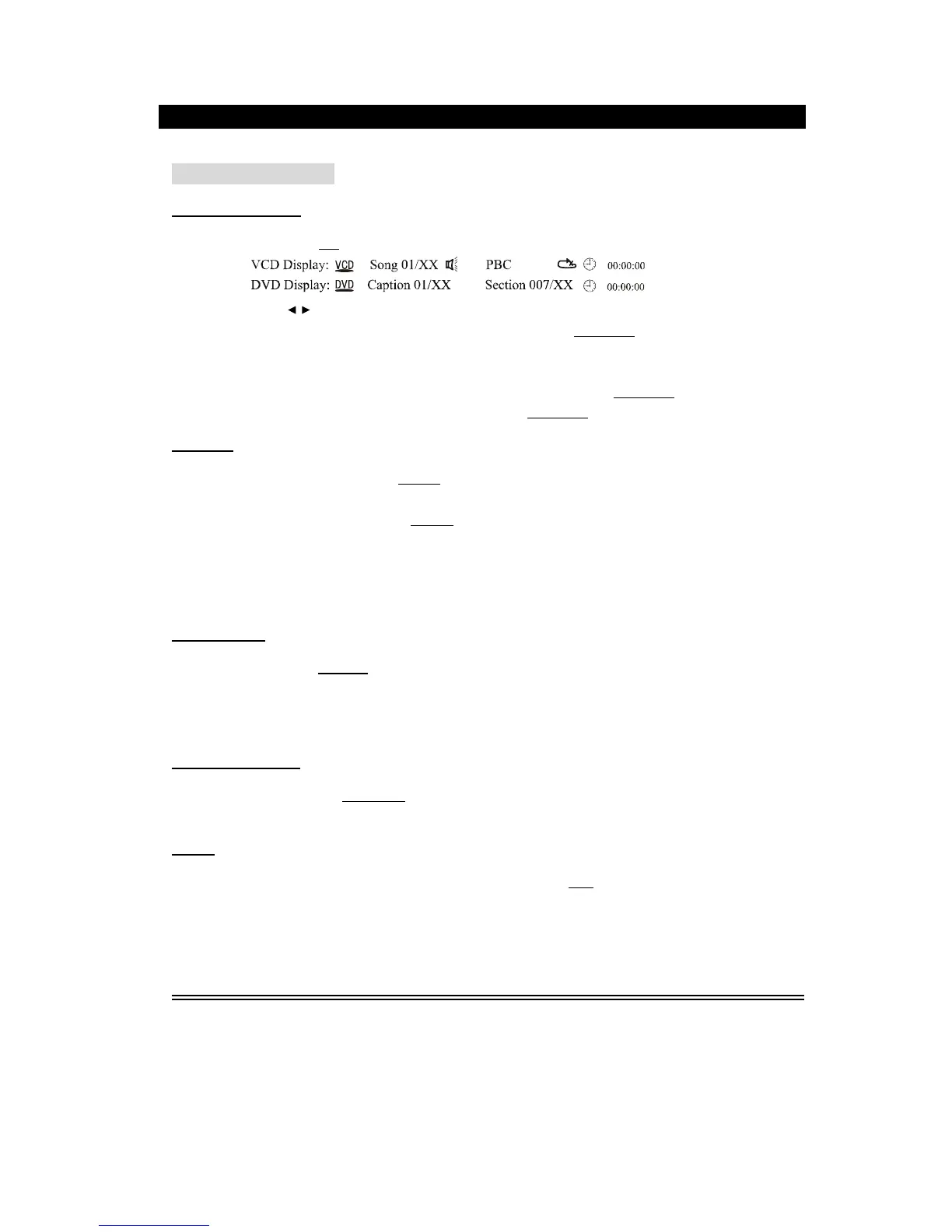
In play status, press
T/F
button on the remote controller, the TV screen displays,
You can press
direction button to move the cursor to the time position, then input the
corresponding numbers by pressing number button, then press Play/Enter
button to enter
the desired part for playing. The optional time range depends on the volume of the played
disc.
For example: Select 55 minutes 20 seconds, enter 0,0,5,5,2,0, press
Play/Enter.
Select 90 minutes, enter0,1,3,0,0,0, press Play/Enter.
REPEAT
In play status, successively press
Repeat
button to separately select the different contents
for repetition.
1). As for DVD, successively press
Repeat
button, the TV screen will
separately
display:
Repeat OFF, Repeat chapter, Repeat Title.
2). As for CD, VCD, CD-R, etc.,
successively
press this button, the screen will separately
display: Repeat OFF, Repeat One, Repeat All.
3). As for Mp3, JPEG, etc., there are options: Rep. One, Rep. Menu, Rep. All.
A-
B REPEAT
In play status, press
Rep.A
-B
button to realize the specific section repeat, that is, press this
button once at the beginning of the section (i.e A), and press it again at the end of the
section (i.e B), this player will automatically return to A and starts to repeat playing the
section from A to B. Press the button again to exit.
SYSTEM SWITCH
In any status, press the
PAL/NTSC
button on the remote controller, the TV screen will be
switched among PAL,AUTO,NTSC,PAL60.
TITLE
If the played DVD disc contains a directory column, press the
Title
button to take out the
items contained in this disc. Use the direction b uttons to move the cursor to select the items
you want to play, or directly use the number button to select.


 To Next Page