- 21 -
MENU SETUP
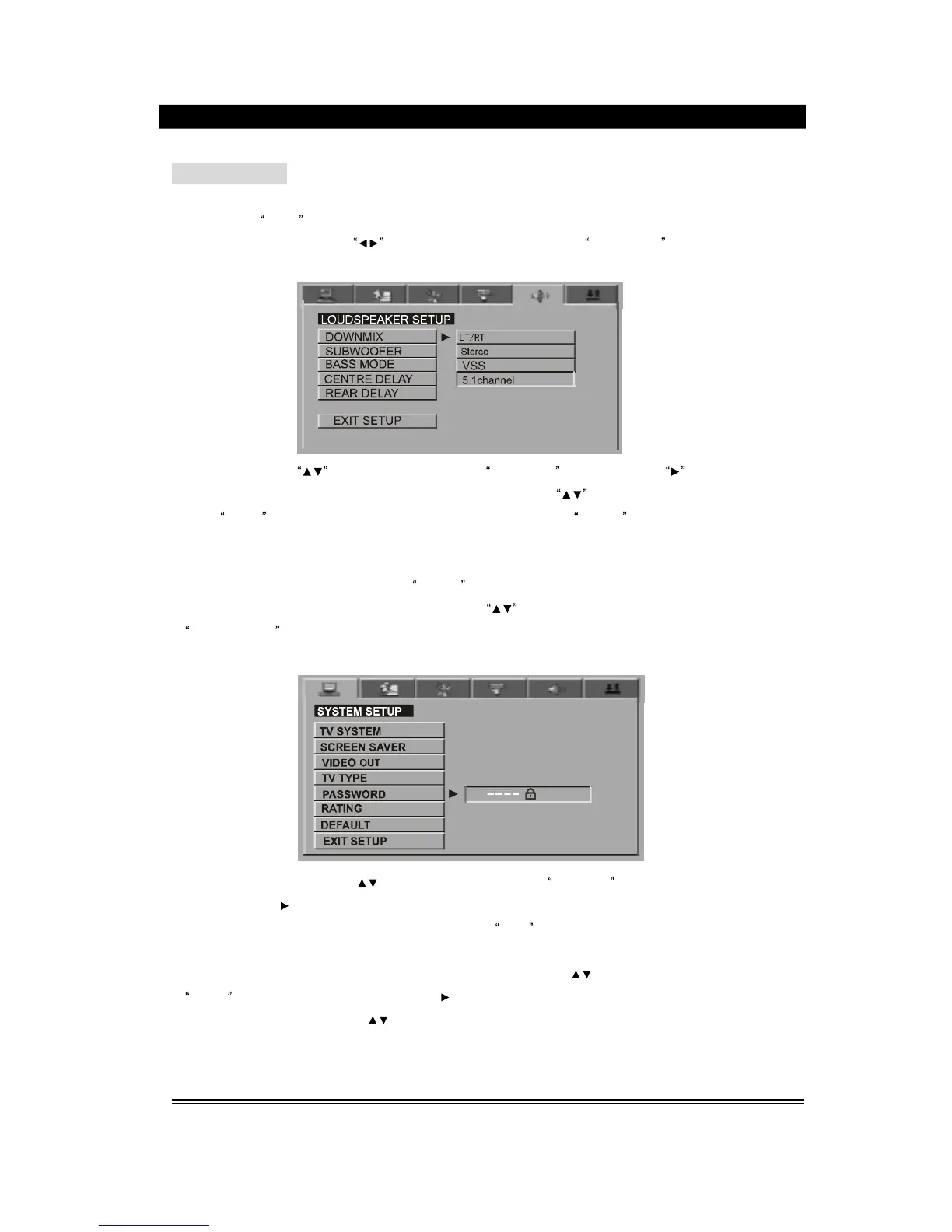
Examples: setting
loudspeaker
5.1CH output
1.
Press the
Setup
button, and the system setting interface will appear on the TV screen.
Press the
direction
button
to
switch
over to the interface for
loudspeaker
as shown
in the following figure:
2.
press the button , to move the cursor to the
DOWNMIX
option, press the
button
or Play/Enter button to enter the sub directory, then press the
button
to switch over to
the
5.1CH
sta
tus, and press Play/Enter for confirmation. Press
SETUP
to exit.
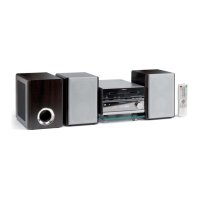
Example: password
/level
1.
In the play or stop status, press the
SETUP
button, and the system setting interface will
appear on the screen. Press the direction button
to switch over to the interface for
System Setup
as shown in the following figure:
2. Press the direction button to move the cursor to the
Password
option, press the
direction button
or Play/Enter button to enter the
subdirectory
, then use the
number
button
to enter the password(the password upon delivery is
0000
). Press the Play/Enter button for
confirmation.
3. After finished the setup of password, press the direction button
to move the cursor to
Rating
option. Press the direction button
or Play/Enter button to enter the subdirectory
then press the direction button
to switch the cursor to the desired rating(8 ratings for this
device), and press Play/Enter for confirmation. Press the Setup button to exit this setup.
NO
TE: If the entered password is wrong, no rating option can be set !


 To Next Page